
Two engineers pushed changes to main and to a feature branch, and both edited the same lines of inventory.yaml. After git merge feature, Git stops and marks the file as conflicted. The lead wants both edits kept, the conflict settled in the working tree, and history to show a true merge. Which git command sequence keeps both edits and completes the merge?
Select an answer to reveal the explanation.
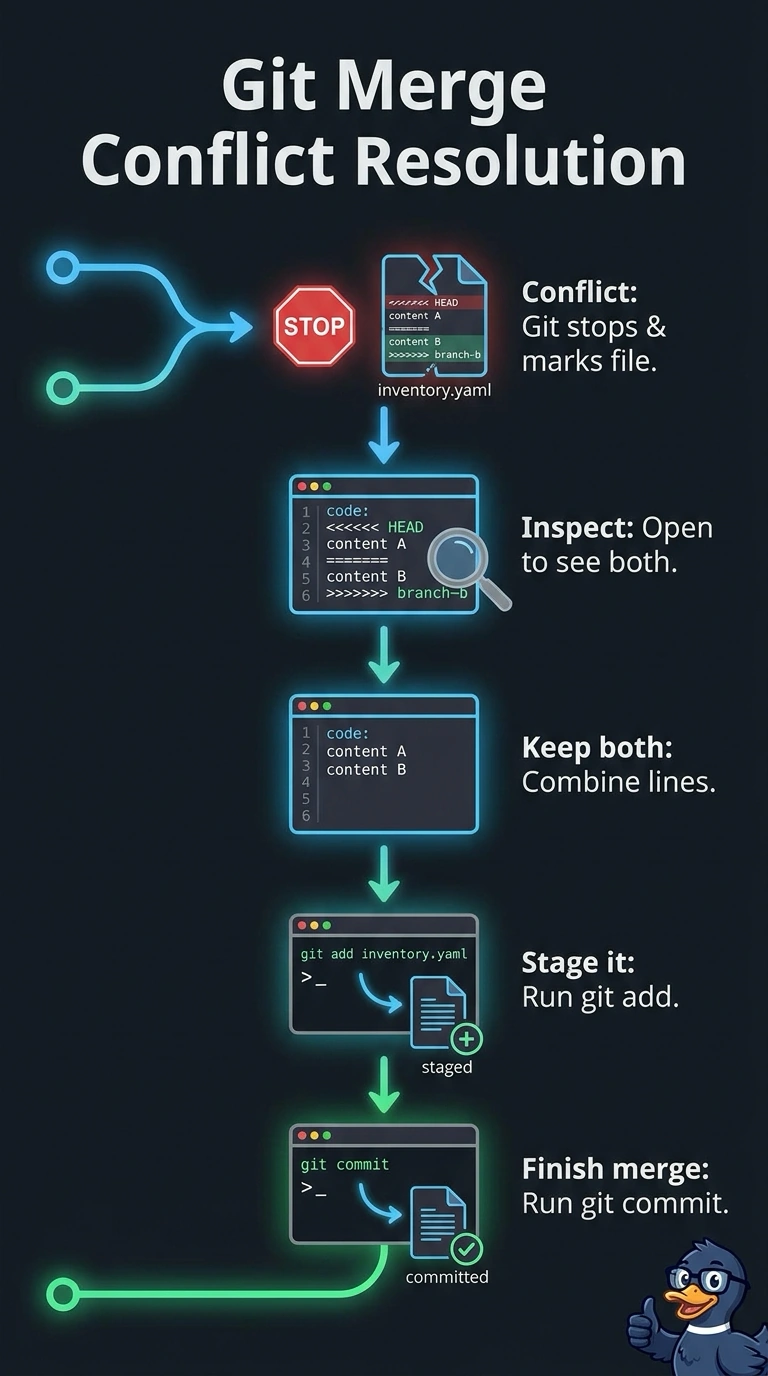
Short Explanation
Git stops here on purpose, so you settle the disagreement before anything moves on. Edit the file, stage it, and commit, and Git records a real merge commit that links both histories. It's the moment both edits get to survive.
Full Explanation
The correct approach is to inspect the conflict markers, edit inventory.yaml so the resulting file includes both intended edits, stage the resolved file, and commit the merge. This settles the conflict in the working tree while completing the merge begun by git merge feature, so the resulting commit records both parent histories. A mainline-preferred resolution is a legitimate way to settle a conflict when the main branch’s value should govern, but here it does not satisfy the explicit requirement to keep both engineers’ edits. A feature-preferred resolution is likewise a standard choice when the feature branch’s value should govern; it fails for the same reason, even though staging and committing would complete the merge. Rebasing feature onto main and resolving the file to preserve both edits can produce the desired file contents, but it replays feature commits rather than recording a merge commit; fast-forwarding afterward does not create a true merge. Exam caveat: conflict markers identify competing text, not the correct semantic resolution, so simply choosing a side or accepting a tool’s automatic result may lose intended behavior. Practical check: inspect the resolved YAML, run relevant validation or tests, then use git status and git log --graph to confirm the file is staged, the merge is complete, and the history has a merge commit.