
A webhook receiver runs a failover script whenever Meraki Dashboard posts a port-down alert to a public endpoint, so anyone who guesses the URL can send a body. Which check best verifies that an incoming alert was signed with your Meraki webhook server's shared secret?
Select an answer to reveal the explanation.
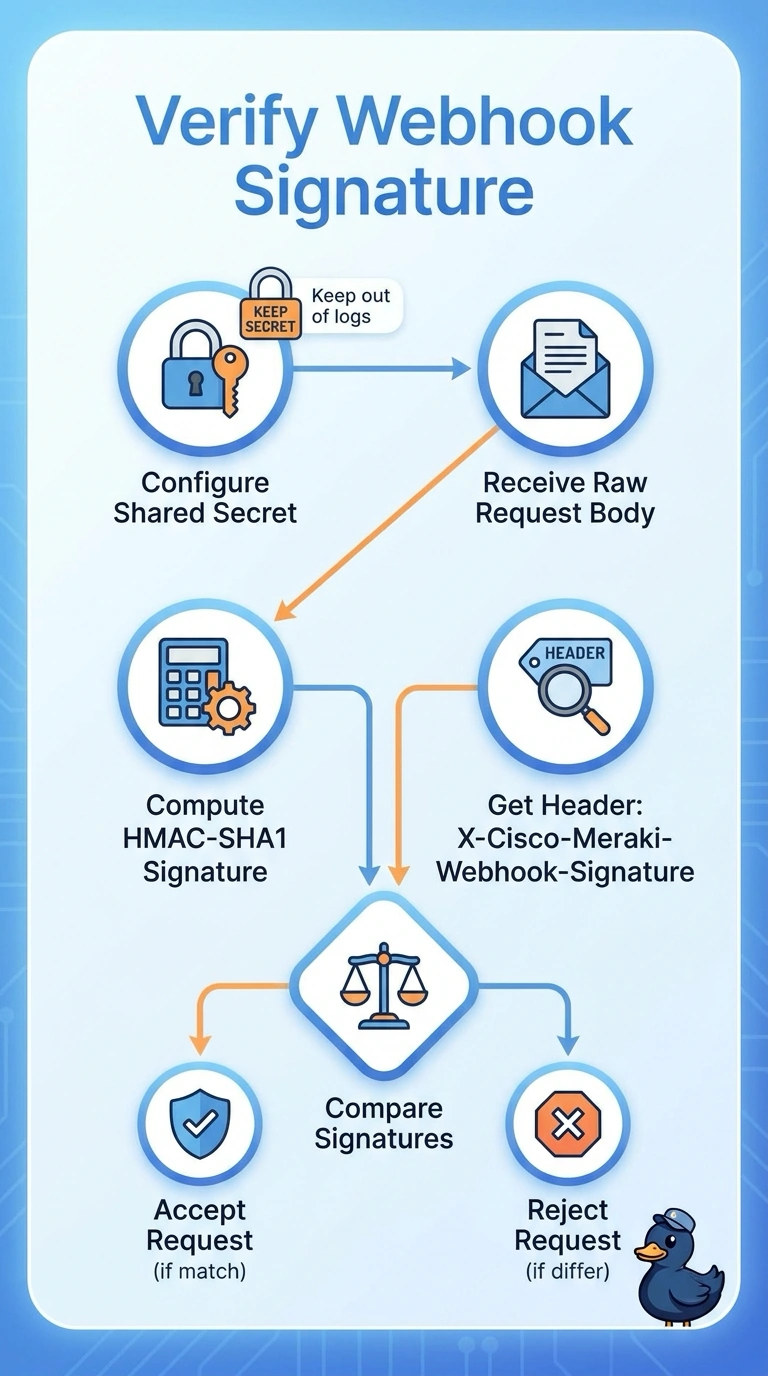
Short Explanation
You can verify an alert by recomputing its HMAC-SHA1 signature from the raw request body and your shared secret, then comparing it with the X-Cisco-Meraki-Webhook-Signature header. It’s like checking a tamper-evident seal: if the signatures don’t match, the alert isn’t authenticated with your secret.
Full Explanation
To verify a Meraki webhook, compute the HMAC-SHA1 signature over the raw request body using the shared secret configured for the webhook server, then compare it with the X-Cisco-Meraki-Webhook-Signature header. Reject the request if the signatures do not match, and protect the shared secret. Requiring HTTPS protects transport and authenticates your endpoint to the client, but does not by itself establish that the client posting to it is Dashboard. Checking the alert type does not authenticate the sender because an attacker can put that type in a forged body. Dropping repeated alert identifiers helps handle duplicate deliveries, but does not authenticate the original message. Preserve the raw body for signature calculation; parsing and reserializing JSON can change the bytes being signed. A practical test is to send a request with an invalid signature and confirm that the receiver rejects it before running the failover script.