
A network automation engineer must apply a device template named BRANCH-EDGE to 40 newly onboarded routers in SD-WAN Manager from a Python script. The script has to work asynchronously because the manager queues the rollout, and it must report exactly which devices failed without anyone logging into a router. How should the script attach the template and track the rollout?
Select an answer to reveal the explanation.
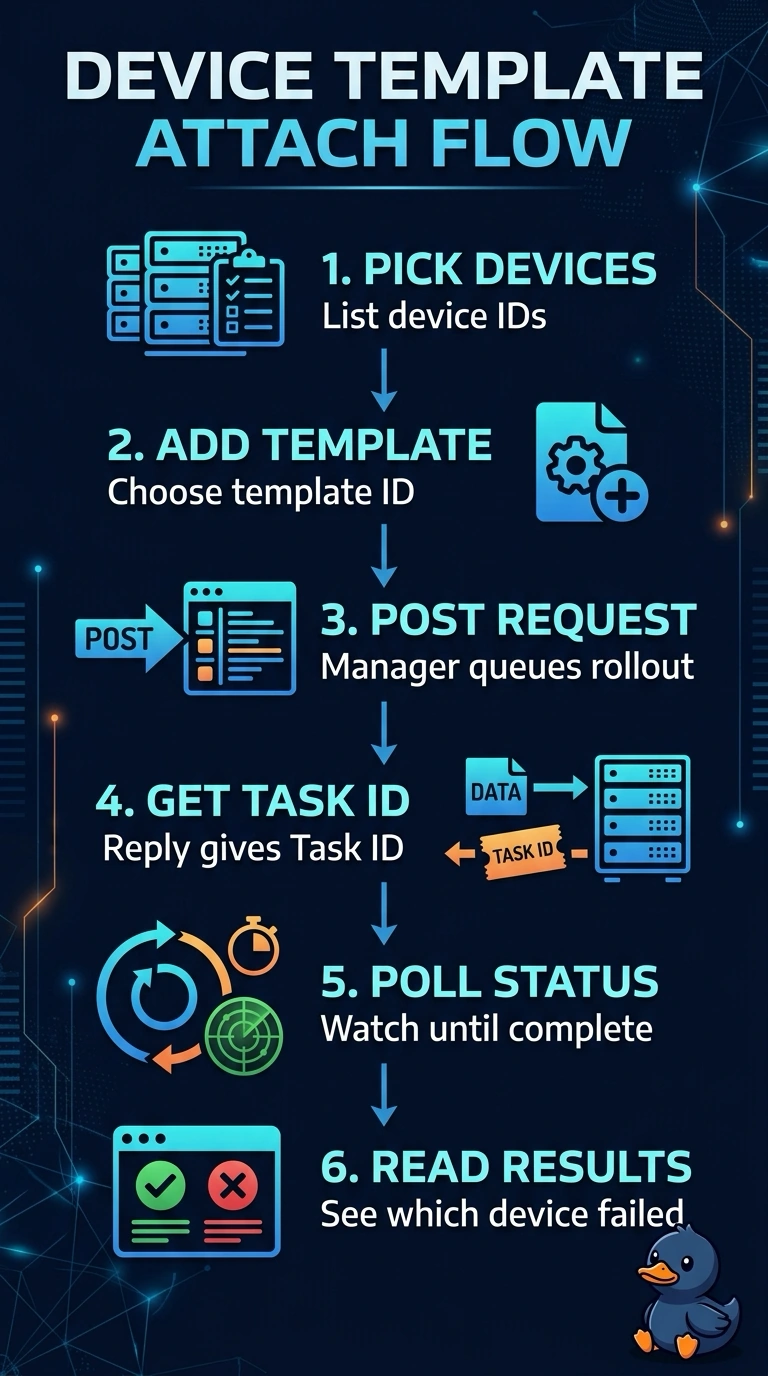
Short Explanation
Template attachment is asynchronous: the manager accepts the request, queues it, and hands you a task ID right away. That task ID works like a coat-check ticket, since the HTTP 200 only means they took your coat, not that it's back on. Polling the task status is what tells you which of the forty routers failed.
Full Explanation
The attach request starts the rollout for the specified routers and template; because SD-WAN Manager queues the work, the script must use the task ID returned by that request to query the task’s results. Those results can identify individual devices that failed, meeting the requirement to report failures without logging in to any router. Polling only for overall completion is insufficient: a completed task can include both successful and failed devices, so a single overall status does not say which routers failed. Checking inventory for a template association is a useful way to confirm resulting configuration state, but association alone does not provide the rollout’s per-device failure results. Audit events can establish that attachment actions were recorded, but event records are not a substitute for the task’s device-level execution outcomes. Exam caveat: an accepted attach request or a completed task is not, by itself, proof that every device succeeded. Practical check: inspect the task-results schema and confirm the script handles terminal status and records each device’s outcome and any reported error, including when polling returns an intermediate status.