
A flagship store wants footfall numbers for one lobby camera, sampled every minute. The four counting areas are already drawn in Meraki Dashboard and your config holds their area IDs. The integration standard is to pull on demand from current, supported endpoints only. Which Meraki API request returns the per-area people counts for each sample window?
Select an answer to reveal the explanation.
Short Explanation
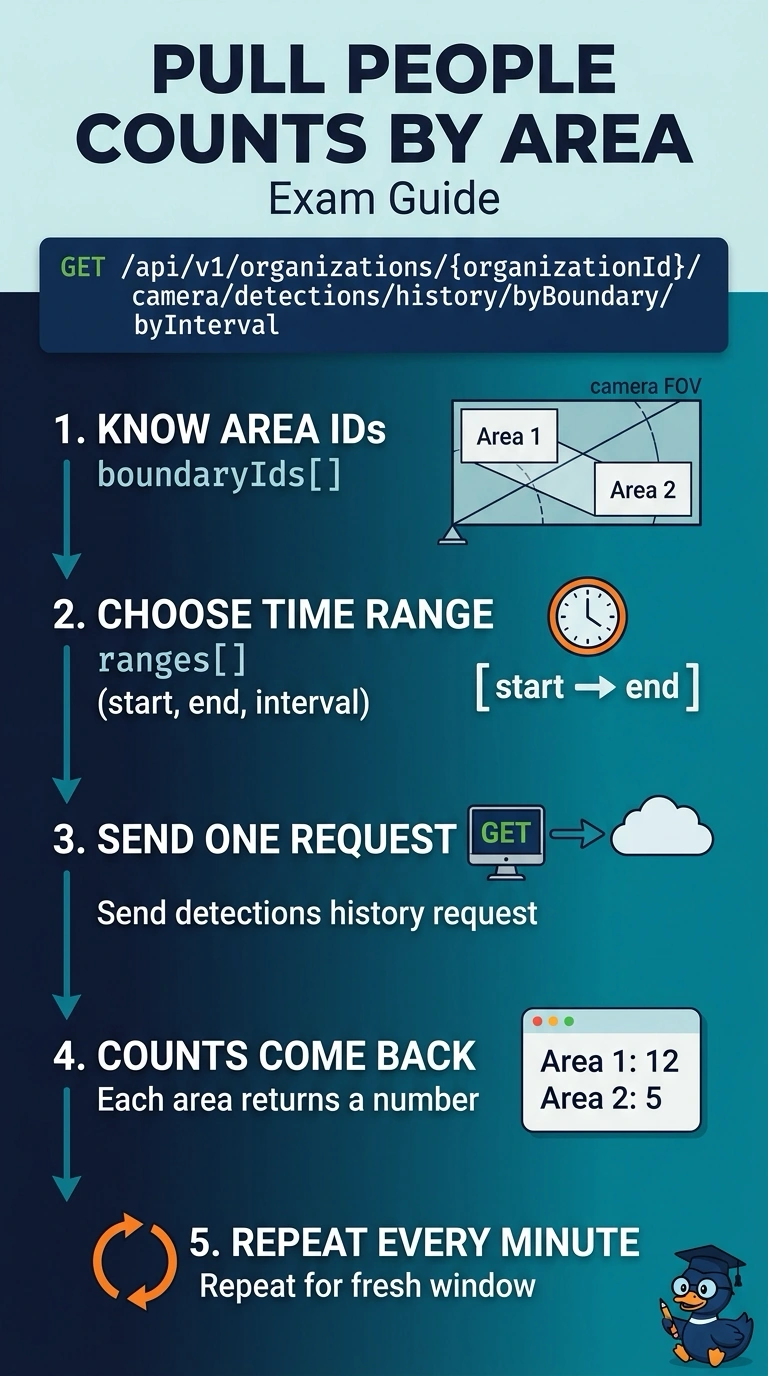
Spot on — the detections history call is the current way to pull people counts per area. You have the area IDs already, so add a time range and interval to get the counts for that window. It works like a till count: ask for the window you care about, then ask again each minute.
Full Explanation
The correct request uses the organization-level detection-history endpoint that combines boundary selection with interval sampling. Supplying the four configured boundary IDs identifies the areas of interest, while ranges define the sample windows; the response can therefore provide counts per area for each minute. The byBoundary endpoint is a reasonable choice when reporting area-level totals, but it aggregates over the requested window rather than returning a separate count for every sample window, so it misses the required temporal resolution. The byInterval endpoint provides the requested time breakdown, but without boundary selection its counts are camera-wide rather than separate results for the four areas. The device analytics overview is a conventional way to inspect camera-level analytics over a time range, but it likewise does not return the per-area counts needed here. Exam caveat: verify the endpoint’s current API version and parameter format, since similarly named detection-history routes can return different groupings, and interval limits or supported camera models may apply. Practical check: test a short window with all four known boundary IDs, confirm that the response has one result per area per minute, and compare a sample against Dashboard analytics for the same camera and time period.