
For a quarterly audit, an engineer is writing a Python script that must list every router managed by SD-WAN Manager, showing each device's name, system IP, platform model and software version in one pass. The script authenticates once and then reads the returned records. Which SD-WAN Manager request should the script make to gather those inventory fields?
Select an answer to reveal the explanation.
Short Explanation
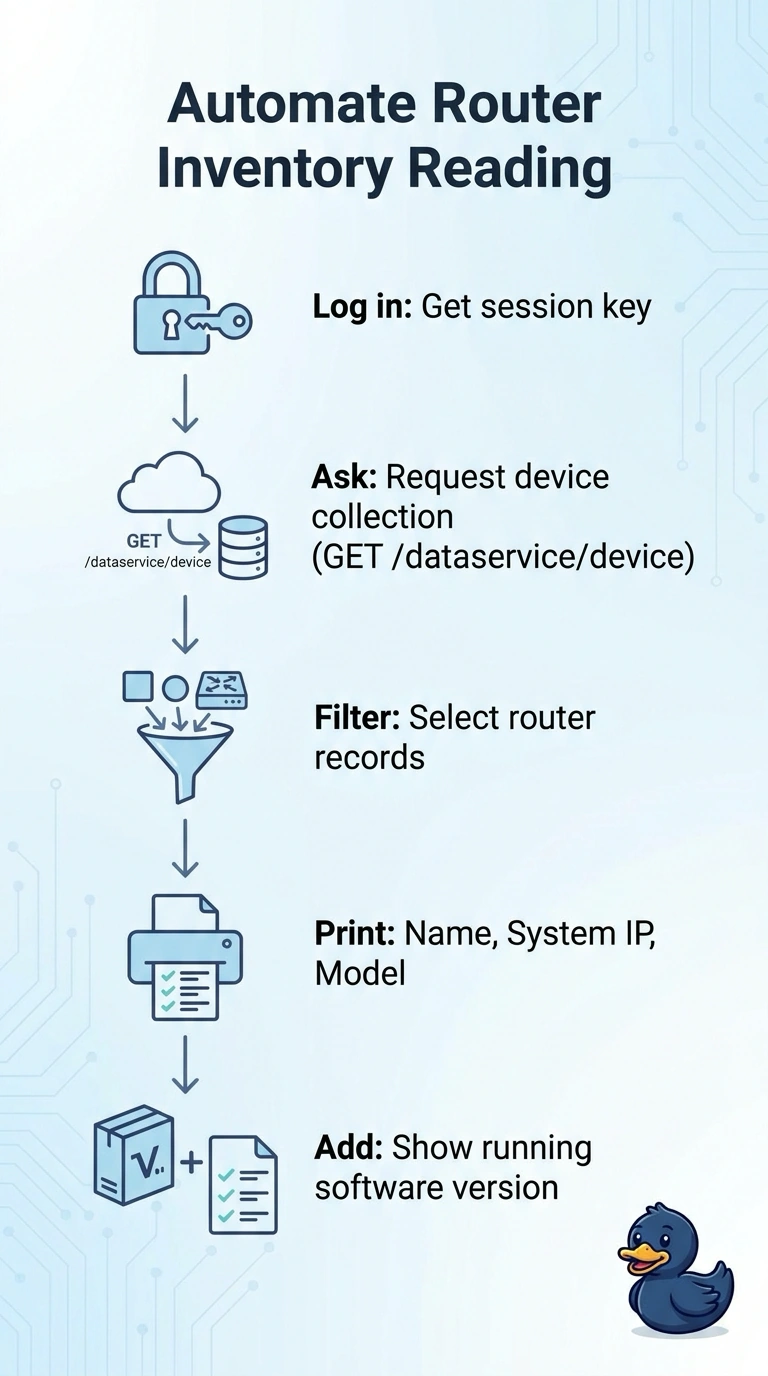
Use GET /dataservice/device to retrieve the device inventory, filter for routers, and print each record’s host name, system IP, model, and software version. You can gather the requested details from the returned records in one pass, without making a separate request for each router.
Full Explanation
The correct request uses GET /dataservice/device to retrieve managed-device records, filters them to routers, and reports each record’s host name, system IP, device model, and software version. This supports the audit’s one-pass workflow: you authenticate once, read the returned records, and do not need a detail request for each router. Requesting every router’s detail record individually is a familiar API pattern when an inventory endpoint provides only summary data, but it adds multiple reads instead of using the returned records. Printing the requested fields for every managed device uses the inventory response efficiently, but includes non-router devices. Filtering for routers and printing the host name, system IP, and model selects the right devices, but omits software version, which the audit requires. Exam caveat: response schemas and field names can differ across SD-WAN Manager releases, so confirm the documented schema for the deployed version rather than assuming a field is present or identically named. Practical check: test against a representative response and verify every output row is a router with a non-empty host name, system IP, model, and software version, and that the script makes no per-device requests.