
During migration planning you must list every edge router from SD-WAN Manager with its hostname, system IP, site ID and software release so the team can build a cutover spreadsheet. Which API endpoint returns that device inventory?
Select an answer to reveal the explanation.
Short Explanation
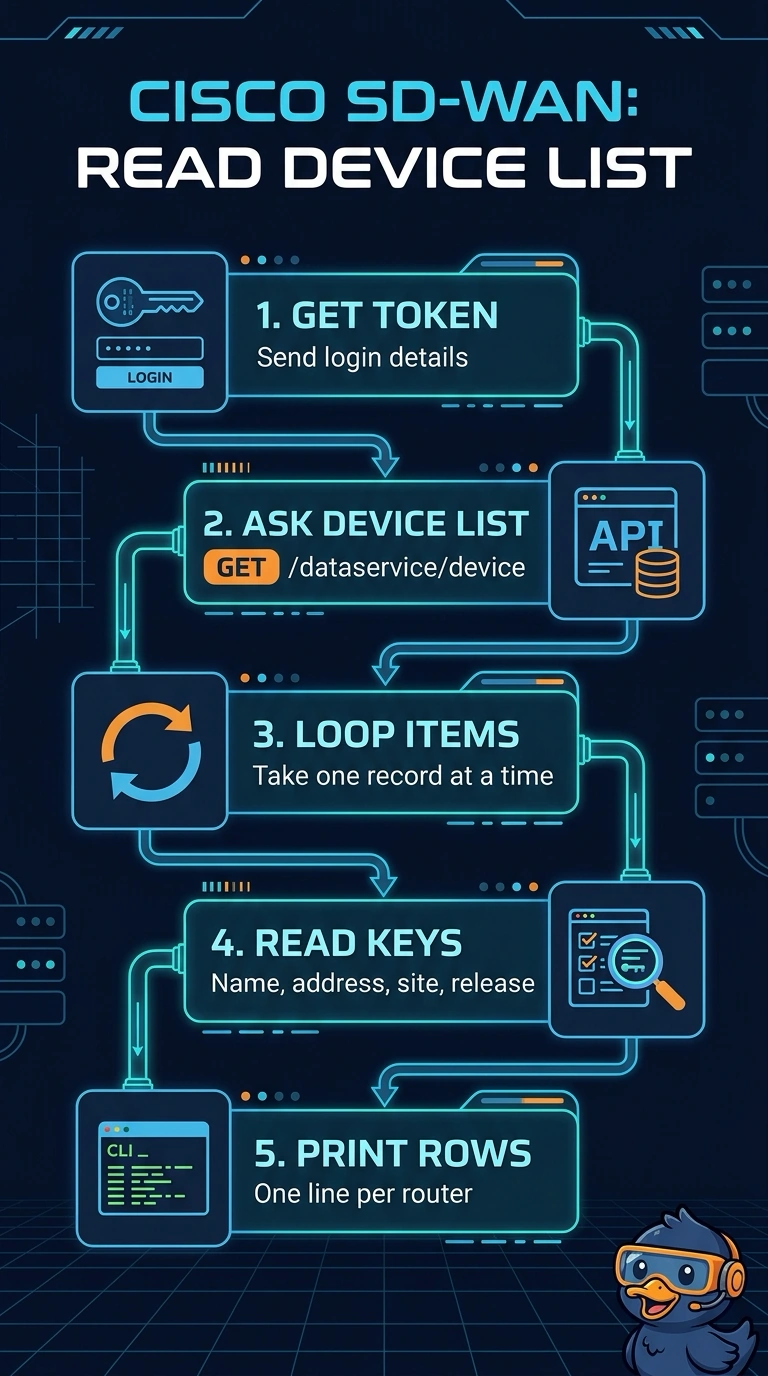
Use GET /dataservice/device to pull the edge-router inventory, including each device’s hostname, system IP, site ID, and software release. It’s like grabbing a roster for your cutover spreadsheet—just authenticate first, then collect the records.
Full Explanation
GET /dataservice/device is the correct endpoint because SD-WAN Manager’s data service returns device records for the managed network, including the hostname, system IP, site ID, and software version needed for the cutover spreadsheet. After authenticating and obtaining a session token, send a GET request to this endpoint and use the returned records as the device inventory. Dashboard HTML scraping is a presentation-layer approach, not a stable inventory interface: it depends on front-end markup that can change between releases. Template-based inventory inference also fails conceptually because device templates describe configuration; attached variables do not make the template list a reliable source of the live router roster and its current software releases. Upgrade-history inference confuses change activity with current state: that endpoint describes software upgrade activity, not the complete current device inventory. Exam caveat: SD-WAN Manager was formerly called vManage, and API behavior or documentation can vary by release, so verify the endpoint against the version in use. Practical check: query the endpoint and confirm the response contains the required fields and covers every edge router needed for the report.