
A network automation engineer must script a nightly inventory report for a 400-branch SD-WAN overlay. The report has to pull live data from SD-WAN Manager's device inventory API and print each device's host-name, system-ip, site-id and device-type for the morning handoff. Which approach produces the required per-device fields from the live controller?
Select an answer to reveal the explanation.
Short Explanation
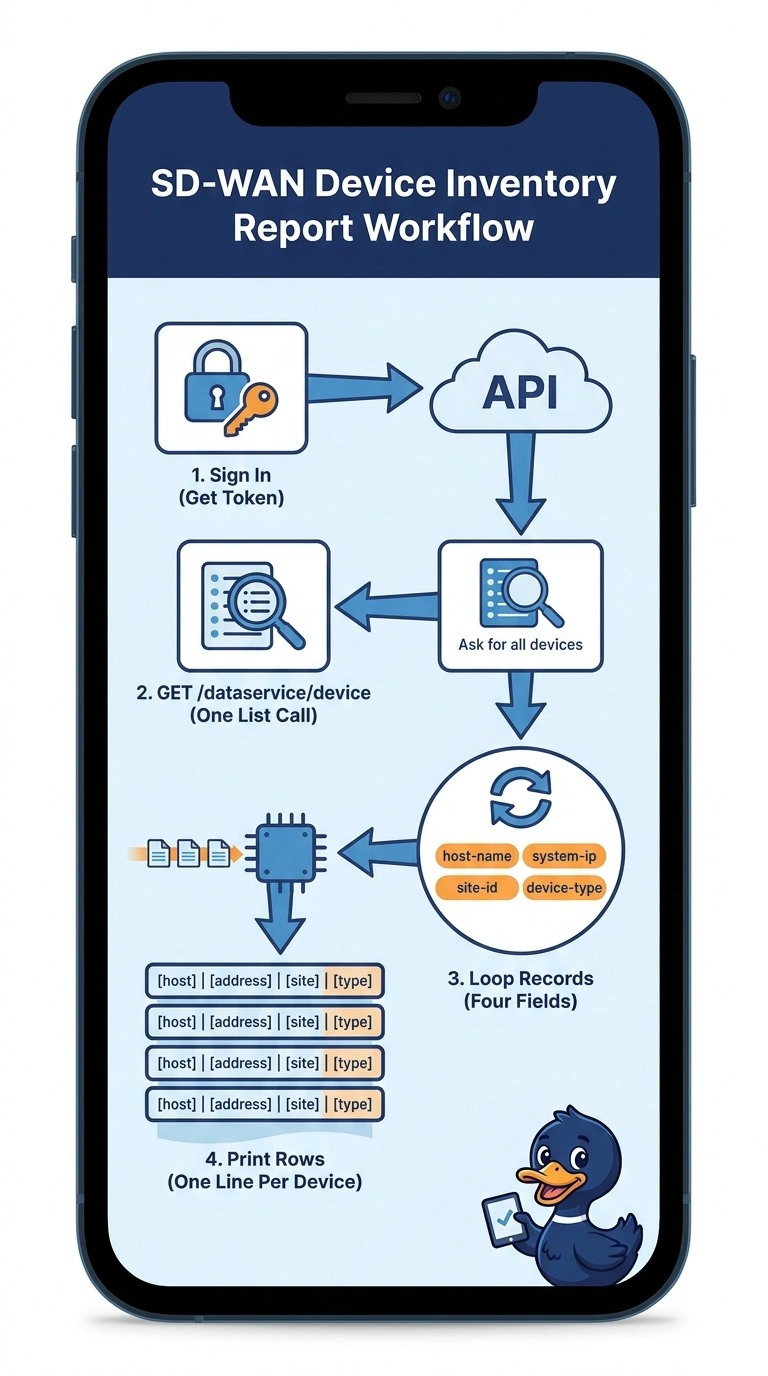
One authenticated GET hands you the fleet inventory, so you skip hundreds of separate logins. You just walk the records and pick out the four fields you need. It's like asking the controller's front desk for the guest list instead of knocking on every door.
Full Explanation
The device inventory lives behind the data service API of SD-WAN Manager, the product formerly called vManage, where one authenticated GET to /dataservice/device returns a JSON payload whose data array holds a record per router. Those records already carry host-name, system-ip, site-id and device-type, so a single loop over the array produces the whole report, and the job scales from ten branches to four hundred without extra work. Pulling a CSV exported from the GUI fails the live-data requirement because the file is only a snapshot of the moment somebody clicked export, and a nightly report must reflect the controller now. Querying feature templates fails by concept: that endpoint describes configuration templates rather than device records, so the inventory fields simply are not present. Collecting over SSH through Netmiko could retrieve device details, but it does not pull them from the live controller's inventory API and requires hundreds of interactive sessions. Caveat: field names come straight from the response payload, so print the keys of the first record before hard-coding them. Practical check: run the script and compare its line count with the device count shown on the controller inventory page.