
A campus MX needs a new wireless SSID mapped to VLAN 40 plus an L3 firewall rule that blocks guest traffic to internal ranges, all driven from CI through the Meraki Dashboard API. The network ID and endpoint are verified, VLAN support is disabled, and the first call to create VLAN 40 returns HTTP 404. Which Meraki API step clears that VLAN creation failure?
Select an answer to reveal the explanation.
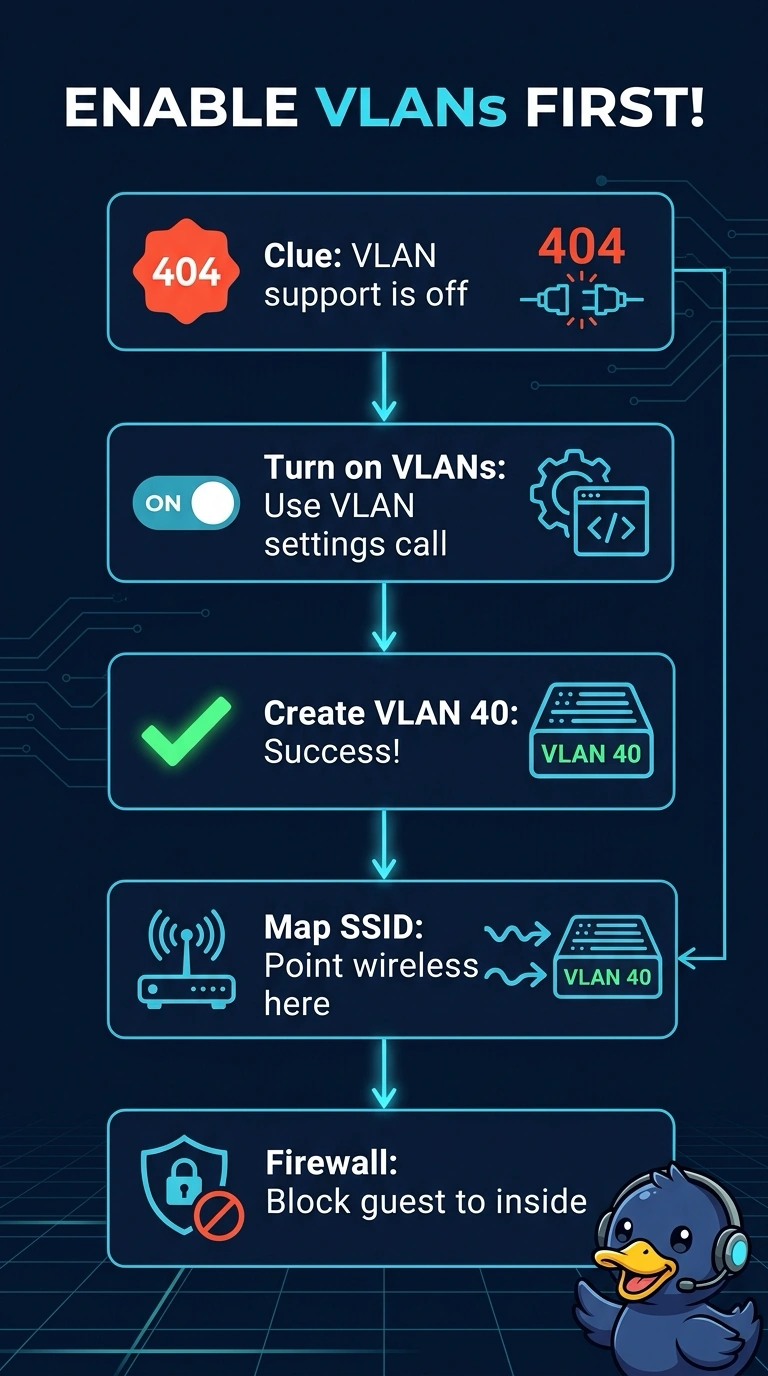
Short Explanation
A 404 here means VLAN support is off for that network, so your VLAN creation call has nowhere to land. First enable it with the appliance VLAN settings API call, then create VLAN 40—like opening the door before bringing in the furniture.
Full Explanation
Meraki's Dashboard API exposes VLAN support as a network-level setting that must be enabled before the per-network VLAN resource can be created. With the network ID and endpoint verified, a 404 in this scenario indicates that VLAN support is disabled. Enable it with the appliance VLAN settings call, then create VLAN 40; after that, the SSID mapping and L3 firewall rule can be written from CI. Retrying the create call with the same verified path will not enable the feature. Setting a VLAN tag inside the SSID payload assumes the SSID creates an appliance VLAN for you, but an SSID can only reference a VLAN ID that already exists on the appliance. Creating VLAN 40 through the switches API provisions a layer 2 VLAN on a switch, not the MX's own VLAN interface. The MX must be running in routed mode for appliance VLAN changes. After enabling VLAN support, GET the VLAN list and confirm VLAN 40 is present before writing the firewall rule.