
After submitting a configuration template deployment through the Catalyst Center Intent API, your script receives HTTP 202 with a taskId. The deployment has reported no progress for several minutes. Which check during task polling returns the failure reason the operator needs?
Select an answer to reveal the explanation.
Short Explanation
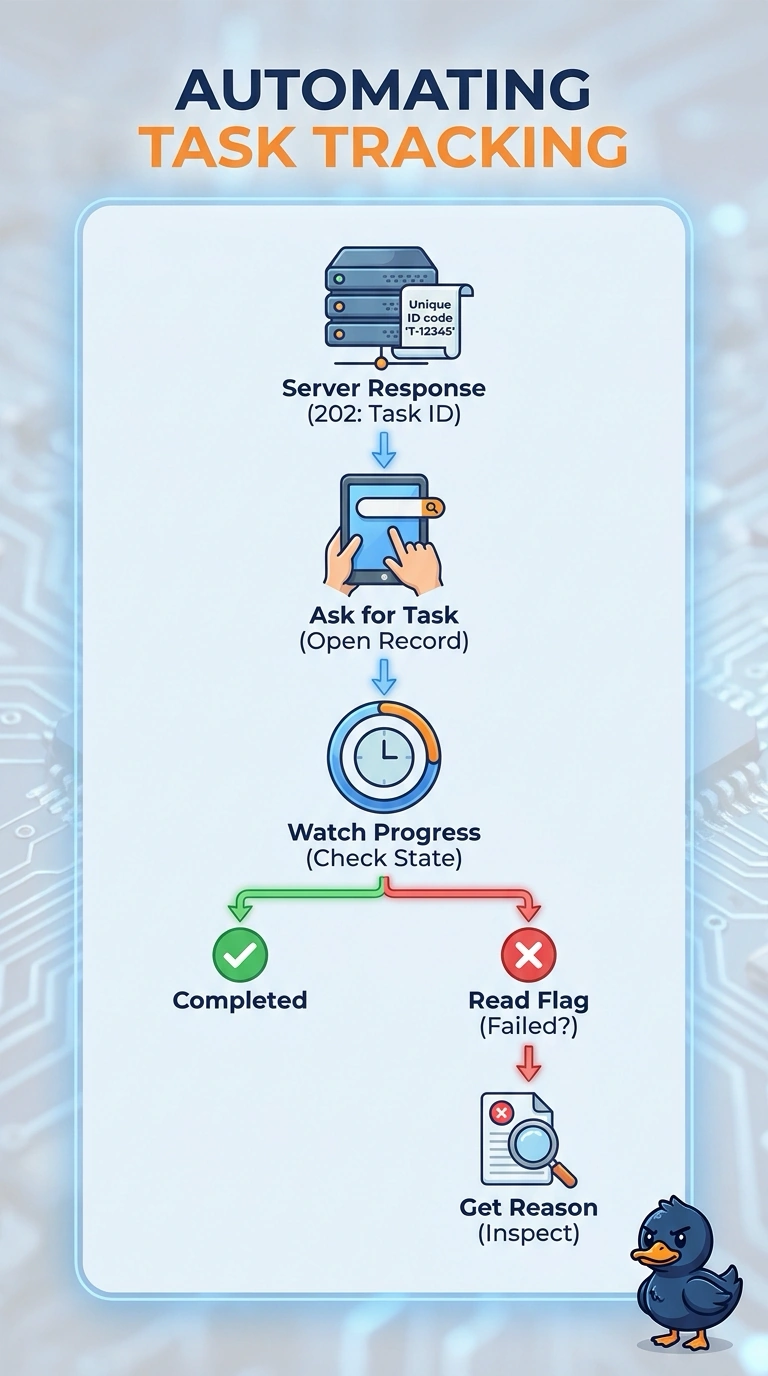
You can find the failure reason by reading the task resource with its taskId, watching its progress, and inspecting the reason it returns. The task record is your source for the diagnostic detail, not just whether the deployment finished.
Full Explanation
The task resource is the authoritative place to follow an asynchronous Intent API operation: use the returned taskId to read that resource, observe its progress field, and inspect the failure reason it returns when the deployment fails. Polling the task until it reaches a terminal state and using its final status can classify success or failure, but status alone does not provide the diagnostic reason the operator needs; status and explanation are distinct pieces of information. Polling the task and then querying the deployment record may help review deployment history, but that record is not the task-polling check that exposes the reason on the task resource, and it may not be available or current while the task is still running. Polling the task and inspecting device syslog can help investigate device-side symptoms, but syslog is indirect evidence: it may omit controller-side validation or orchestration failures and does not replace reading the reason returned by the task. Exam caveat: HTTP 202 means the request was accepted for asynchronous processing, not that the deployment succeeded or failed. Practical check: use the taskId from the response to retrieve the task repeatedly, confirm whether its progress changes, and, if it reports failure, capture the returned reason along with the task ID for troubleshooting.