
A city IT team sees an OSPF adjacency stall in ExStart/Exchange between two civic core routers after a WAN circuit change. Which mismatch is the classic cause of that symptom?
Select an answer to reveal the explanation.
Short Explanation
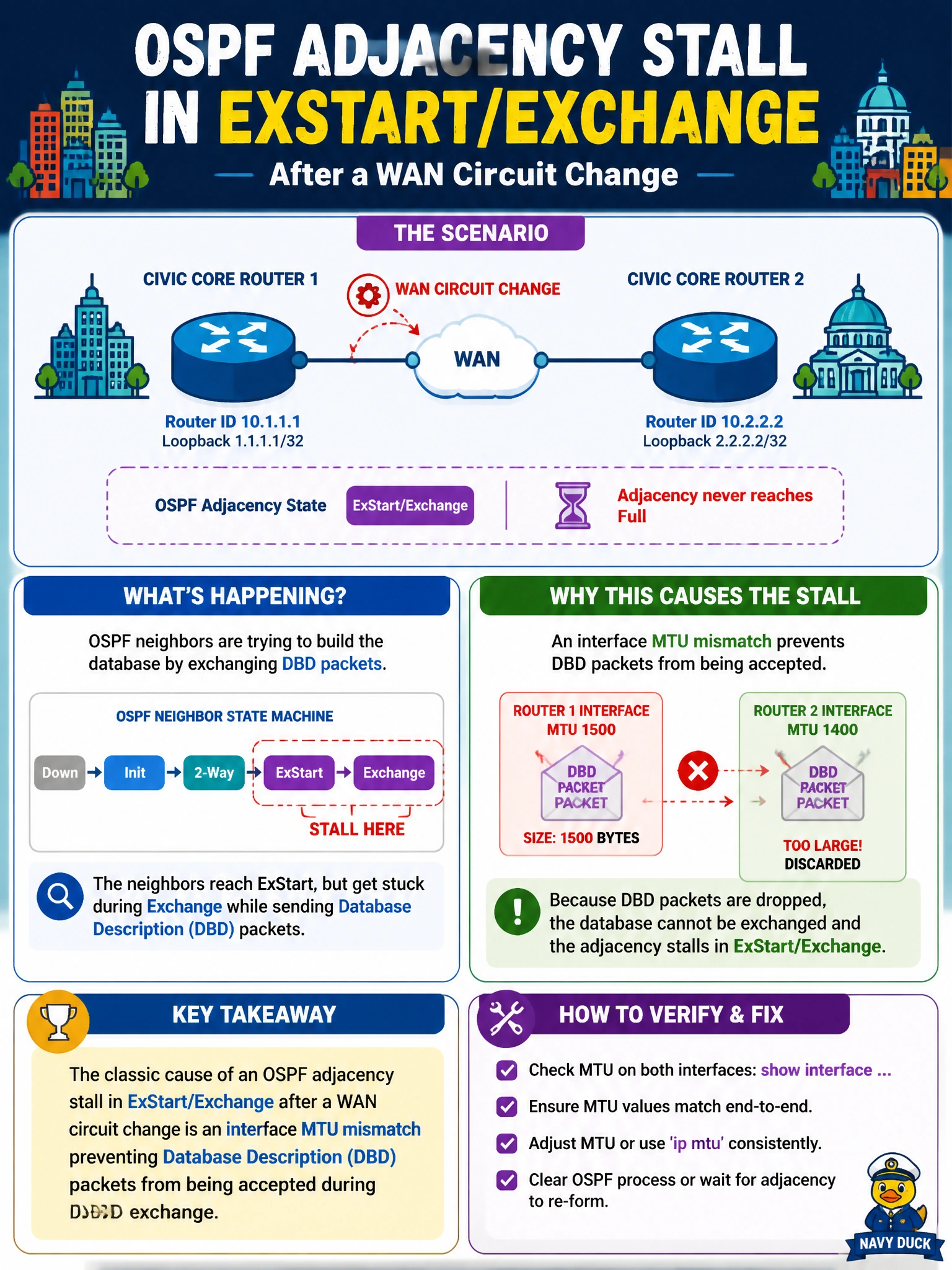
You can think of ExStart/Exchange as the routers comparing database “notebooks.” If one router’s interface MTU is larger than the other will accept, their DBD packets can be rejected and the adjacency stalls—a classic issue after a WAN change.
Full Explanation
When a city IT team sees an OSPF adjacency stall in ExStart/Exchange after a WAN circuit change, the classic cause is an interface MTU mismatch that prevents Database Description (DBD) packets from being accepted during database exchange. In these states, neighbors negotiate master/slave roles and exchange DBDs describing their link-state databases; if one router’s IP MTU exceeds what the other will accept, DBDs may be dropped or rejected, preventing progress to Loading/Full. A WAN change can alter MTU or add overhead, making this a strong match for the symptom. Matching OSPF process IDs are locally significant and need not be unique on an Ethernet link, so they do not cause this stall. BGP communities are not carried in OSPF hello packets, so a missing BGP community cannot explain the adjacency state. Totally stubby configuration on both ends of a point-to-point link is an area configuration issue, not an MTU-style DBD failure that typically freezes adjacency in ExStart/Exchange. Exam caveat: ExStart/Exchange strongly points toward MTU/DBD trouble, but confirm the interface MTUs rather than assuming the circuit change caused a mismatch. Practical check: compare the interface MTU and OSPF interface MTU on both civic core routers; align them, or use ip ospf mtu-ignore only with an understanding of the risk, then clear the neighbor and confirm it reaches Full.