
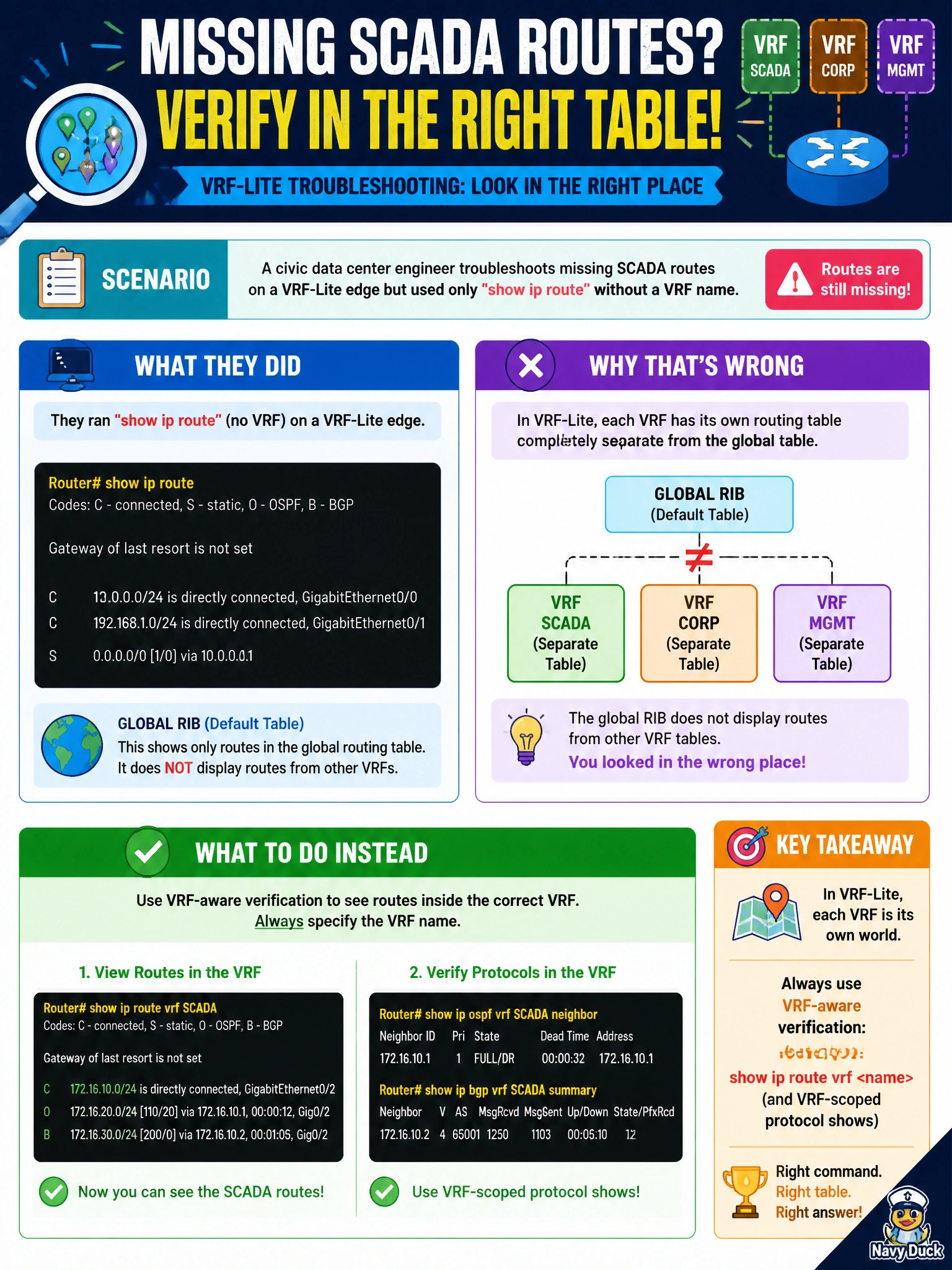
A civic data center engineer troubleshoots missing SCADA routes and used only show ip route without a VRF name on a VRF-Lite edge. What was most likely wrong with that verification method?
Select an answer to reveal the explanation.
Short Explanation
Looking at the global map when SCADA lives in another drawer is why the routes look ‘missing.’ Add the VRF name and the drawer opens.
Full Explanation
On a VRF-Lite civic data-center edge, show ip route without a VRF name displays only the global RIB. SCADA routes living in another VRF will look “missing” even when present. Correct verification requires show ip route vrf <name> and VRF-scoped protocol commands (OSPF/EIGRP/BGP per VRF). That was most likely wrong with the engineer’s method: global-only show commands for a VRF-resident SCADA table.
show ip route does not always print every VRF table concatenated; assuming concatenation is a common misconception and would incorrectly dismiss the verification gap. SCADA routes do not appear only under show vlan brief—that command shows Layer-2 VLAN state, not the VRF RIB. Missing routes do not imply BFD must be disabled before any show command works; BFD is unrelated to selecting the correct VRF-aware show syntax.
Exam caveat: many show and ping/traceroute commands need vrf keywords; CEF and ACL hits are also VRF-aware. Operators should document VRF names in runbooks so overnight staff do not repeat global-only checks.
Operational check: reproduce with show ip route versus show ip route vrf SCADA, confirm the prefixes, then use show ip ospf neighbor vrf / show ip eigrp vrf topology as applicable. Only after VRF-scoped verification should deeper protocol debugging begin.