
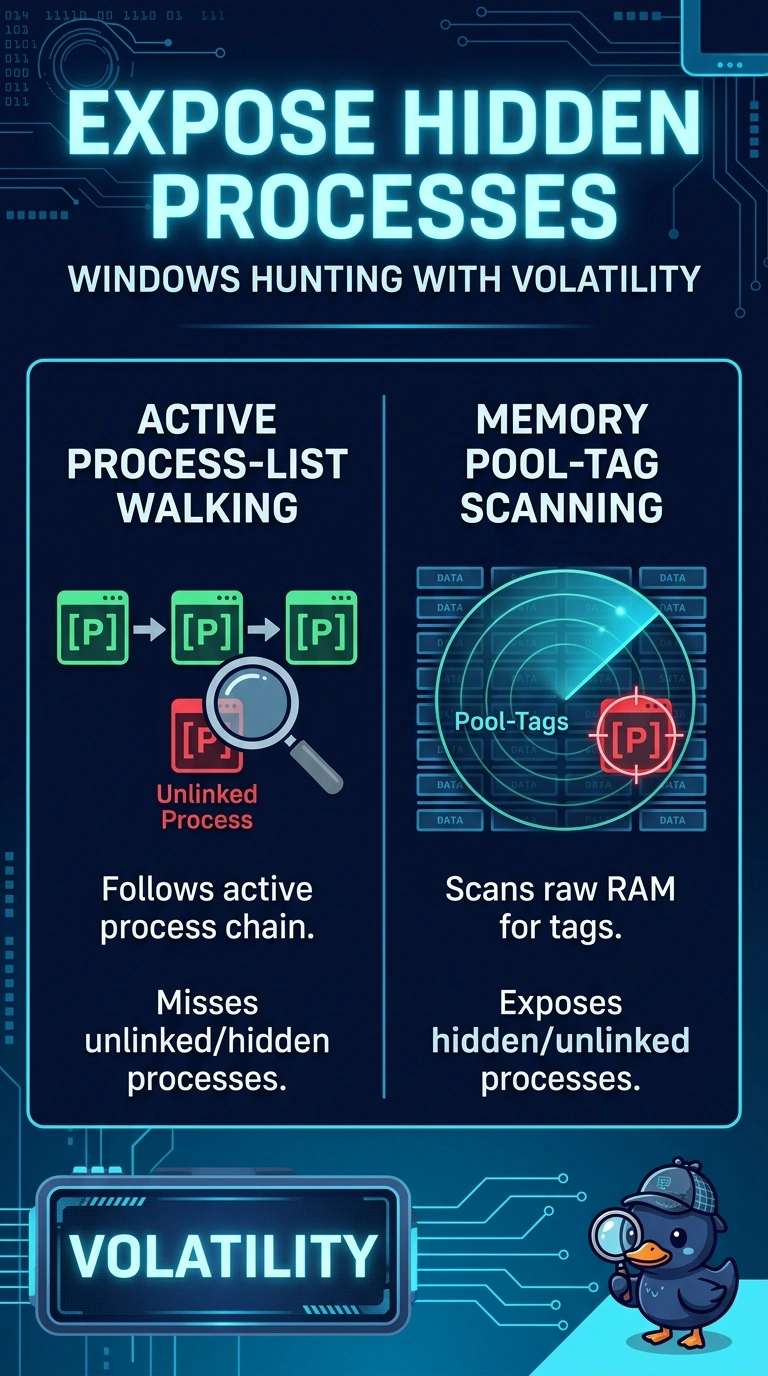
An incident responder acquires a volatile memory image from a compromised Windows server and suspects a kernel rootkit is hiding an active malicious process from standard OS task listings. Which Volatility analysis comparison best exposes the concealed process?
Select an answer to reveal the explanation.
Short Explanation
If a guest sneaks into a building and erases their name from the front-desk sign-in sheet, you won't catch them by reading the sheet—you have to walk the hallways. The trap is relying on OS-managed lists when a rootkit can unlink itself from them.
Full Explanation
Kernel rootkits commonly hide processes via Direct Kernel Object Manipulation by unlinking the target process from the doubly linked active process list, which is why Comparing active process-list walking against memory pool-tag scanning exposes the discrepancy. In Volatility, list-walking plugins follow the OS-maintained chain and miss unlinked entries, whereas pool-tag scanning searches raw physical memory for process object structures that remain allocated so the CPU scheduler can still run the code. Comparing static PE header timestamps against the system BIOS clock checks file metadata rather than live kernel process structures and cannot reveal unlinked memory-resident tasks. Reviewing browser history artifacts alongside DNS cache records may show user-level network activity but will not identify a hidden kernel-level process. Inspecting firewall egress counters without examining kernel memory structures confirms traffic volume without attributing it to a concealed host process. As a caveat, recently terminated processes can also appear in pool-tag scans, so verify exit timestamps before flagging a finding. For an operational check, cross-reference any process found only in pool-tag output against open network sockets and loaded kernel drivers.