
PowerShell on a help-desk PC decoded a string, passed it to Invoke-Expression, and exited without writing a script file. How is this activity still fileless when powershell.exe is a normal file on disk?
Select an answer to reveal the explanation.
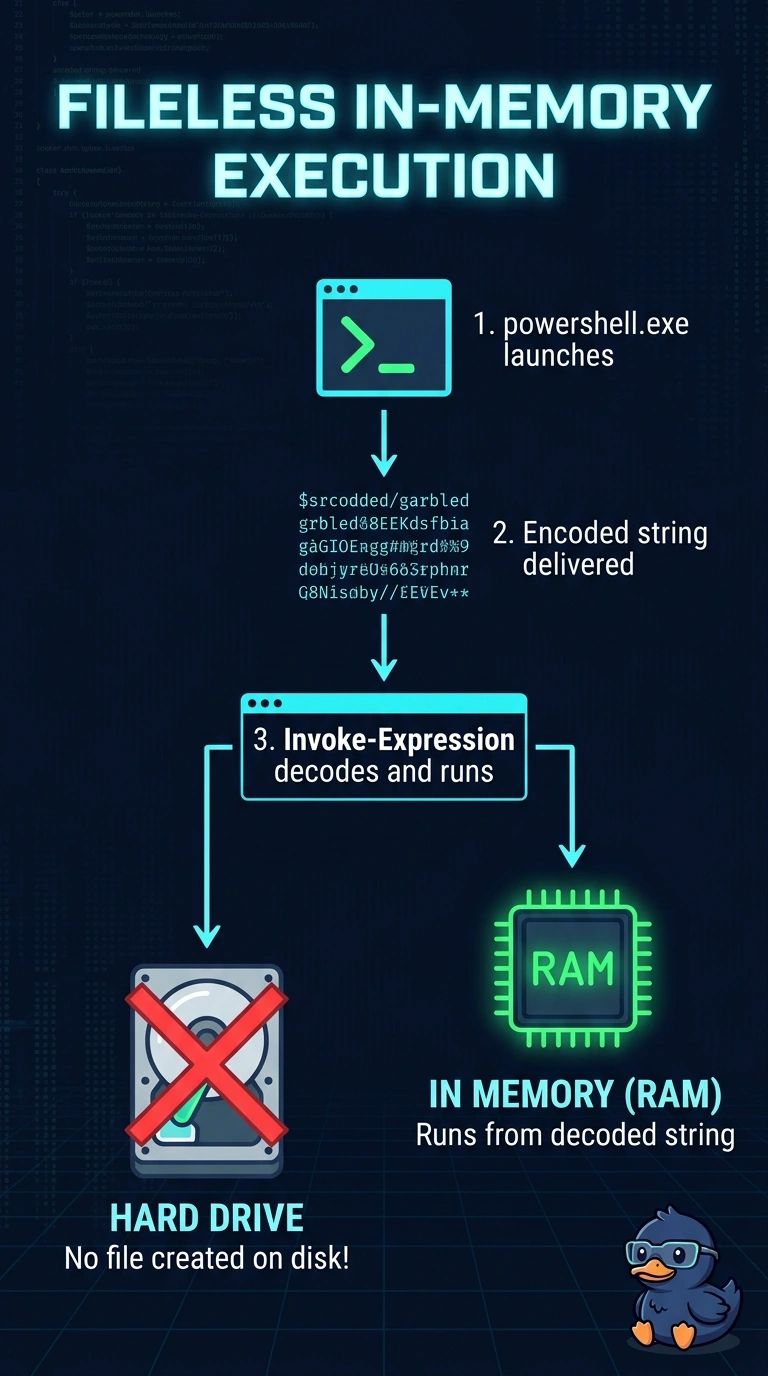
Short Explanation
Borrowing the office phone to speak a secret does not turn the phone into the secret. You are seeing a decoded string executed in memory, and that content did not become its own script file. powershell.exe belongs on disk; its presence does not make this a file drop.
Full Explanation
Fileless, in this pattern, means the attacker's content did not land as its own file. The malicious content ran from the decoded string in memory and did not become its own script file; Invoke-Expression executed that string inside powershell.exe, which is the trusted interpreter and not the payload. Fileless activity does not require every program file to be absent, so powershell.exe on disk does not make this a file-based case; the interpreter is supposed to be there. Invoke-Expression does not have to write a temporary script beside the user profile before the decoded string runs, and this run exited without writing one. A trusted interpreter sitting on disk does not mean the decoded string is only configuration data; the string was passed to a command that executes it. Exam caveat: fileless does not mean invisible, because the command line and script-block logging can still capture the text that ran. Operational check: read the PowerShell command line for Invoke-Expression and confirm no new script file was created in that window.