
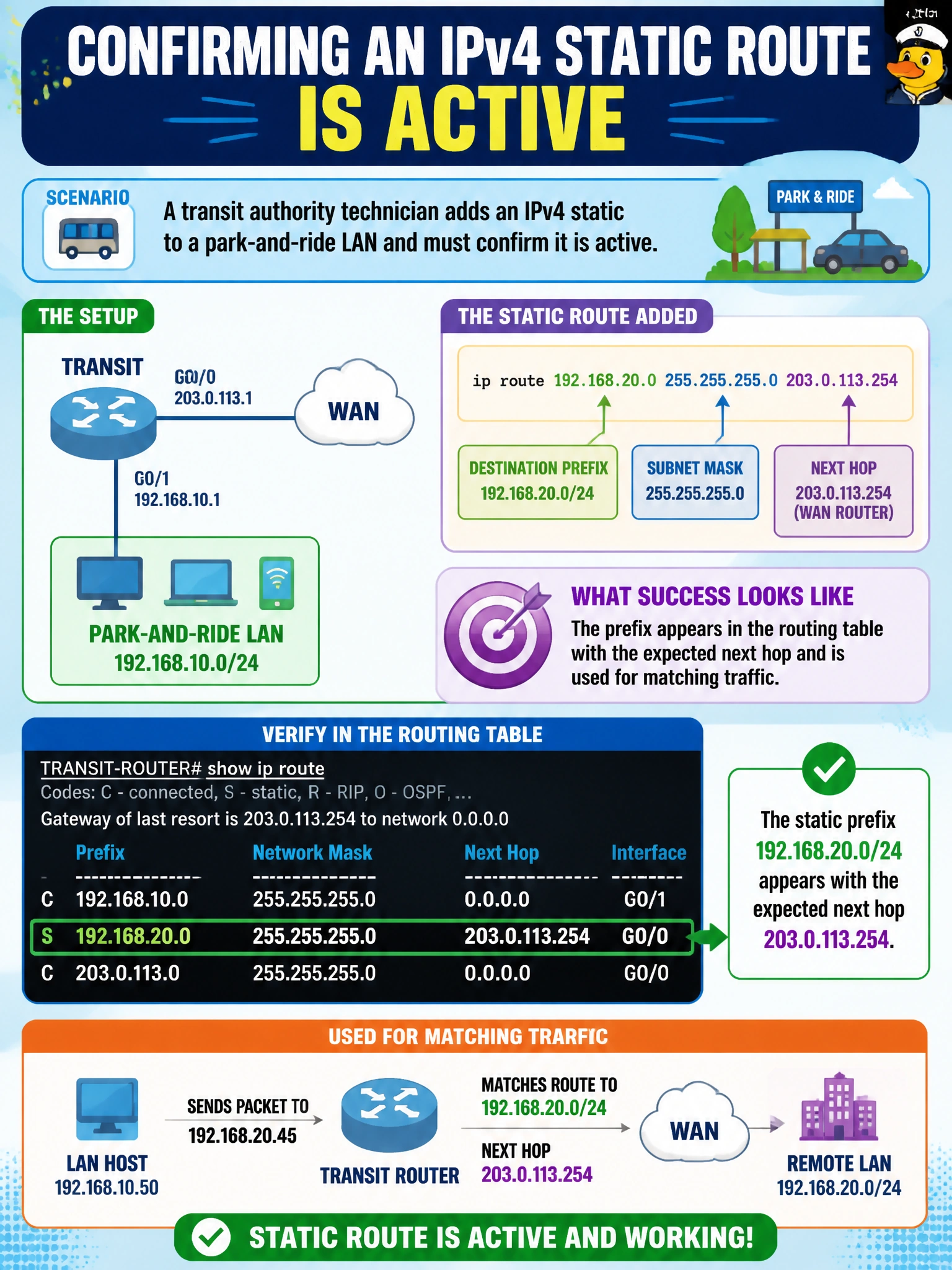
A transit authority technician adds an IPv4 static to a park-and-ride LAN and must confirm it is active. What indicates successful installation?
Select an answer to reveal the explanation.
Short Explanation
If it’s really working, you’ll see the prefix and next hop in the routing table — not just a line in the config or a CDP hello. Table entry first, then packets follow.
Full Explanation
Successful installation of an IPv4 static to a transit authority park-and-ride LAN means the prefix is present in the routing table with the expected next hop (and derived exit interface) and that matching traffic uses that entry. Configuration in the running-config is necessary but not sufficient: a static can be configured yet not installed if the next hop is unresolved, the interface is down, or a better route exists. The operational proof is the RIB/FIB entry plus forwarding behavior.
Existing only in the running config without appearing in show ip route indicates the route is not active for forwarding. CDP listing a remote device proves Layer 2/neighbor discovery adjacency candidate information, not that your static to the park-and-ride LAN is installed. Frozen interface counters do not prove a static replaced ARP and are not a validity test for route installation.
Exam caveat: “installed” implies the route is eligible and selected; on some platforms you may also inspect CEF to confirm the adjacency is populated. Operational check: use show ip route for the park-and-ride prefix, confirm next hop and code for static, ping through the path, and optionally show ip cef to verify the forwarding entry.