
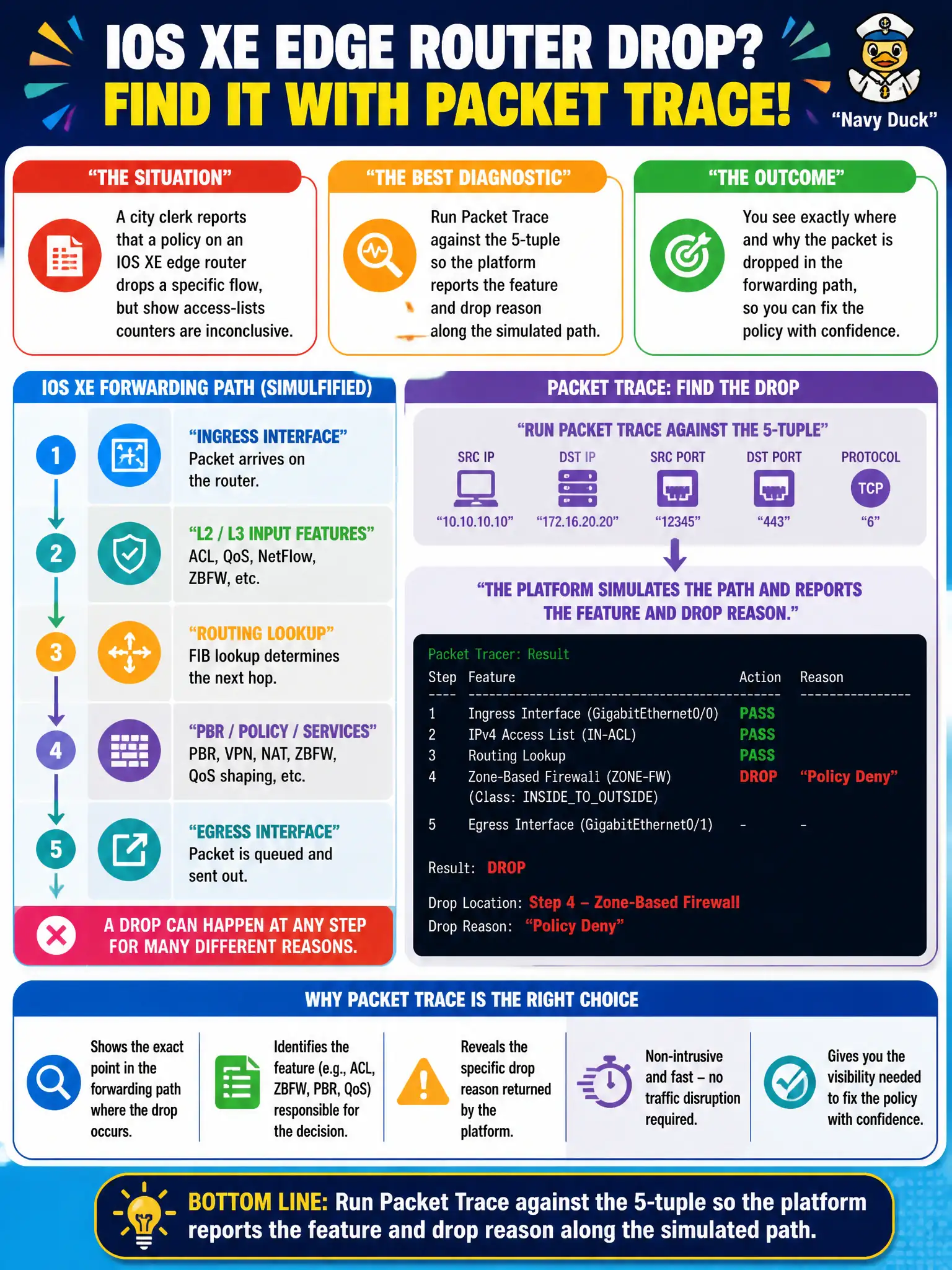
A city clerk reports that a policy on an IOS XE edge router drops a specific flow, but show access-lists counters are inconclusive. Which diagnostic best shows where in the forwarding path the drop occurs?
Select an answer to reveal the explanation.
Short Explanation
Packet Trace is like putting a tracking sticker on one parcel and watching which loading dock rejects it. You feed the 5-tuple, and IOS XE tells you which feature dropped the flow—without flooding the console with every debug under the sun.
Full Explanation
When a city clerk reports that an IOS XE edge policy drops a specific flow but ACL counters are inconclusive, Packet Trace against the 5-tuple is the diagnostic that shows where in the forwarding path the drop occurs. The platform reports the feature and drop reason along the simulated path, which isolates whether the culprit is ACL, QoS, uRPF, or another feature. That precision beats flooding logs overnight.
Increasing logging to debugging for all interfaces overnight creates noise and CPU risk without pinpointing the feature. Replacing the ACL with a null route merely relocates the symptom and destroys useful policy evidence. Clearing all CEF adjacencies to force process switching is disruptive and does not cleanly attribute the drop to a named feature.
Exam caveat: Packet Trace behavior and feature coverage vary by platform and software; interpret results in the context of CEF/feature order for that IOS XE train. Operational check: run Packet Trace for the clerk’s 5-tuple on the edge router, note the drop feature, correct that policy intentionally, and re-trace to confirm forward success. Record the before/after trace output in the municipal change record for future similar incidents.