
A sanitation department's IT group deploys a managed enterprise policy settings file to every city-issued laptop, denying a set of network commands from Claude Code sessions. A route-optimization developer adds an allow entry for one of those commands to the project .claude/settings.json and another to their personal user settings, then reports that neither one takes effect. What is the correct explanation?
Select an answer to reveal the explanation.
Short Explanation
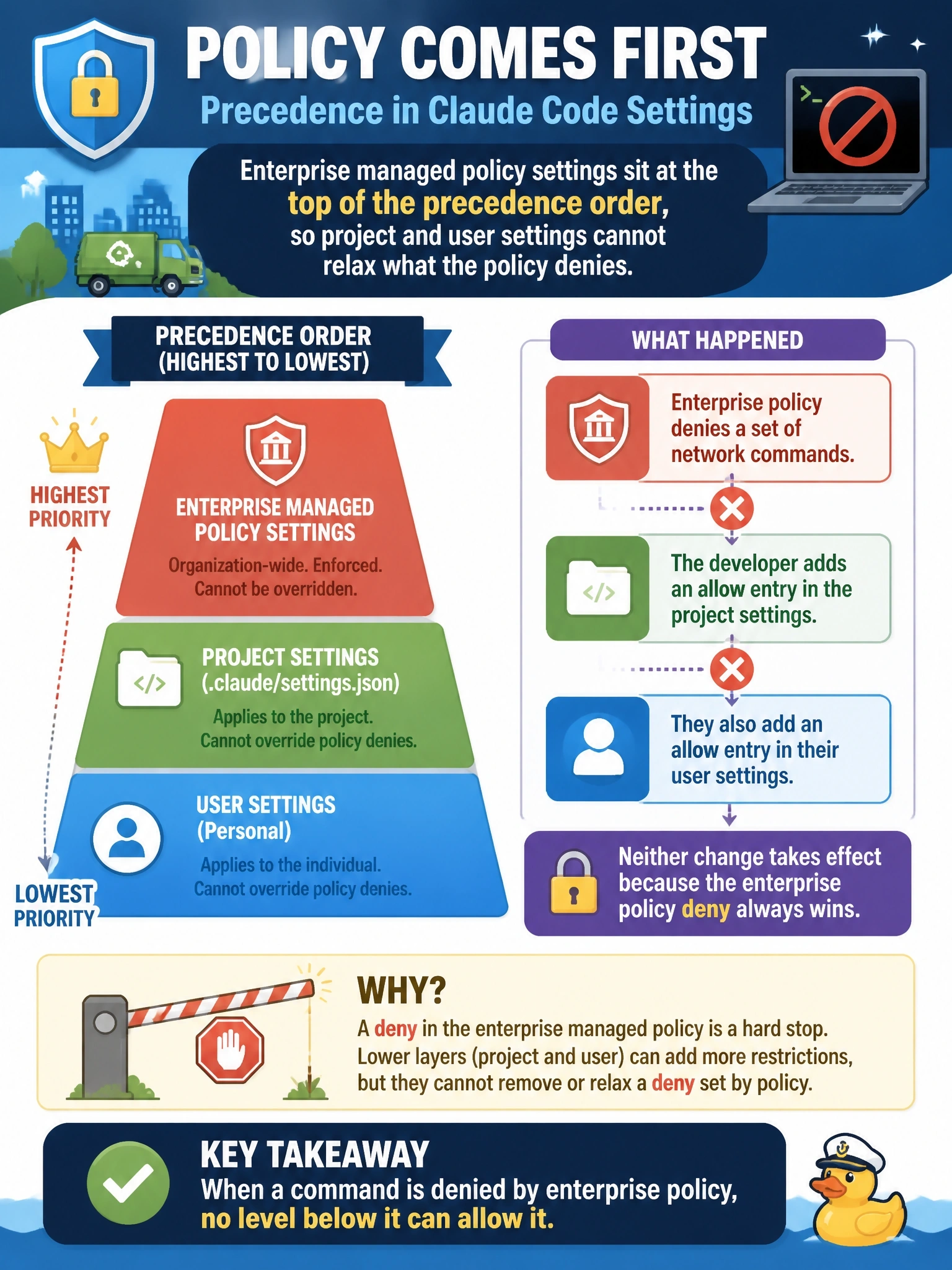
Enterprise managed settings are the city ordinance and project or user settings are the department handbook. The handbook can add detail but cannot repeal the ordinance, so the developer's allow entries are simply outranked.
Full Explanation
Claude Code resolves configuration through layers, and the layer an administrator deploys to the machine deliberately sits at the top of that order. The design exists so an organization can state a floor of behavior that local configuration cannot negotiate away; if a checked-in file could override it, no security control would survive contact with a developer who found it inconvenient.
Because enterprise managed policy outranks both project and user settings, an allow entry written at either level cannot re-permit a command the policy denies. Nothing in the route-optimization developer's setup is broken, and the system is behaving exactly as designed. The remedy is a conversation with the sanitation IT group about amending the policy, not another local edit.
The claim that project and user settings are merged last inverts the precedence order and would make managed policy unenforceable, so a malformed file is the wrong diagnosis; rules from different files do not cancel into a neutral prompting state, since they are resolved by precedence with deny outranking allow; and managed policy is not a one-time enrollment artifact that lapses after a restart, because it is read on every run, which is what makes it durable across sessions and machines.
Exam caveat: precedence explains why the entries do nothing, but it does not establish that the policy itself is right, and an over-broad managed deny can block legitimate work. Operational check: remove the developer's local allow entries, confirm behavior is unchanged, then read the managed policy file directly to confirm it is the source of the deny before filing a change request with IT.