
A project lead is turning a proof of concept into a governed production workflow. Which approach best demonstrates access control in a IBM Certified watsonx Data Lakehouse Engineer environment?
Select an answer to reveal the explanation.
Short Explanation and Infographic
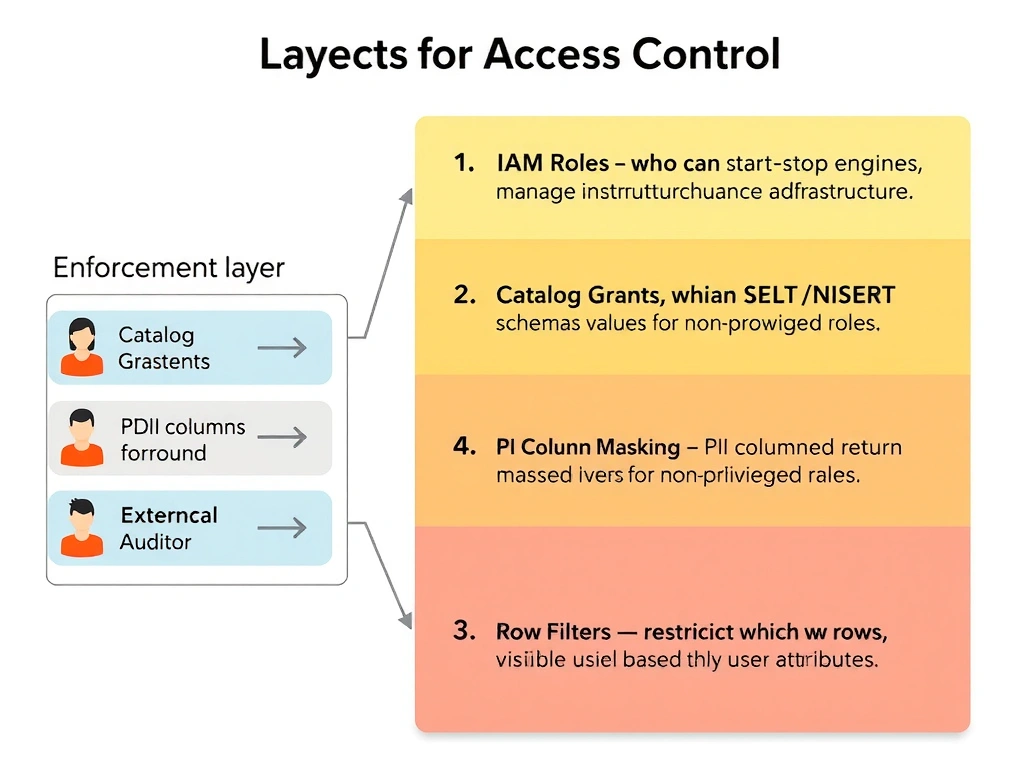
Here's the deal: access control in watsonx.data is not an afterthought you bolt on at the end — it's the first architectural decision you make. Think of it like a hospital: the surgeon sees everything in the OR, the billing clerk sees nothing in the OR. Role-based access with column masking and row filters enforced at the engine level means users get exactly what their role permits, whether they're querying through the console, JDBC, or a BI tool.
Full explanation below image
Full Explanation
The correct answer is to set permissions so users and engines can access only the data and operations they are allowed to use. IBM watsonx.data enforces access control at multiple layers: IAM roles for platform operations, schema-level grants for catalog objects, and data policies for column masking and row filtering that apply regardless of the query engine. Option A (granting broad admin rights for convenience) is wrong because over-privileged access is the leading cause of data breaches and compliance violations; least-privilege is a foundational security principle in any governed data platform. Option B (putting sensitive filters in optional dashboard notes) is wrong because dashboard notes are informational only — they do not enforce access restriction; a user bypassing the dashboard via SQL would see all data. Option C (using object names as the only security boundary) is wrong because naming conventions are not access controls; a user with read access to a bucket can read any file in it regardless of the naming scheme.