
An administrator is troubleshooting a pilot deployment and wants the most appropriate next step. Which approach best demonstrates data tiering in a IBM Certified watsonx Data Lakehouse Engineer environment?
Select an answer to reveal the explanation.
Short Explanation and Infographic
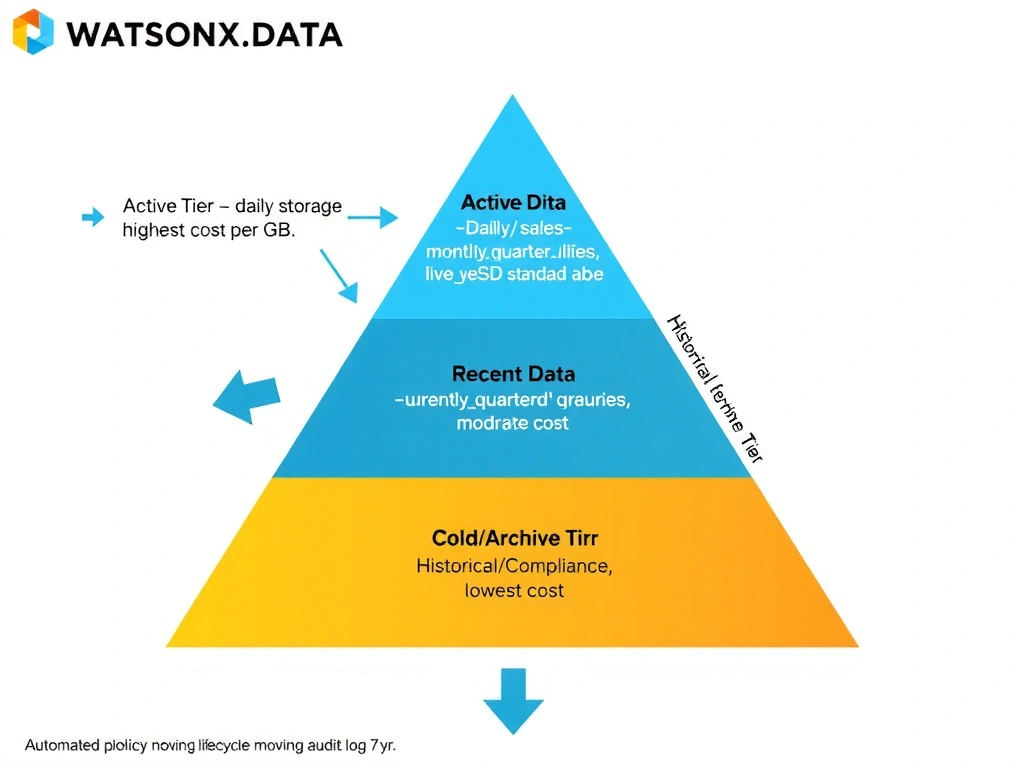
Here's the deal: data tiering in a lakehouse is like real estate — prime downtown office space (NVMe SSD) for your hot daily dashboard data, suburban office parks (standard SSD) for last quarter's analytics, and off-site storage units (cold object storage) for the seven-year compliance archive. You match the storage cost to the access frequency and SLA, not to some default 'put everything on hot' strategy that will bankrupt your storage budget.
Full explanation below image
Full Explanation
The correct answer is to place data on cost-appropriate storage tiers based on performance, retention, and access patterns. IBM watsonx.data integrates with object storage services that support tiering — hot, cool, and archive tiers on IBM COS or S3-compatible storage — and allows policies to automatically move data between tiers based on age or access frequency. Option A (keeping all historical data on the fastest tier) is wrong because hot storage can cost 10-50x more than archive storage; retaining infrequently accessed historical data on hot tiers wastes budget with no query performance benefit for cold data. Option B (archiving active query data to cold storage) is wrong because cold-tier retrieval introduces significant latency (minutes to hours for archive restores) that makes interactive analytics impossible. Option D (choosing tiers only by file extension) is wrong because file extension has no relationship to data temperature, query frequency, or business retention requirements.