
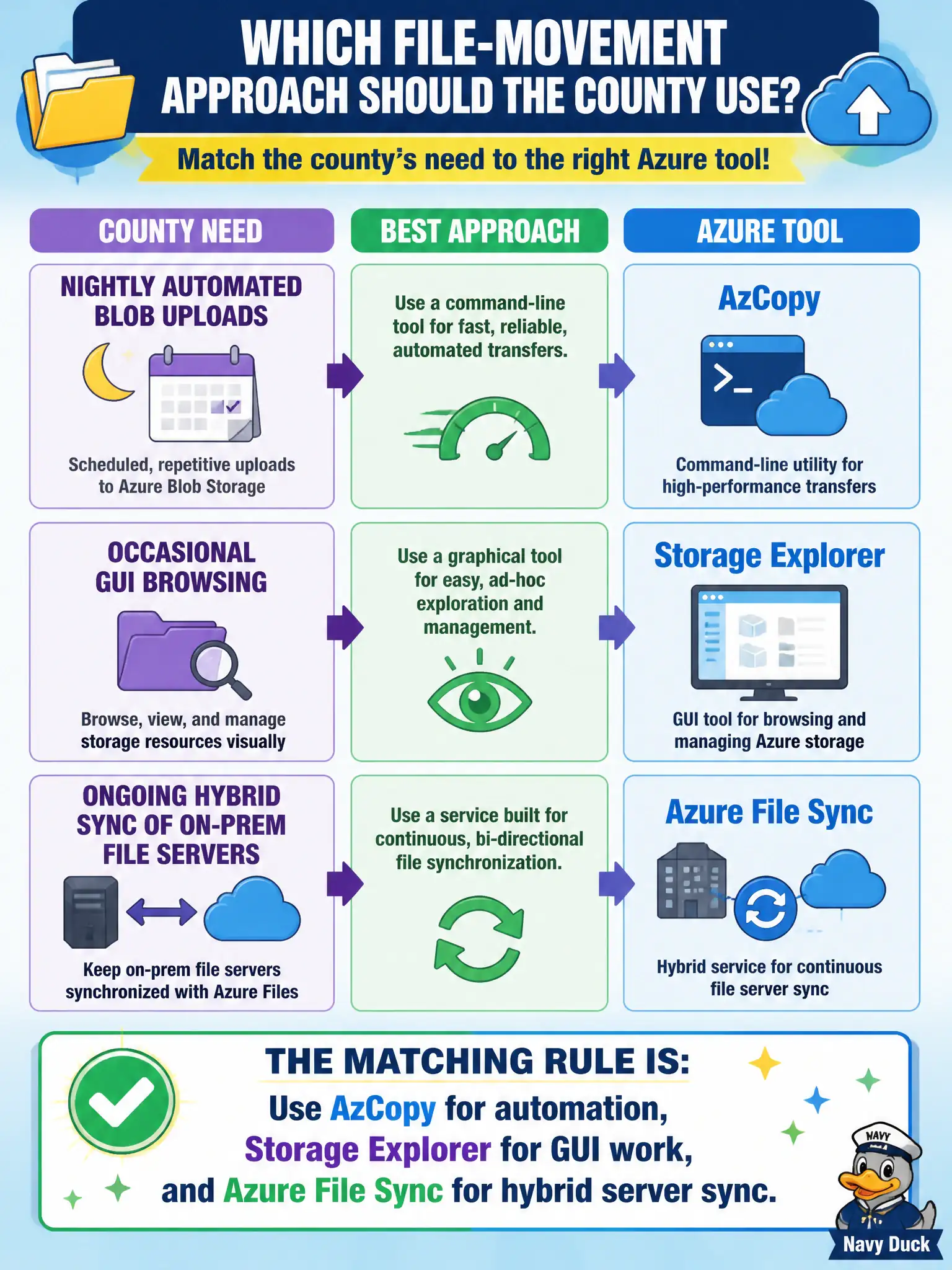
A county must pick a file-movement approach: nightly automated Blob uploads, occasional GUI browsing, or ongoing hybrid sync of on-prem file servers. Which matching rule is correct?
Select an answer to reveal the explanation.
Short Explanation
Match the tool to the job: scripts love AzCopy, clicks love Storage Explorer, and branch file servers love File Sync. Mixing those roles is how counties buy the wrong wrench. One sentence maps all three to the right need.
Full Explanation
The correct matching rule is to use AzCopy for automation, Storage Explorer for GUI work, and Azure File Sync for hybrid server sync. A county choosing among nightly automated Blob uploads, occasional help-desk browsing, and ongoing sync of on-premises file servers should map each job to the tool built for that pattern rather than forcing one utility to pretend it is all three. That decision skill is the AZ-900 takeaway for this tool family.
Using Azure File Sync for one-off scripted Blob dumps only misassigns File Sync—its strength is continuous hybrid file-server synchronization with Azure Files, not one-shot Blob scripting. Using AzCopy as the only GUI for help-desk browsing fails because AzCopy is command-line oriented; GUI browsing belongs with Storage Explorer. Using Storage Explorer as the hybrid on-premises file-server sync agent confuses interactive management with File Sync’s server agent model.
Exam caveat: teams sometimes bolt schedules onto the wrong tool and create fragile processes; prefer the native fit even if staff already know one utility well. Operational check: document a three-row county runbook—nightly Blob job → AzCopy; ticketed manual upload → Storage Explorer; branch file server → File Sync—and validate one example of each before training the wider help desk.