
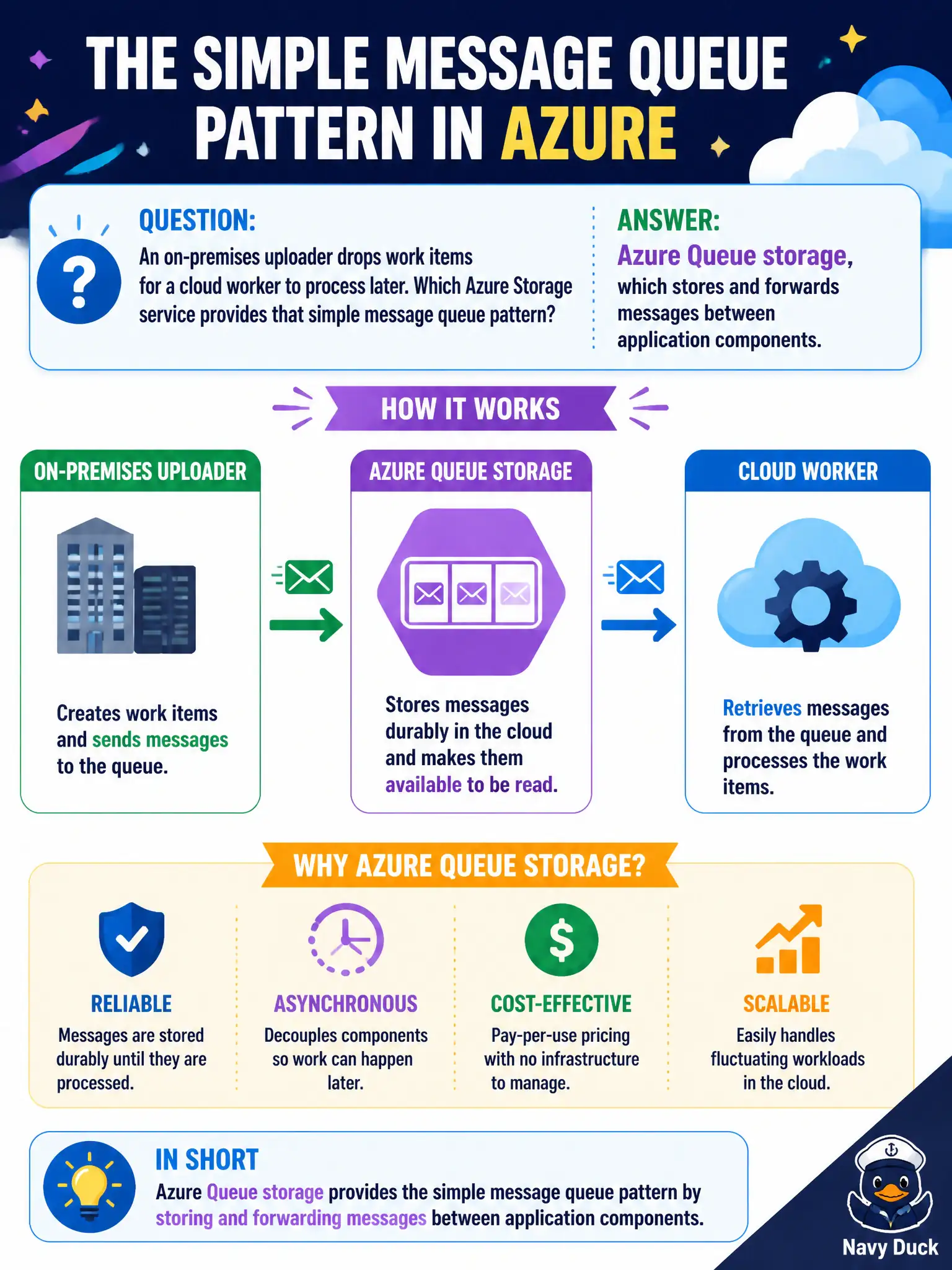
An on-premises uploader drops work items for a cloud worker to process later. Which Azure Storage service provides that simple message queue pattern?
Select an answer to reveal the explanation.
Short Explanation
Uploader says “do this later,” worker picks it up — that handoff is Queue storage. Blobs hold files, files are shares, disks are VM drives. Simple messaging between pieces means queues.
Full Explanation
Azure Queue storage stores and forwards messages between application components, enabling a simple producer/consumer pattern: an on-premises uploader enqueues work items, and a cloud worker later dequeues and processes them. That decoupling absorbs bursts and lets each side scale independently for municipal batch jobs. Blob Hot tier stores frequently accessed objects; it is not primarily a FIFO message queue between components. Azure Files provides shared folders for documents; folder locks are not a message broker replacement for queues. Azure Disk Storage attaches durable disks to VMs for OS and data volumes; disks are not the messaging bus for asynchronous municipal jobs. Queues shine when the handoff is “do this later,” not “store this file forever.” Exam caveat: Queue storage is deliberately simple—poison-message handling, ordering expectations, and size limits matter; complex workflows may need richer messaging products beyond AZ-900’s basic compare. Operational check: have the uploader insert a test message, confirm visibility in queue length or metrics, verify the worker processes and completes the message without leaving orphaned work items behind, and alert if queue depth stays elevated after business hours.