
At Azure Fundamentals depth, what is a useful way to contrast containers with virtual machines for a city app team?
Select an answer to reveal the explanation.
Short Explanation
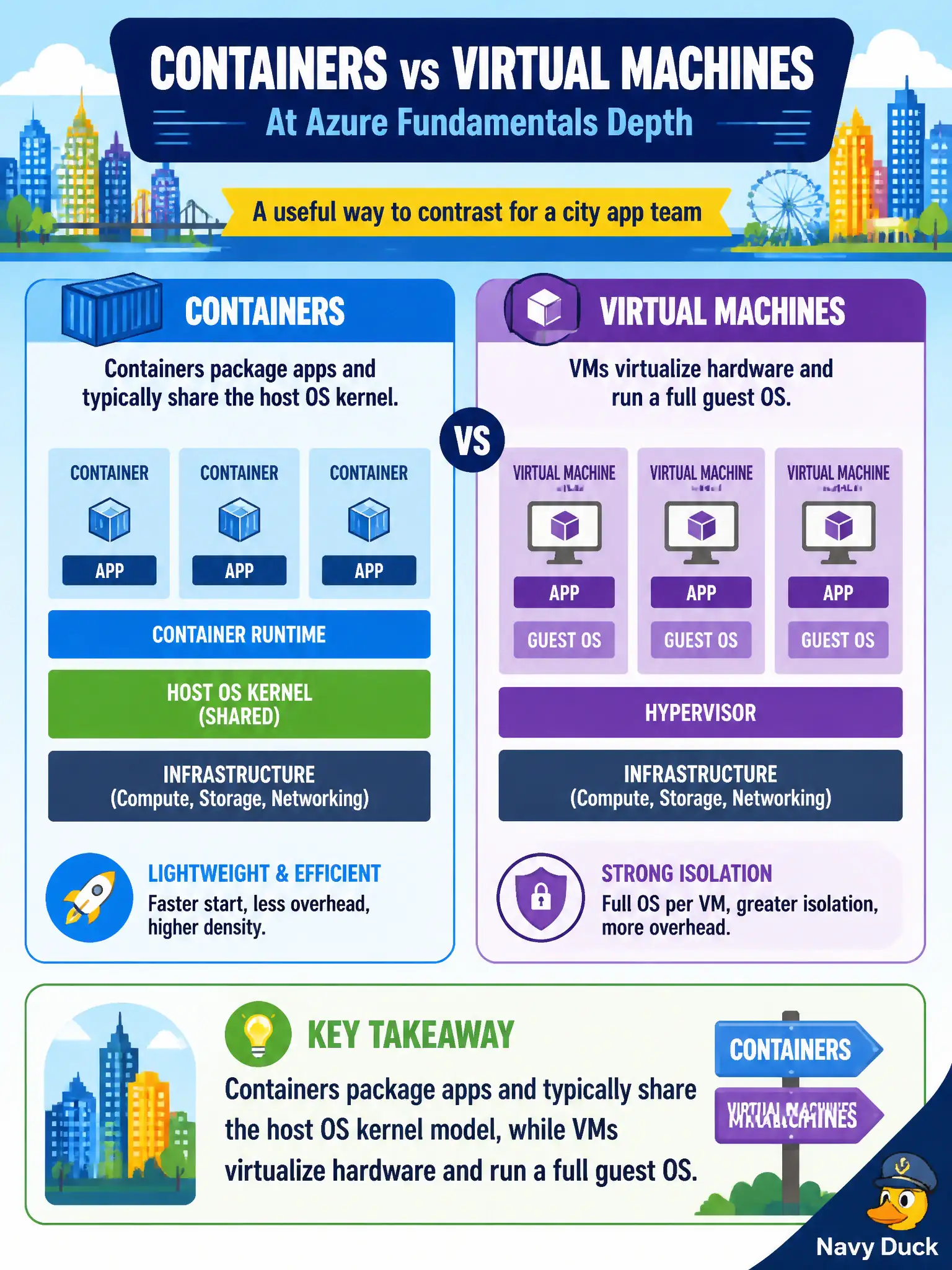
A VM is like renting a whole cottage with its own utilities. A container is more like a well-packed suitcase on a shared floor plan — lighter, using the host’s OS kernel ideas. That picture is enough for fundamentals; leave CKA deep-dives for later.
Full Explanation
At Azure Fundamentals depth, a useful contrast is that containers package applications and typically share the host operating-system kernel model, while virtual machines virtualize hardware and run a full guest operating system. That difference explains why containers are often lighter and faster to densify on a host, and why VMs remain the choice when a complete guest OS and stronger isolation boundaries are required for a city app team.
Saying containers always include a complete guest OS kernel identical to every VM blurs containers into VMs and misses the shared-kernel teaching point. Saying virtual machines cannot isolate workloads, but containers always replace the hypervisor, misstates both technologies: VMs are a primary isolation unit, and containers do not universally “replace” the hypervisor. Saying containers are only for storing cold archive blobs and never run application processes confuses container runtimes with blob storage tiers.
Exam caveat: AZ-900 expects conceptual contrast, not deep CRI/CNI or hypervisor internals—avoid over-precision that belongs to administrator specialty exams. Operational check: show trainees a VM size picker (vCPU, memory, OS disk) next to a container image deploy that specifies CPU/memory for an app process, and ask which artifact includes a full guest OS they must patch; the answer should consistently be the VM path.