
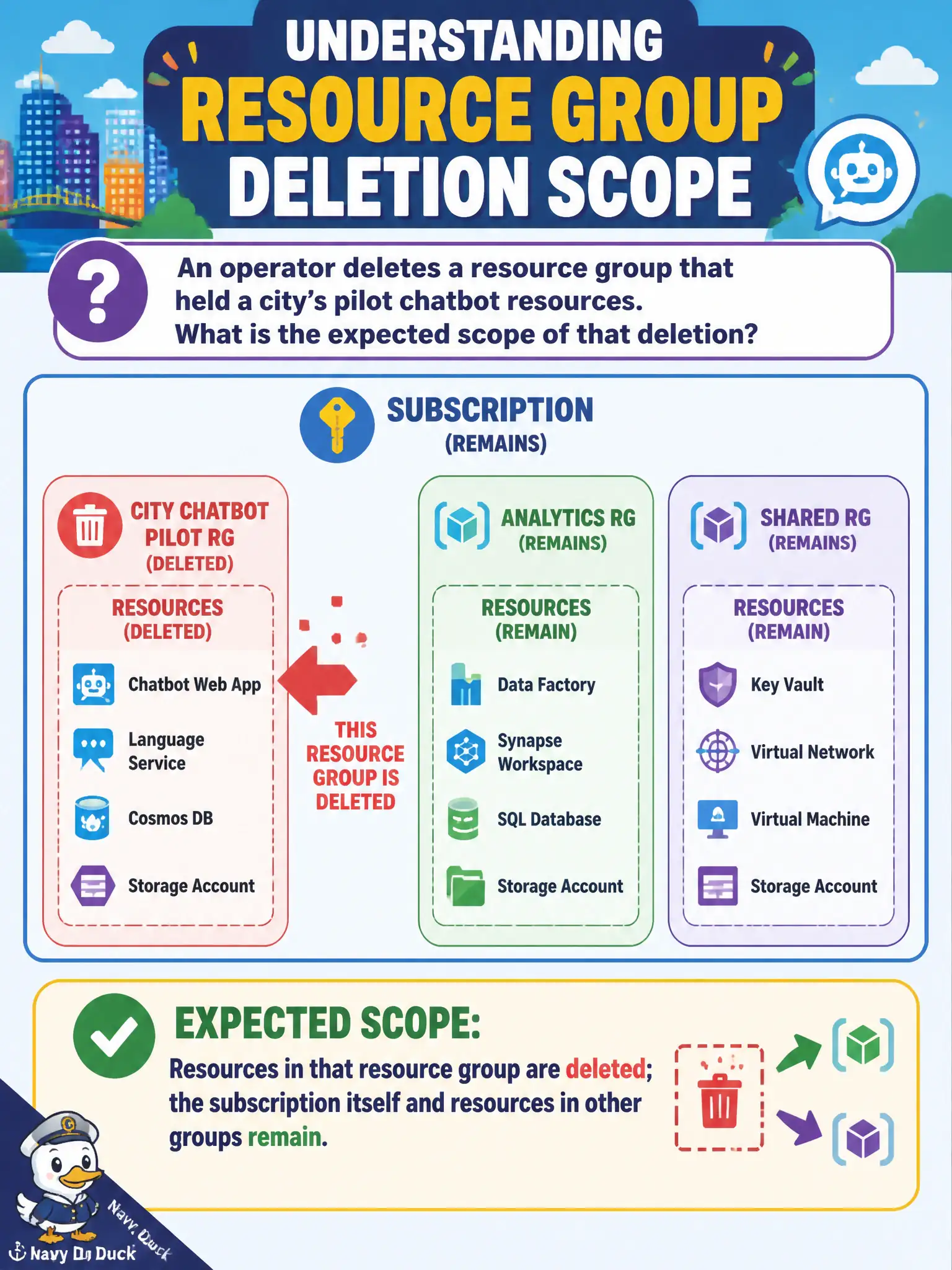
An operator deletes a resource group that held a city’s pilot chatbot resources. What is the expected scope of that deletion?
Select an answer to reveal the explanation.
Short Explanation
Deleting a resource group is like tossing one labeled bin — everything in the bin goes, the warehouse stays. The subscription is still there, and other groups are untouched. That is why pilots belong in their own group.
Full Explanation
Deleting a resource group deletes the Azure resources contained in that group. When an operator deletes the group that held a city’s pilot chatbot resources, the expected scope is those group resources—not the entire subscription, not sibling resource groups, and not management groups above the subscription. The subscription remains, and production systems housed in other groups continue running. That scoped lifecycle is why pilot workloads belong in their own resource group.
Expecting the entire Azure subscription and all unrelated production systems to disappear overstates the blast radius of a group delete. Expecting only management groups above the subscription to be deleted reverses direction and confuses hierarchy layers. Expecting nothing to be deleted because resource groups are “labels only” understates their role: they are lifecycle containers, not cosmetic tags.
Exam caveat: resource locks, deny assignments, and certain dependencies can cause a delete operation to fail partially or block until locks are removed—operators must not assume every group delete completes silently. Operational check: before deleting a pilot group, list all resources in the group, confirm locks, verify no production private endpoints or connection strings still depend on pilot assets, then delete and watch activity logs until the group removal completes successfully.