
A civic architect asks trainees to list Azure’s core resource hierarchy from highest governance container to lowest. Which order is correct?
Select an answer to reveal the explanation.
Short Explanation
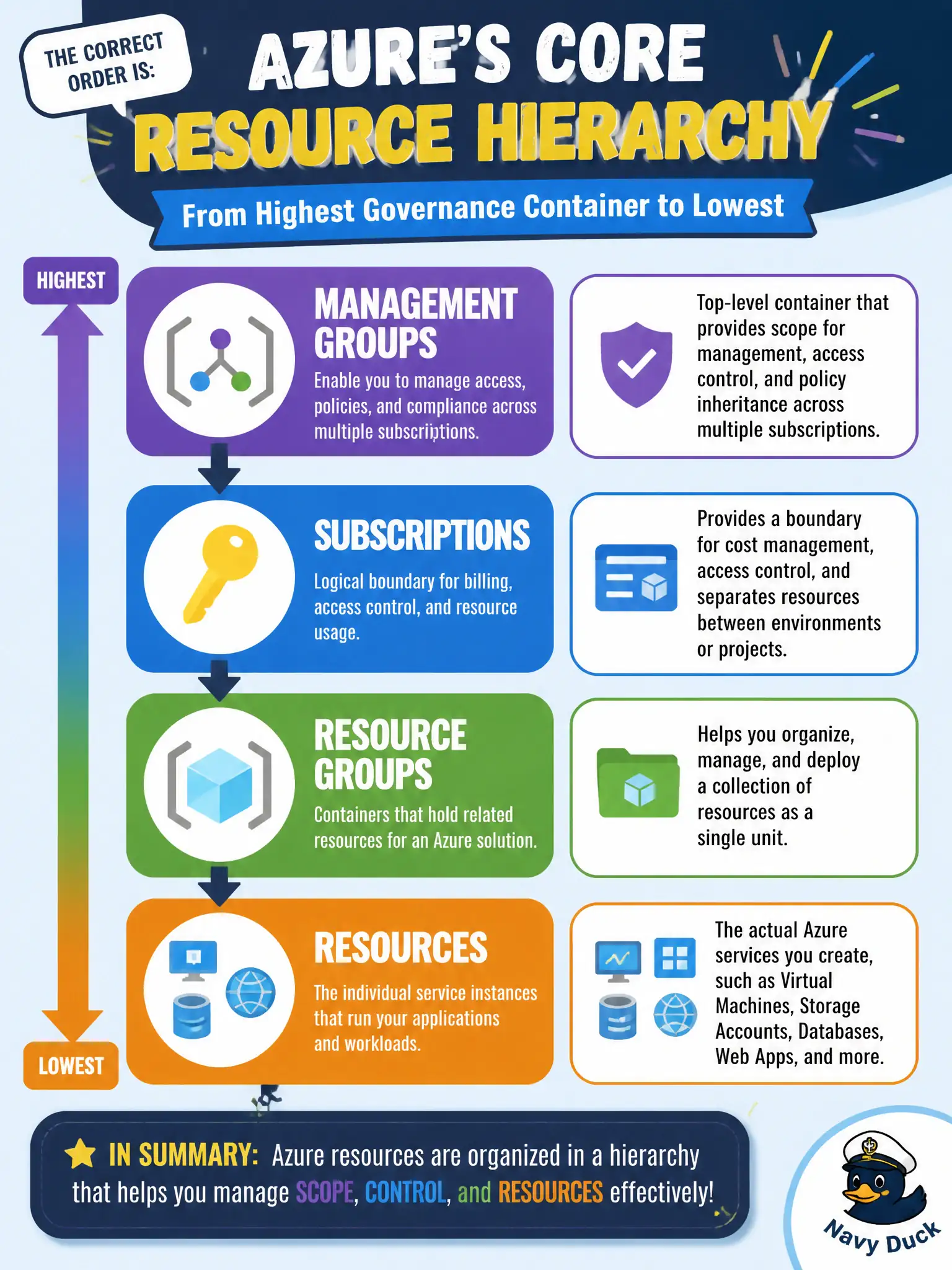
Start at the top with management groups, then subscriptions, then resource groups, then the actual resources. Memorize that ladder and hierarchy questions get a lot friendlier. Upside-down lists are the classic trap.
Full Explanation
Azure’s core resource hierarchy, from highest governance container to lowest, is management groups, then subscriptions, then resource groups, then resources. Management groups organize subscriptions; subscriptions contain resource groups and act as billing and common management boundaries; resource groups contain the actual resources such as VMs, networks, and storage accounts. Memorizing that ladder is a high-yield AZ-900 skill because many questions hinge on vertical order and inheritance direction.
Listing resources first and climbing to management groups presents the hierarchy upside down. Placing subscriptions above management groups, then jumping to resources before resource groups, breaks both the management-group-to-subscription relationship and the group-to-resource relationship. Starting at resource groups, then management groups, then subscriptions, then resources scrambles the middle of the tree and will produce wrong answers on inheritance and billing scope items.
Exam caveat: diagrams sometimes also show billing accounts or tenants at the edge of the story; for the core resource hierarchy asked here, stick to management groups → subscriptions → resource groups → resources. Operational check: have trainees expand one live municipal subscription in the portal, note its management-group parent (if assigned), list its resource groups, then open a resource and read its resource ID segments to see subscription, resource group, and resource in order.