
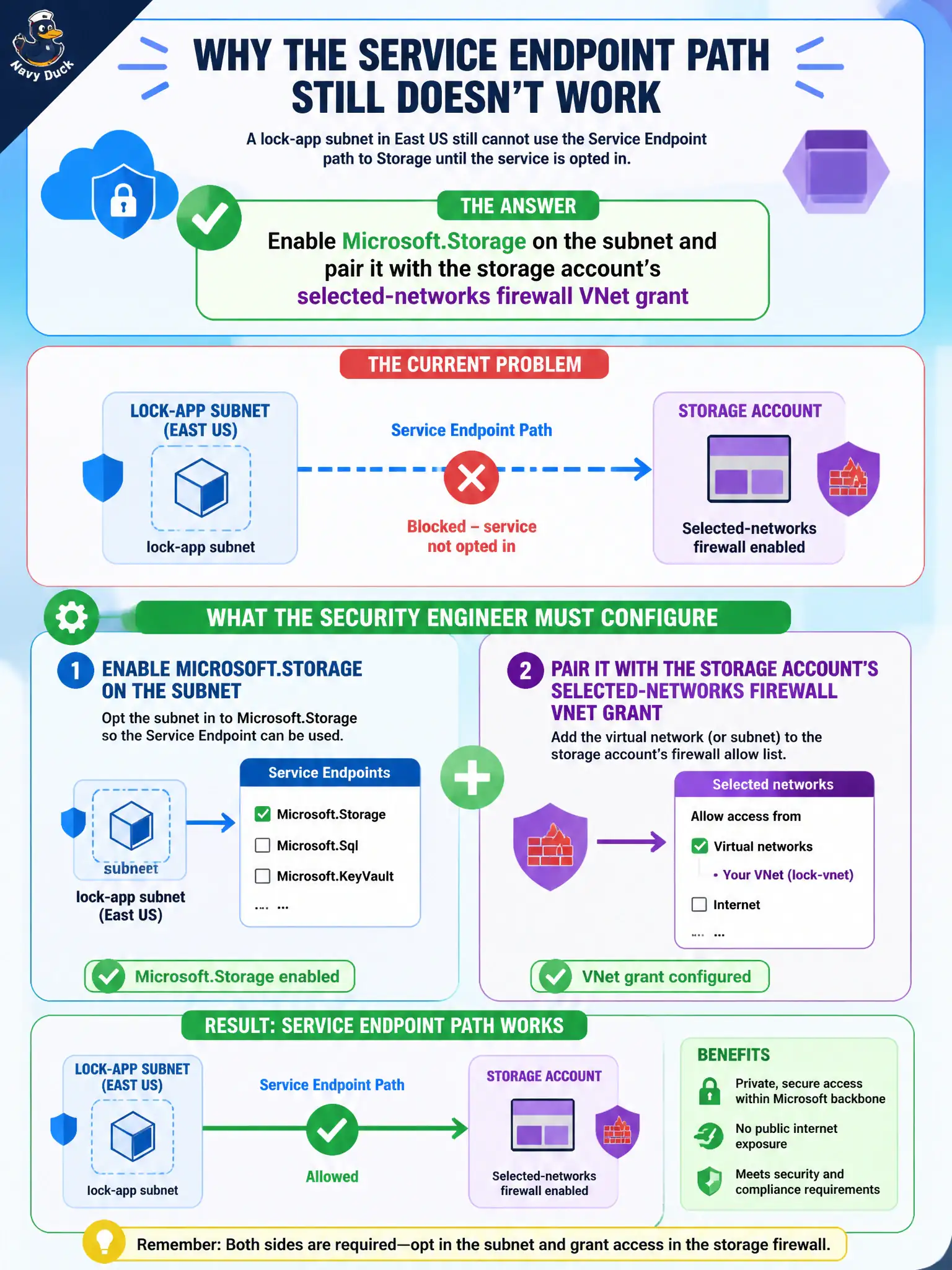
A lock-app subnet in East US still cannot use the Service Endpoint path to Storage until the service is opted in. What must the security engineer configure?
Select an answer to reveal the explanation.
Short Explanation
Service Endpoint is a subnet checkbox plus the storage firewall’s VNet hello. Enable Microsoft.Storage on that East US subnet—don’t invent Private DNS or blast Internet Allows.
Full Explanation
A Service Endpoint is enabled as a subnet setting for a specific service such as Microsoft.Storage, and the storage account firewall must also grant that virtual network when using selected networks. For a lock-app subnet in East US that still cannot use the Service Endpoint path, enable Microsoft.Storage on the subnet and pair it with the storage account’s selected-networks VNet grant.
Creating a privatelink DNS zone first confuses Private Link DNS with Service Endpoints. Opening an NSG Allow to the Internet on TCP 443 while leaving Microsoft.Storage disabled fails the Service Endpoint path requirement. Moving the storage account to a different region so Service Endpoints apply automatically without subnet settings is false.
Exam caveat: subnet opt-in plus storage firewall VNet allow are both required for the common Service Endpoint pattern. Operational check: enable Microsoft.Storage on the subnet, add the VNet/subnet on the storage firewall, test access, and confirm NSGs still allow the needed ports. In municipal Azure estates, document the decision in the change record, validate with a nonproduction rehearsal, and confirm monitoring still pages the on-call operator when the control fails closed during an incident drill.