
A ferry kiosk must read only the signed-in clerk’s profile, not every user in the tenant. Which permission type should be added on the app registration?
Select an answer to reveal the explanation.
Short Explanation
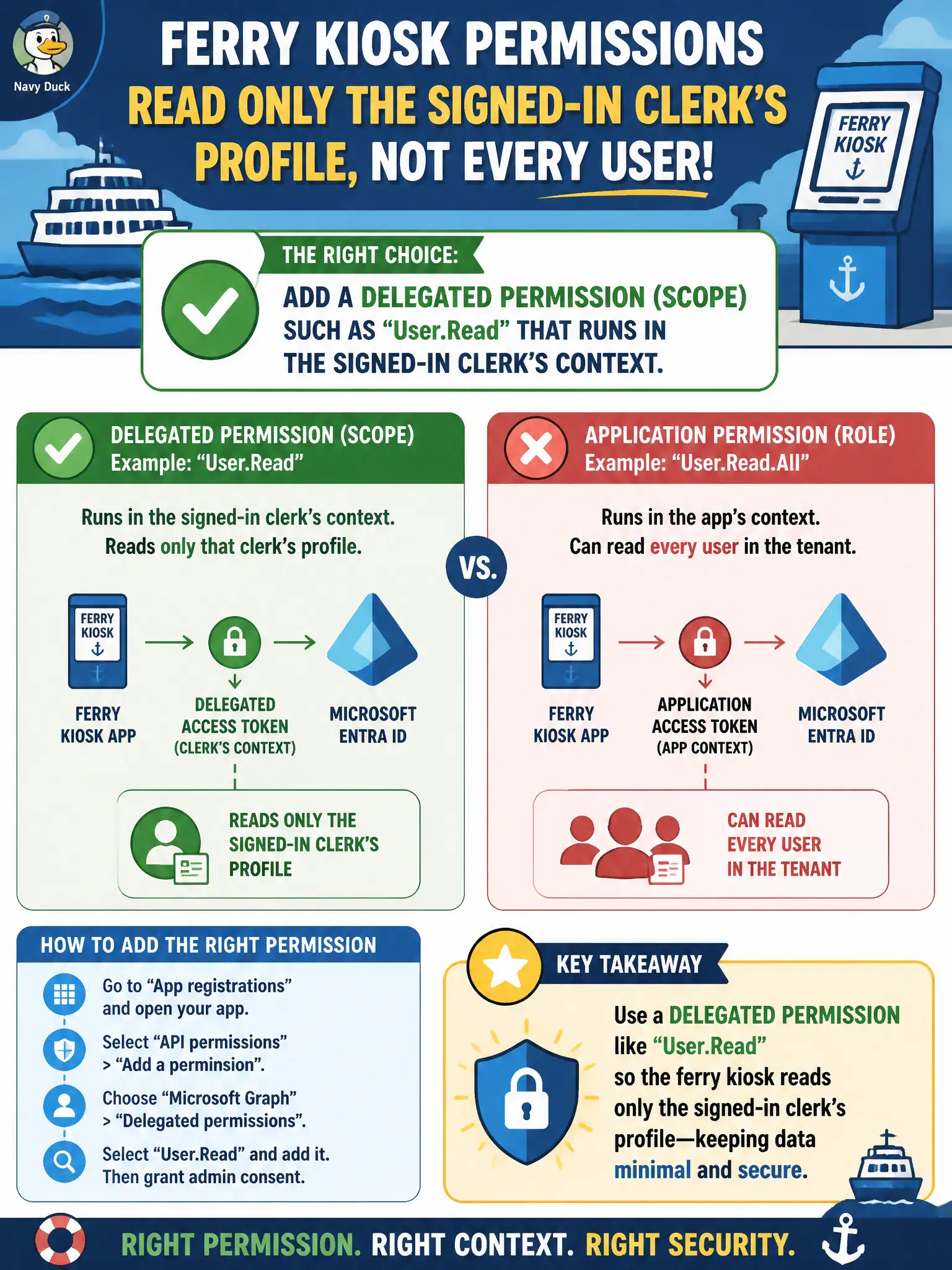
The kiosk should see the clerk who’s standing there—not the whole passenger manifest. That is a delegated scope like User.Read, not an application permission that acts as the app with nobody at the counter.
Full Explanation
Delegated permissions (scopes) authorize the application to act on behalf of the signed-in user within that user’s effective directory rights. For a ferry kiosk that must read only the signed-in clerk’s profile—and must not enumerate every user in the municipal tenant—add a delegated permission such as User.Read so Graph calls run in the clerk’s context. That matches least privilege for an interactive kiosk workload where a human is always signed in.
An application permission such as User.Read.All fails by concept because application permissions run as the app without a user and are designed for daemon-style directory access, typically across many profiles rather than “only the signed-in clerk.” Directory.ReadWrite.All as an application permission fails even more severely: it grants broad directory read and write across the tenant, which is the opposite of a kiosk profile-read scenario. Sites.FullControl.All as a delegated permission fails because SharePoint site collection scopes govern SharePoint content, not Entra user profile reads, and full control is wildly excessive even for SharePoint.
Exam caveat: AZ-500 expects a clean choice between delegated (user context) and application (app-only) permissions based on whether a signed-in user is present and how wide the data access must be. Operational check: add only User.Read delegated on the kiosk app registration, obtain appropriate consent, sign in as a clerk, confirm the app can read that clerk’s profile, attempt a directory-wide user enumeration with the same token, and verify it fails without broader permissions.