
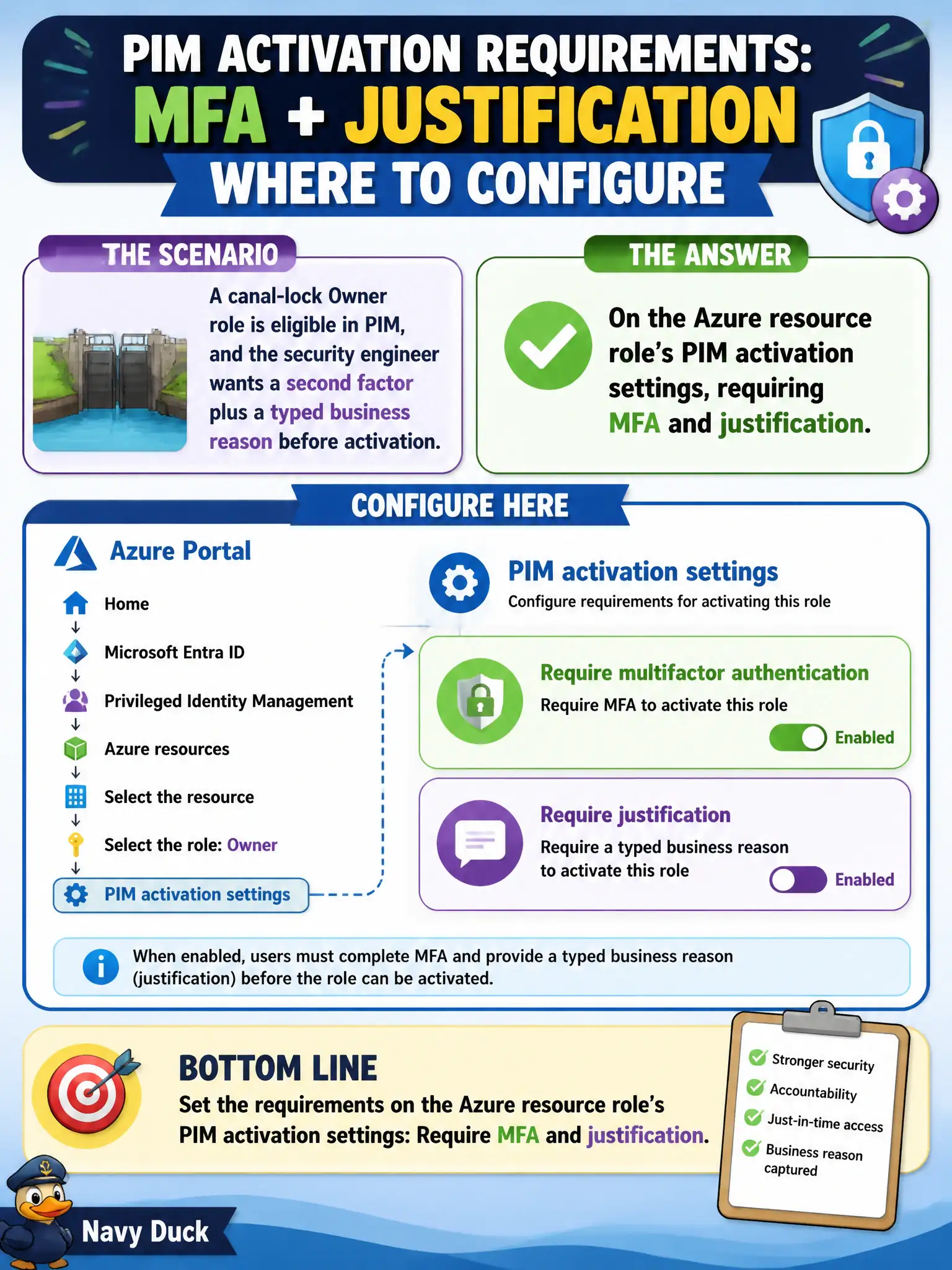
A canal-lock Owner role is eligible in PIM, and the security engineer wants a second factor plus a typed business reason before activation. Where should those requirements be configured?
Select an answer to reveal the explanation.
Short Explanation
Put the bouncer at the PIM activation door for that Azure role: check MFA and make them write why they need the lock Owner hat. That is a PIM role setting—not a blanket ID Protection policy for the whole tenant.
Full Explanation
PIM activation settings on an Azure resource role can require multifactor authentication, justification, ticket information, and approval. For the canal-lock Owner role that is eligible in PIM, configure those requirements on that Azure resource role’s PIM activation settings—require MFA and a typed business justification—so activation is gated at the role where Owner is requested.
A tenant-wide Microsoft Entra ID Protection user-risk policy fails by concept: user-risk policies respond to identity risk signals; they do not configure PIM activation MFA and justification for a specific Azure Owner role. Saying Conditional Access alone is required because PIM cannot require MFA for Azure resource roles is false—PIM activation settings can require MFA, and Conditional Access authentication context can add stronger checks, but the question asks where to require MFA plus justification for activation. Azure Policy at the subscription cannot deny PIM activation without a ticket number; Policy does not replace PIM role settings for activation workflows.
Exam caveat: PIM settings are configured per Azure resource role at a given resource scope (subscription, management group, and so on), not as a single global Owner switch. Operational check: open PIM settings for the canal-lock Owner role, enable MFA and justification, activate as a test user, confirm both prompts appear, and ensure the activation audit shows the business reason.