
The lock-photo API on App Service still stores a SAS in application settings. What should the security engineer do instead?
Select an answer to reveal the explanation.
Short Explanation
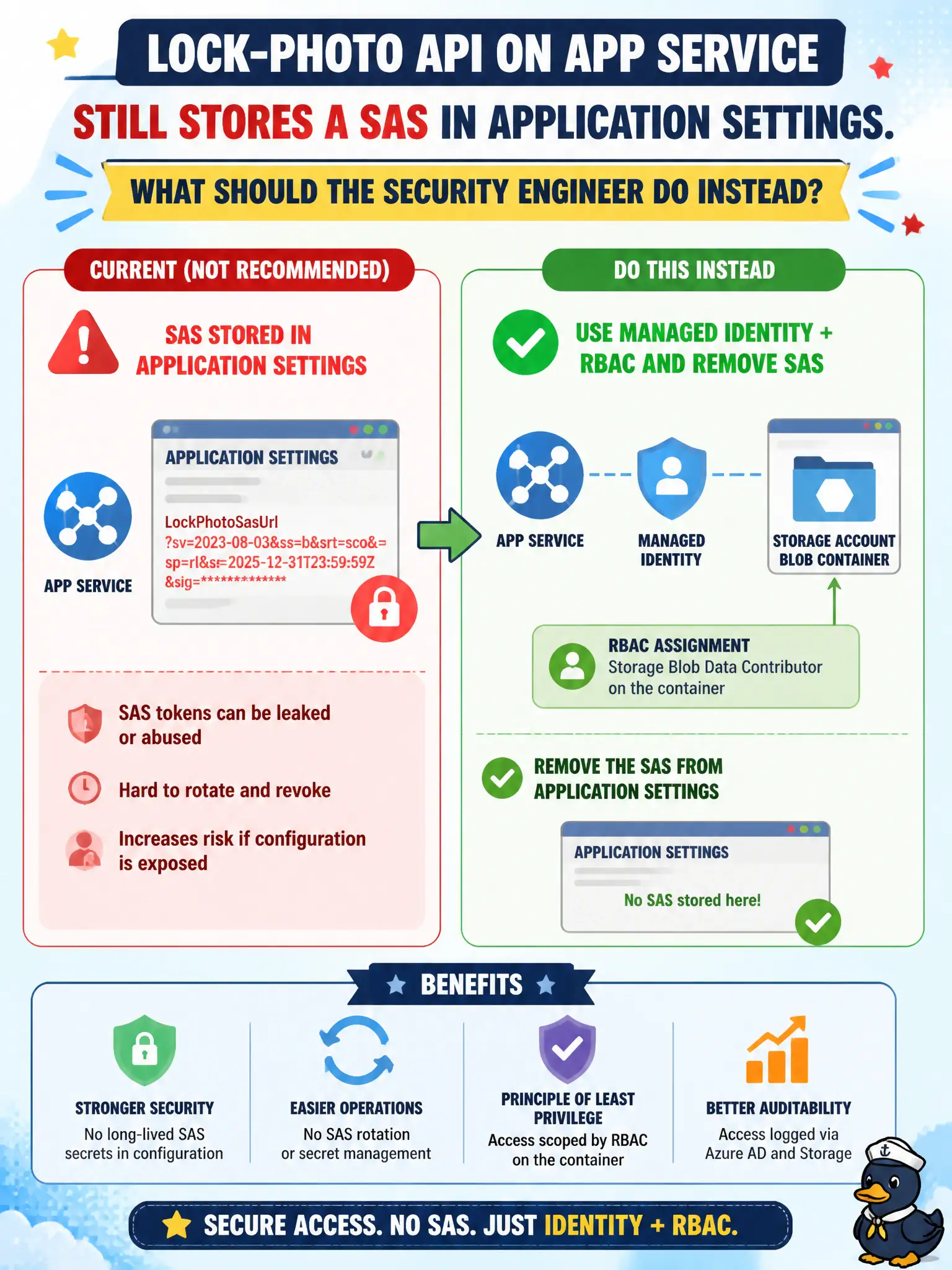
Ditch the SAS sticky note in app settings. Give the app’s managed identity Storage Blob Data Contributor on that container and let Entra do the talking.
Full Explanation
The lock-photo API on App Service that still stores a SAS in application settings should instead grant the app’s managed identity Storage Blob Data Contributor on the container and remove the SAS from configuration. When the caller is an Azure resource, managed identity plus a data-plane role eliminates long-lived signature secrets from app settings and ties access to the app’s Entra identity lifecycle. That is the preferred pattern for municipal APIs that read and write their own photo container.
Lengthening the SAS expiry to several years so settings rarely need updates fails by concept: longer-lived secrets increase the cost of a leak and postpone rotation rather than removing the secret. Moving the SAS from app settings into the public HTML of the site for easier rotation fails by publishing the signature to browsers and scrapers. Assigning the app Subscription Owner so it can regenerate account keys whenever the SAS expires fails because Subscription Owner is vastly over-scoped compared with container data-plane access.
Exam caveat: for Azure-hosted callers, prefer managed identity with Storage Blob Data roles over embedding SAS in configuration. Operational check: enable system- or user-assigned managed identity on the App Service, assign Storage Blob Data Contributor at the lock-photo container, update code to use DefaultAzureCredential or Entra auth, delete the SAS app setting, restart, and confirm blob operations succeed without any SAS in configuration.