
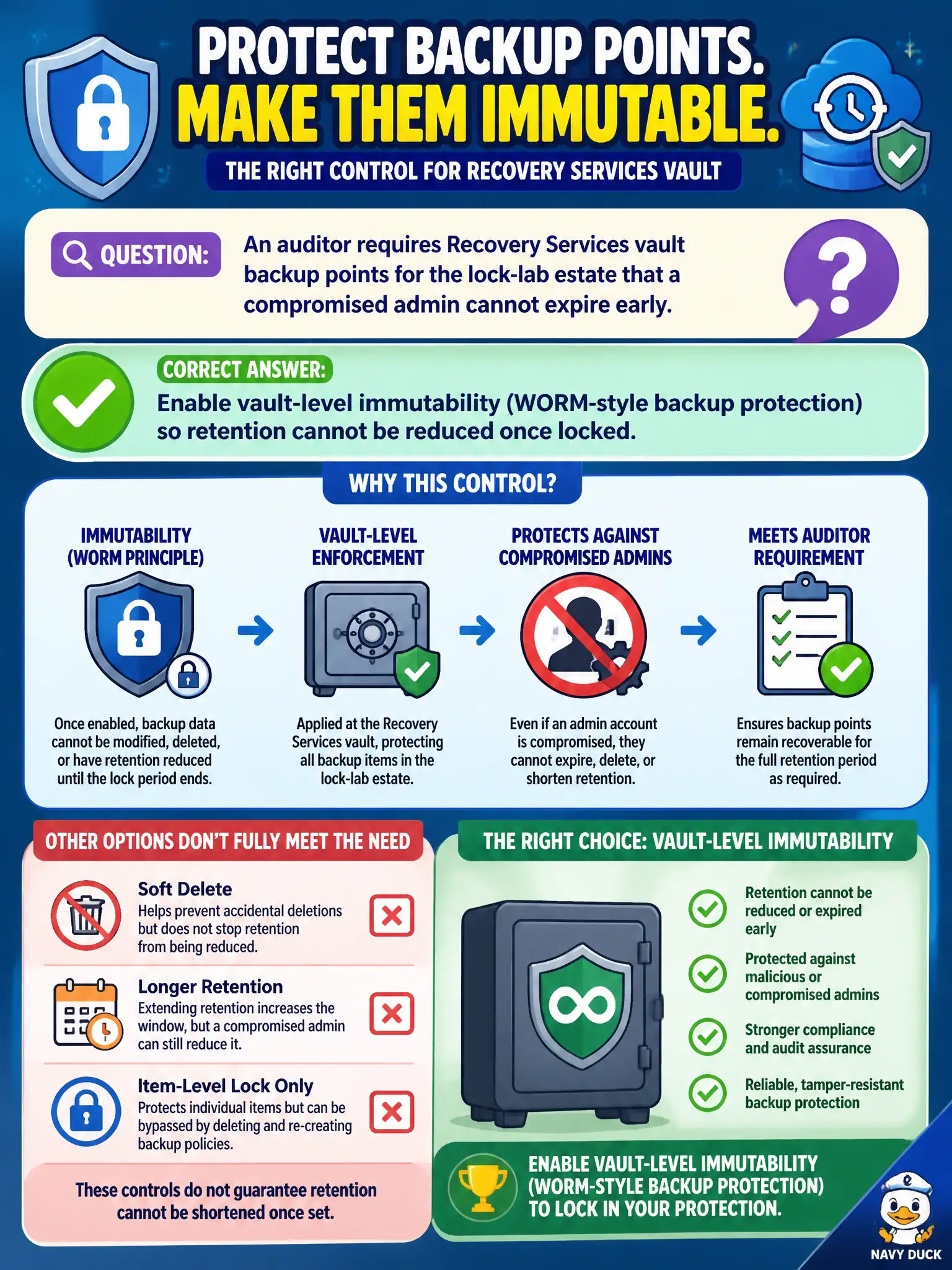
An auditor requires Recovery Services vault backup points for the lock-lab estate that a compromised admin cannot expire early. Which control best meets that requirement?
Select an answer to reveal the explanation.
Short Explanation
Soft-delete helps after a hasty delete—immutability is the padlock that says you cannot shorten the lock-lab retention clock once it is set. That is what stops a compromised admin from quietly aging the evidence out.
Full Explanation
Vault-level immutability (WORM-style backup protection for Recovery Services vaults) is the control that meets an auditor's demand that lock-lab backup points cannot be expired early by a compromised administrator. Once immutability is enabled and locked according to Azure Backup guidance, retention for protected recovery points cannot be shortened and deletes that would erase that evidence are blocked for the locked period. That is a stronger guarantee than hoping nobody changes a soft-delete or retention setting under pressure.
A soft-delete window alone is useful after an accidental or malicious delete, but soft-delete is still a recovery grace period—not an immutability lock. Operators with sufficient rights can still alter retention policies or wait out soft-delete behavior in ways that do not match a hard "cannot expire early" requirement. Storing backup blobs in a general-purpose storage account with a public read SAS for auditors mixes confidentiality failure with the wrong storage model: Recovery Services vault backups are not meant to be exposed through public SAS URLs, and that pattern neither provides vault immutability nor protects against insider wipe of vault-managed points. Granting Owner on the vault to every night-shift operator expands blast radius; Owner can manage and often destroy the vault itself, which is the opposite of protecting backup integrity after compromise.
Exam caveat: immutability and soft-delete address related but different threats—soft-delete recovers deleted backups; immutability prevents retention reduction and unauthorized destruction of locked recovery points. Confirm which feature the scenario actually demands.
Operational check: in the Recovery Services vault properties, verify backup immutability is enabled (and locked if required), confirm retention policies match the audit window, and attempt a controlled retention-reduction test in a non-production vault to prove the lock blocks the change before relying on it for the canal estate.