
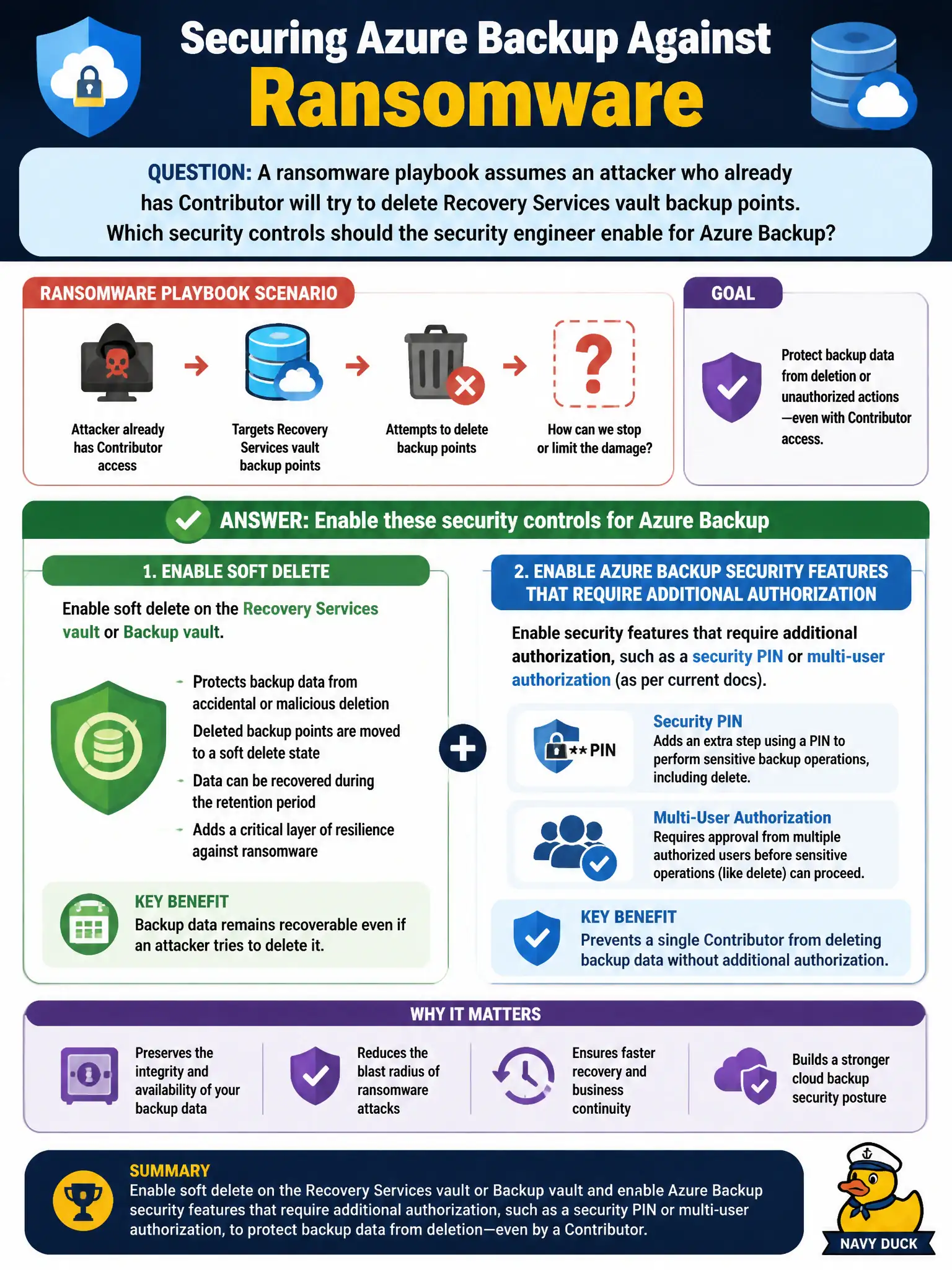
A ransomware playbook assumes an attacker who already has Contributor will try to delete Recovery Services vault backup points. Which security controls should the security engineer enable for Azure Backup?
Select an answer to reveal the explanation.
Short Explanation
Contributor with a delete streak is why Backup soft delete and the extra authorization gates exist—security PIN or multi-user authorization. Don’t “fix” ransomware by turning backups off or by only stretching retention.
Full Explanation
A ransomware playbook that assumes Contributor will delete Recovery Services vault backup points is why Azure Backup hardens destructive operations. Enable soft delete on the Recovery Services vault or Backup vault so deleted backup data remains recoverable for a window, and enable Azure Backup security features that require additional authorization—such as a security PIN or multi-user authorization as current documentation names them—before critical backup changes or deletes. Those controls raise the bar beyond a single compromised Contributor.
Only lengthening backup retention schedules without soft delete or extra authorization gates fails by concept: longer retention does not stop immediate delete of backup points. Granting the attacker Owner so deletes are easier to monitor fails absurdly—it increases blast radius. Disabling all backups so there are no backup points left to delete fails the recovery mission entirely and is not a ransomware mitigation.
Exam caveat: Contributor on a vault subscription/resource group is enough for many backup destructive actions unless soft delete and enhanced authorization features are enabled. Operational check: enable soft delete and the Backup security/MUA (or security PIN) features on the canal Recovery Services vault, test that a privileged delete requires the extra gate, verify soft-deleted recovery points can be restored within the window, and alert on Backup security events in the lock-authority SOC.