
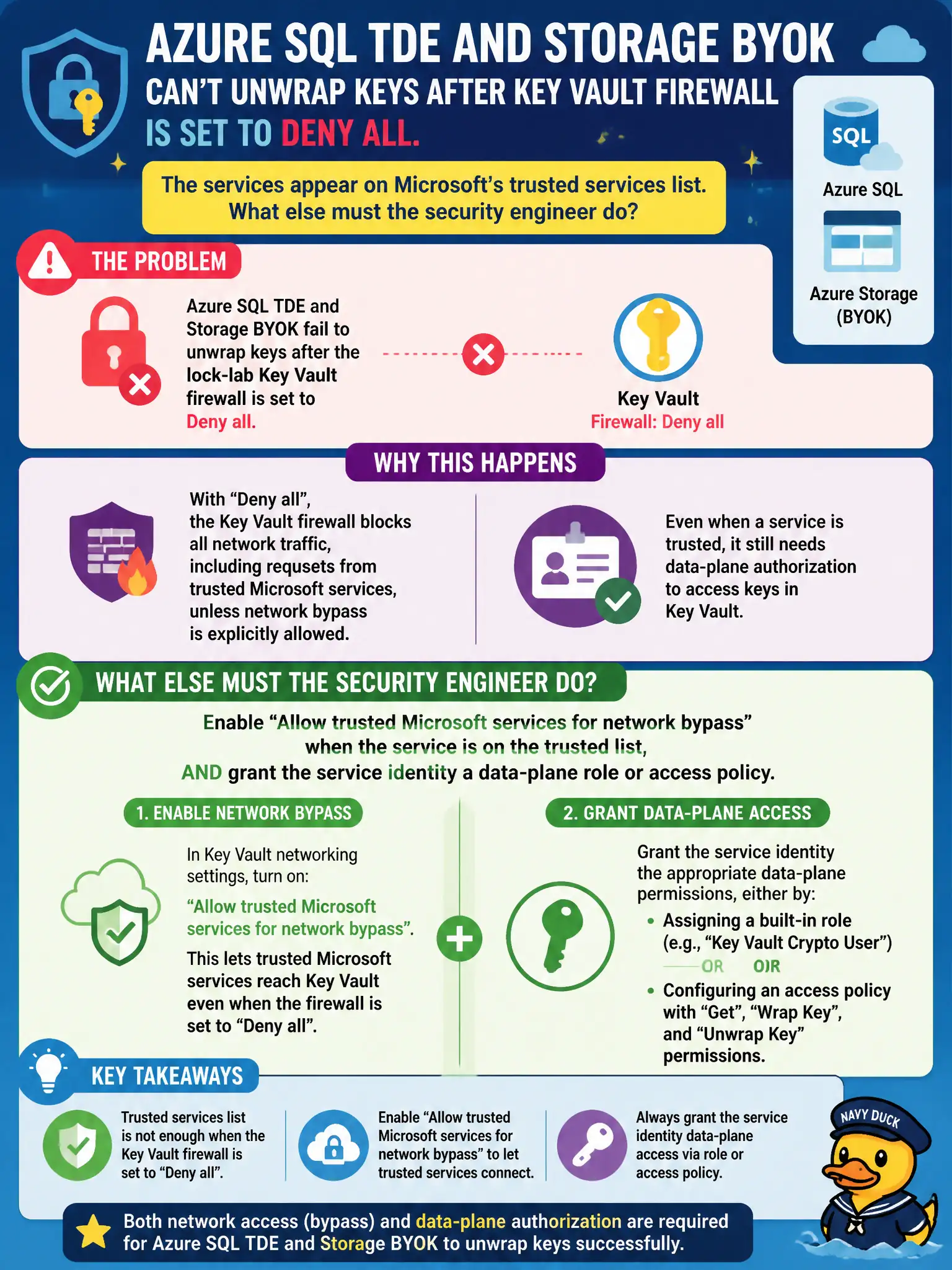
Azure SQL TDE and Storage BYOK fail to unwrap keys after the lock-lab Key Vault firewall is set to Deny all. The services appear on Microsoft’s trusted services list. What else must the security engineer do?
Select an answer to reveal the explanation.
Short Explanation
Trusted Microsoft services is a network side door, not a free pass on permissions. Flip that bypass when the service is on the list, then still hand the identity Get/unwrap rights on the vault.
Full Explanation
After the lock-lab Key Vault firewall is Deny all, Azure SQL TDE and Storage BYOK still need a network path to unwrap customer-managed keys. When the service is on Microsoft’s trusted services list, enabling Allow trusted Microsoft services to bypass the firewall restores that network path. Network bypass alone is insufficient: the service’s managed identity or service principal must still hold data-plane unwrap/get permissions via Azure RBAC or an access policy.
Only opening the vault to All networks and claiming trusted-services configuration is never required fails by concept: All networks weakens the Deny posture when a selective trusted-services bypass is the intended control. Disabling Microsoft Entra authentication on SQL and Storage so unwrap skips Key Vault authorization fails because CMK unwrap still authenticates to Key Vault; removing Entra auth does not invent a firewall exemption. Replacing TDE and BYOK with cleartext keys on VM local disks fails confidentiality and abandons platform key management.
Exam caveat: trusted Microsoft services is a network exception list, not an authorization grant—AZ-500 expects both the bypass and the data-plane role. Operational check: enable Allow trusted Microsoft services, assign the SQL/Storage identity Key Vault Crypto Service Encryption User (or equivalent access policy), restart or revalidate TDE/BYOK unwrap, and confirm secrets remain unreachable from arbitrary public clients.