
A lock-authority compliance review shows an Azure Policy initiative at 60 percent compliant, and a reviewer treats that figure as Microsoft Defender for Cloud Secure Score. How should the security engineer interpret the initiative percentage?
Select an answer to reveal the explanation.
Short Explanation
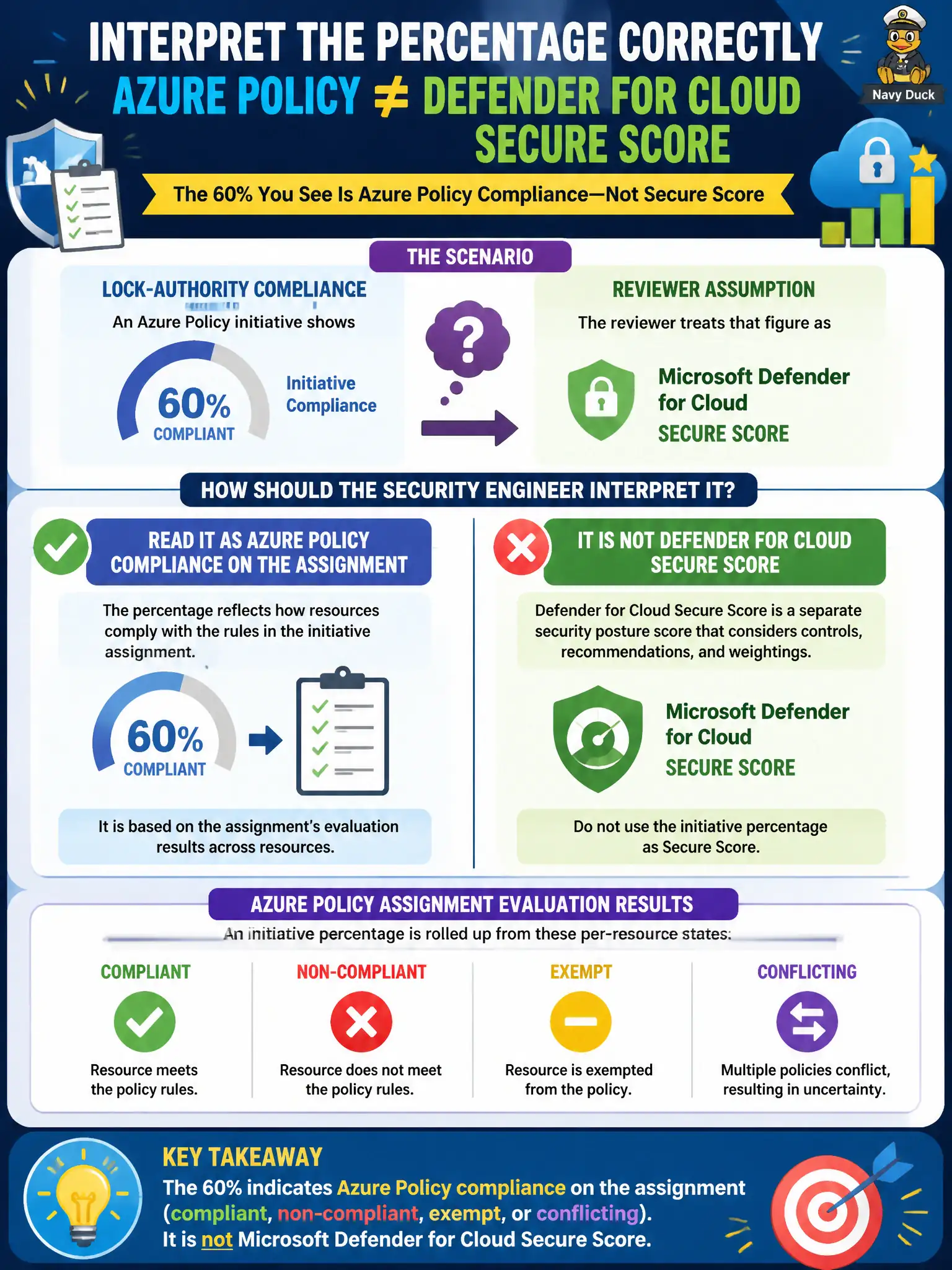
That 60 percent is Policy’s report card on the assignment, not Defender’s Secure Score. One meter tracks compliant versus non-compliant resources; the other scores security recommendations. Don’t mash the dials together when the auditor asks.
Full Explanation
Azure Policy compliance on an initiative or assignment reports how many resources are compliant, non-compliant, exempt, or conflicting against the evaluated definitions. That percentage is an assignment-scoped compliance meter for the lock-authority estate, not Microsoft Defender for Cloud Secure Score. Secure Score aggregates weighted security recommendations and posture improvements across Defender for Cloud assessments. Treating the initiative’s 60 percent figure as Secure Score mixes two independent governance signals and misleads auditors who expect a Defender posture number.
Treating the initiative percentage as Secure Score because both meters supposedly share one calculation fails by concept: Policy compliance and Secure Score use different engines, scopes, and scoring models. Ignoring Policy compliance and opening only Microsoft Sentinel workbooks fails because Sentinel analytics and workbooks address detection and investigation, not Policy assignment compliance state. Converting the percentage into a PIM activation approval rate fails because Privileged Identity Management activation metrics measure privileged-access workflows, not resource compliance against Policy.
Exam caveat: AZ-500 frequently pairs Policy, Defender for Cloud, and identity metrics in the same stem—name the control plane before reporting the number. Operational check: open the Policy compliance blade for the initiative assignment, confirm resource counts by compliant/non-compliant/exempt/conflicting, then separately open Defender for Cloud Secure Score and document both figures with distinct labels for the lock-authority review.