
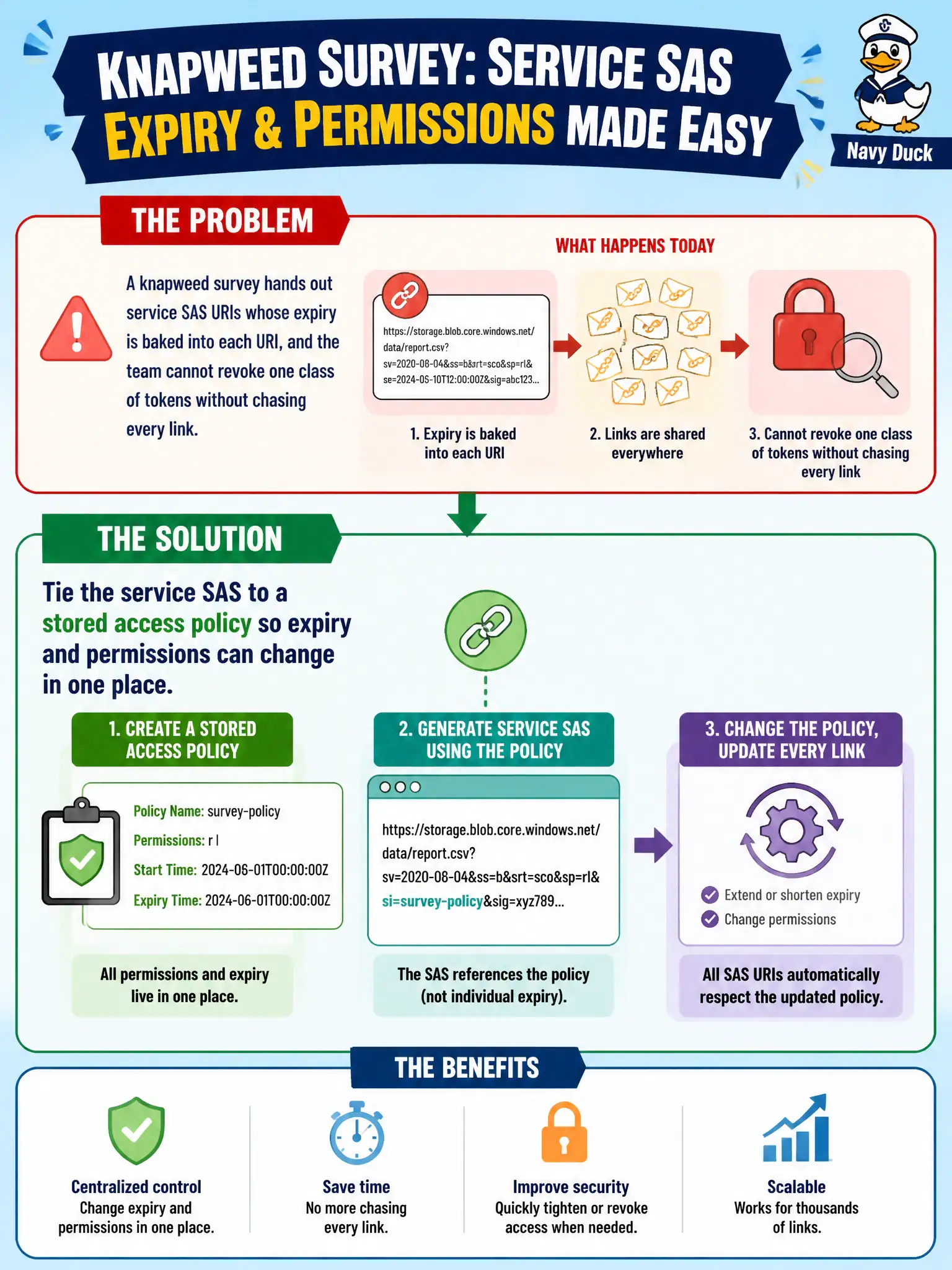
A knapweed survey hands out service SAS URIs whose expiry is baked into each URI, and the team cannot revoke one class of tokens without chasing every link. What should the developer do?
Select an answer to reveal the explanation.
Short Explanation
Ad hoc SAS stamps expiry into every URI—painful to revoke. Hang a service SAS off a stored access policy and you can change the clock in one spot.
Full Explanation
Ad hoc service SAS URIs bake permissions and expiry into each signature. When the knapweed survey cannot revoke a class of links without chasing every URI, associate the service SAS with a stored access policy on the container (or relevant resource). Changing or deleting that policy updates effective expiry/permissions (and can revoke outstanding signatures that reference the policy) in one place.
Switching every token to an account SAS because “account SAS supports stored policies” fails the facts and the goal. Stored access policies are associated with service SAS on containers/queues/tables/files; account SAS does not use stored access policies the same way. Blindly switching SAS types does not grant policy-based revocation.
Using only user-delegation SAS “with policies” because those support stored access policies fails because stored access policies are a service-SAS feature. User-delegation SAS relies on Entra-signed delegation keys and its own lifetime controls, not classic stored access policies.
Disabling HTTPS so tokens expire when the browser cache clears fails on security and mechanics. HTTPS is required for safe SAS distribution; cache clearing is not a revocation control, and cleartext distribution increases theft risk.
Exam caveat: only signatures that reference the stored access policy identifier are controlled by that policy. Pure ad hoc signatures without a policy identifier remain independent until their baked-in expiry.
Operational check: create policy field (or similar) on the container with limited permissions and expiry, mint service SAS URIs that include si=field (signed identifier), then change the policy’s expiry or delete it and confirm previously issued policy-based URIs stop working.