
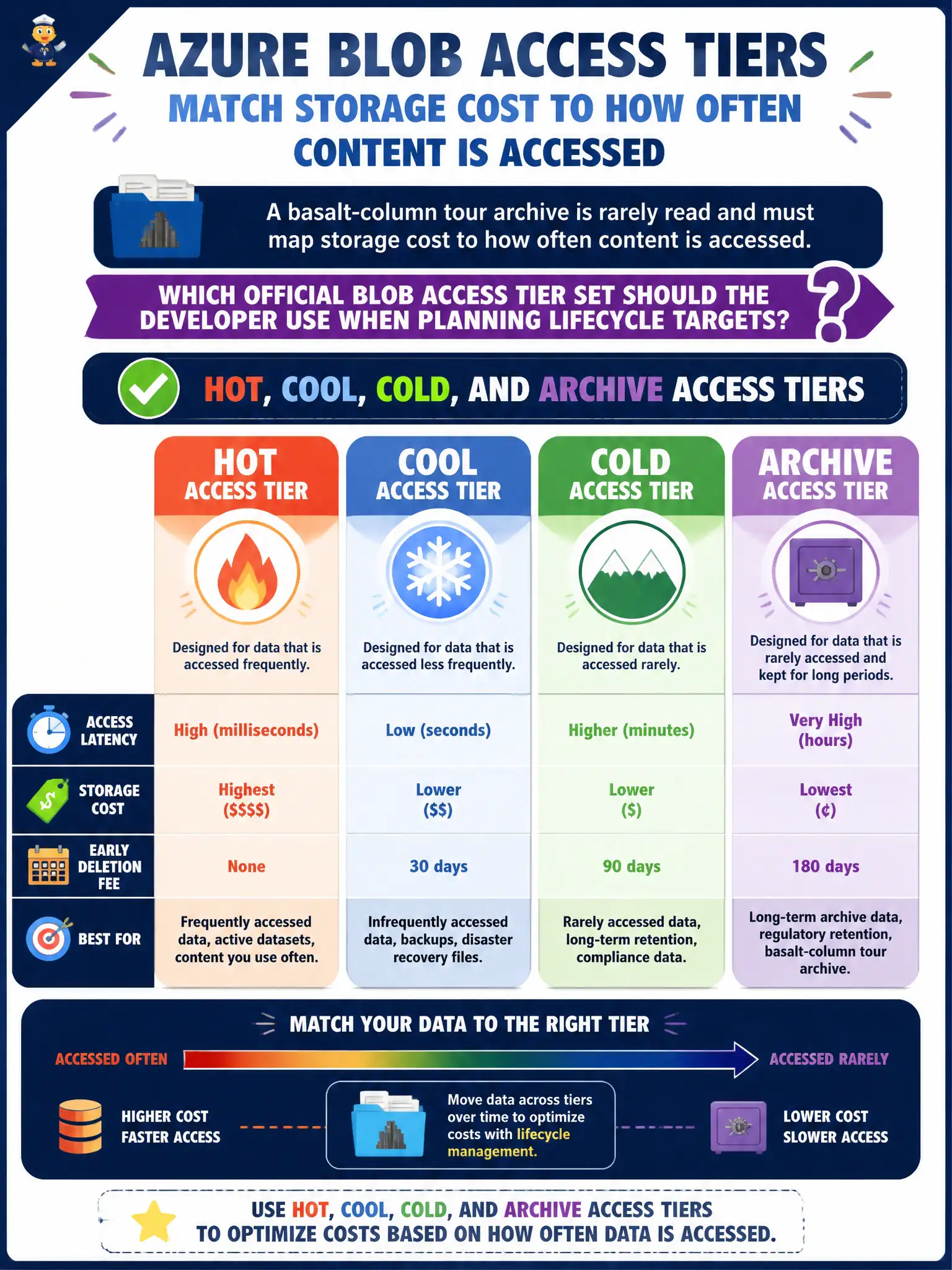
A basalt-column tour archive is rarely read and must map storage cost to how often content is accessed. Which official Blob access tier set should the developer use when planning lifecycle targets?
Select an answer to reveal the explanation.
Short Explanation
Blob access tiers are Hot for busy shelves, Cool/Cold for quieter ones, and Archive for deep storage. Redis is a cache product, not a Blob lifecycle tier. Disk SKUs belong to VMs, not blob object tiers.
Full Explanation
Official blob access tiers for general-purpose v2 block blob lifecycle planning are Hot, Cool, Cold, and Archive. Hot optimizes for frequent access, Cool and Cold for decreasing access frequency at lower storage cost with higher access costs, and Archive for rarely accessed offline storage that requires rehydration before read. The basalt-column tour archive that must map cost to access frequency should plan lifecycle targets against that tier set—the platform’s supported ladder for blob capacity pricing and lifecycle actions.
Hot, Cool, and a Redis cache tier managed by Blob lifecycle rules fails because Redis is an in-memory cache/data store outside Blob lifecycle. Lifecycle does not manage Redis as a blob access tier.
Premium SSD, Standard HDD, and Ultra disk tiers fail because those describe Azure Disk SKUs/performance for VMs, not Blob Storage access tiers for objects in a container.
Only Archive plus a custom “Nearline” tier invented in appsettings fails because application configuration cannot invent platform tiers; Nearline is not an official Azure Blob access tier name in this model, and planning must use the supported Hot/Cool/Cold/Archive set.
Exam caveat: Cold is newer relative to classic Hot/Cool/Archive teaching materials—confirm exam and portal wording, and remember Archive is offline with rehydration latency/priority choices. Operational check: review the account’s lifecycle actions dropdown or REST policy schema and confirm permitted tier targets include Hot, Cool, Cold, and Archive before documenting cost models.