
On folk-festival ticket-sale morning the App Service site saturates. One teammate wants a larger plan SKU; another wants more instances on the same plan. How should the developer distinguish those two App Service scale actions?
Select an answer to reveal the explanation.
Short Explanation
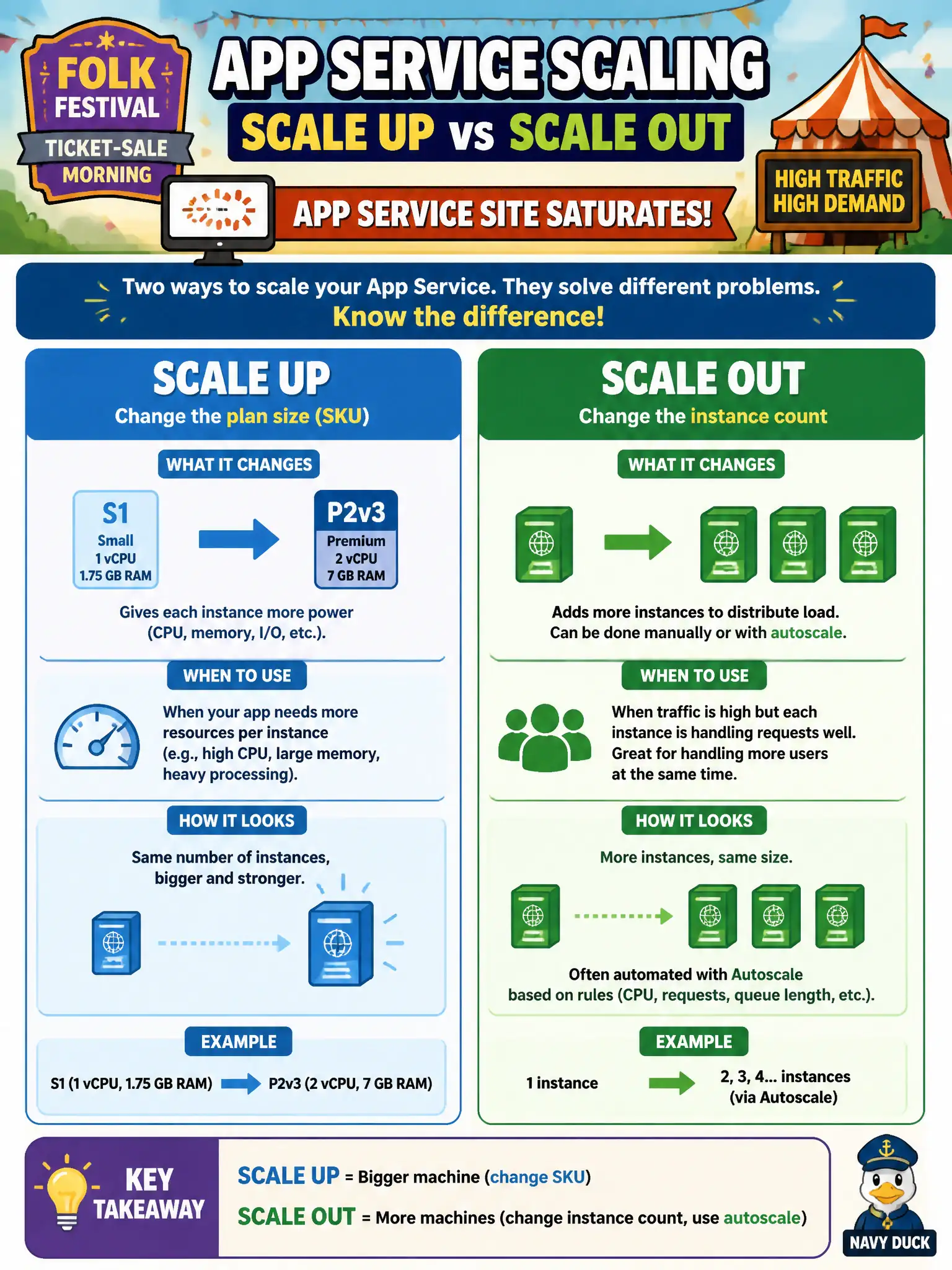
Scale up is buying a bigger engine; scale out is adding more cars on the same track. App Service uses both axes—SKU for vertical, instance count (and autoscale) for horizontal. Mixing that up with slots or CDN just muddies the morning rush.
Full Explanation
On folk-festival ticket-sale morning the site saturates, and the team must distinguish vertical versus horizontal scale on App Service. Scale up changes the App Service plan SKU—more CPU, memory, or tier features on each worker. Scale out changes how many instances run that same app, including rules that autoscale instance count from metrics or schedules. Both actions can relieve saturation, but they solve different capacity problems: a bigger engine versus more parallel workers sharing the load.
Claiming scale up only adds CDN edge nodes and scale out only enables Always On confuses plan sizing with content delivery and with a keep-warm setting; neither CDN nor Always On is what those scale verbs mean on App Service. Saying scale up swaps deployment slots and scale out rotates TLS certificates invents unrelated release and certificate operations—slots and TLS bindings are not scale axes. Claiming scale up moves the app to Container Apps and scale out moves it to Azure Functions confuses scaling with platform migration; changing host products is a redesign, not an App Service scale action.
Exam caveat: some features (deployment slots, certain autoscale capabilities) require a qualifying tier, so a scale-up might be a prerequisite before scale-out options appear—but the definitions of scale up versus scale out remain SKU versus instance count. Operational check: in the App Service plan blade, note current SKU and instance count; perform or simulate scale up and confirm SKU/features change, then adjust instance count or autoscale rules and confirm more instances appear under the same app.