
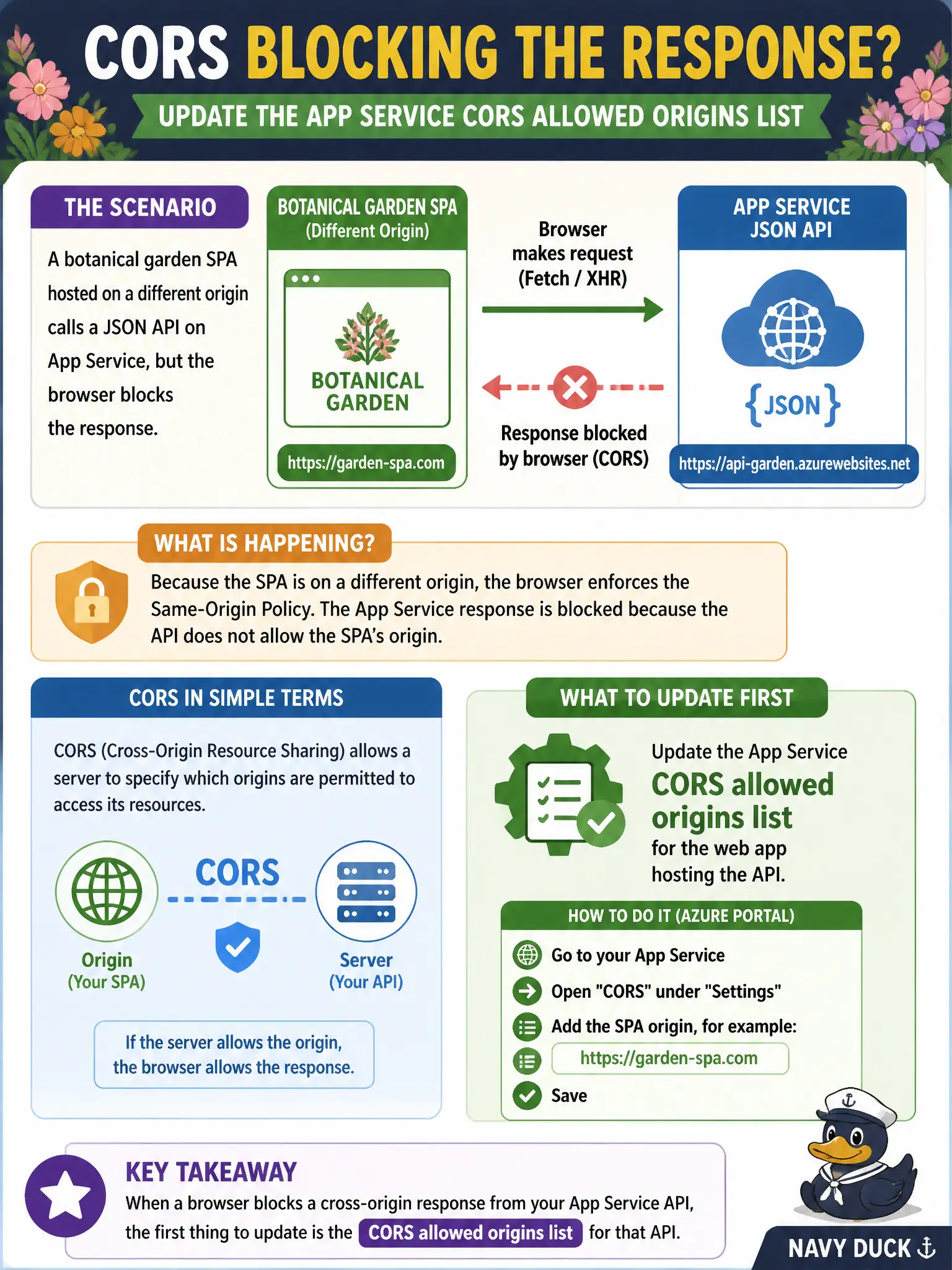
A botanical garden SPA hosted on a different origin calls a JSON API on App Service, but the browser blocks the response. Which App Service configuration should the developer update first?
Select an answer to reveal the explanation.
Short Explanation
Browsers enforce same-origin rules like a bouncer checking guest lists. When the SPA lives elsewhere, App Service CORS must explicitly allow that origin. Reaching for APIM policies or Container Apps ingress here just moves the problem to the wrong host.
Full Explanation
The botanical garden SPA runs on a different origin from the JSON API on App Service, so the browser’s same-origin policy blocks reading the response unless CORS explicitly allows that SPA origin. Update the App Service CORS allowed-origins list (API settings) for the web app that hosts the API, including the SPA’s scheme-host-port combination. When credentials are involved, also align Access-Control-Allow-Credentials and avoid using a wildcard origin with credentials. Correcting CORS on the API host is the first, smallest fix for a cross-origin browser block.
An API Management inbound policy that rewrites every response body belongs to API gateway transformation work and does not replace App Service CORS for an API that browsers call directly on App Service. Even if APIM sits in front later, the skill under test is configuring CORS on the App Service API host. A Container Apps ingress CORS rule applies only when the API actually runs on Container Apps; this scenario states App Service, so Container Apps ingress settings never take effect. Azure Front Door custom-domain validation for the SPA static hostname proves DNS ownership for Front Door—it does not emit Access-Control-Allow-Origin for API responses the SPA consumes.
Exam caveat: server-to-server callers are not constrained by browser CORS; a curl test can succeed while the SPA still fails until the browser sees the right CORS headers. Operational check: reproduce the SPA call in browser DevTools, confirm the preflight or response includes Access-Control-Allow-Origin matching the SPA origin, then reload the garden SPA and verify the JSON response is readable without a CORS error.