
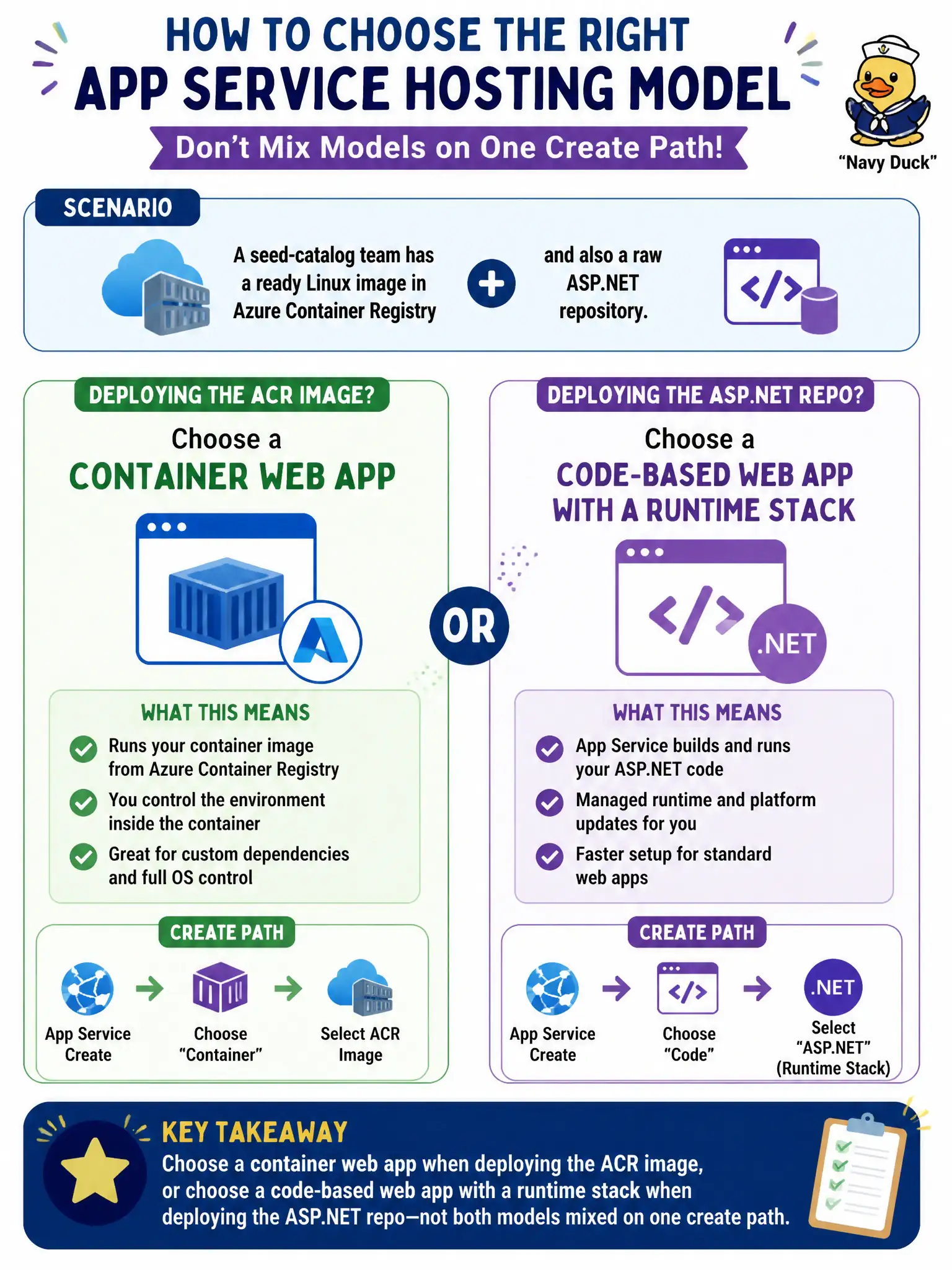
A seed-catalog team has a ready Linux image in Azure Container Registry and also a raw ASP.NET repository. At App Service create time, how should they choose the hosting model?
Select an answer to reveal the explanation.
Short Explanation
App Service asks up front: are you bringing source for a known language stack, or a finished container image? Those are two different create paths. Do not mash an ACR image into a code site and hope the runtime sorts it out.
Full Explanation
At App Service create time you choose a hosting model: a code-based web app with a runtime stack for source such as an ASP.NET repository, or a container web app when you already have a Linux image in Azure Container Registry. The seed-catalog team should pick one path for the asset they are deploying—not mix models on a single create flow as if ACR layers and a code stack were interchangeable.
Always creating a code-based web app and later overwriting wwwroot by manually copying layers from an ACR image fights the platform and skips container pull settings. Creating an Azure Functions app with a custom handler because “App Service cannot run either” is false; App Service runs both code stacks and containers on their respective paths. Creating an ACI group first and attaching App Service as a DNS label in front of that group confuses two products and does not configure App Service container settings.
Exam caveat: you can later change some container settings on a container web app, but the initial create decision still determines the primary model. Do not expect ZipDeploy of source to behave like an ACR image pull or vice versa.
Operational check: for the ACR image, create a container web app pointed at the repository and tag; for the ASP.NET repo, create a code web app with the matching runtime stack. Confirm each deploy path succeeds without cross-wiring image layers into wwwroot.