
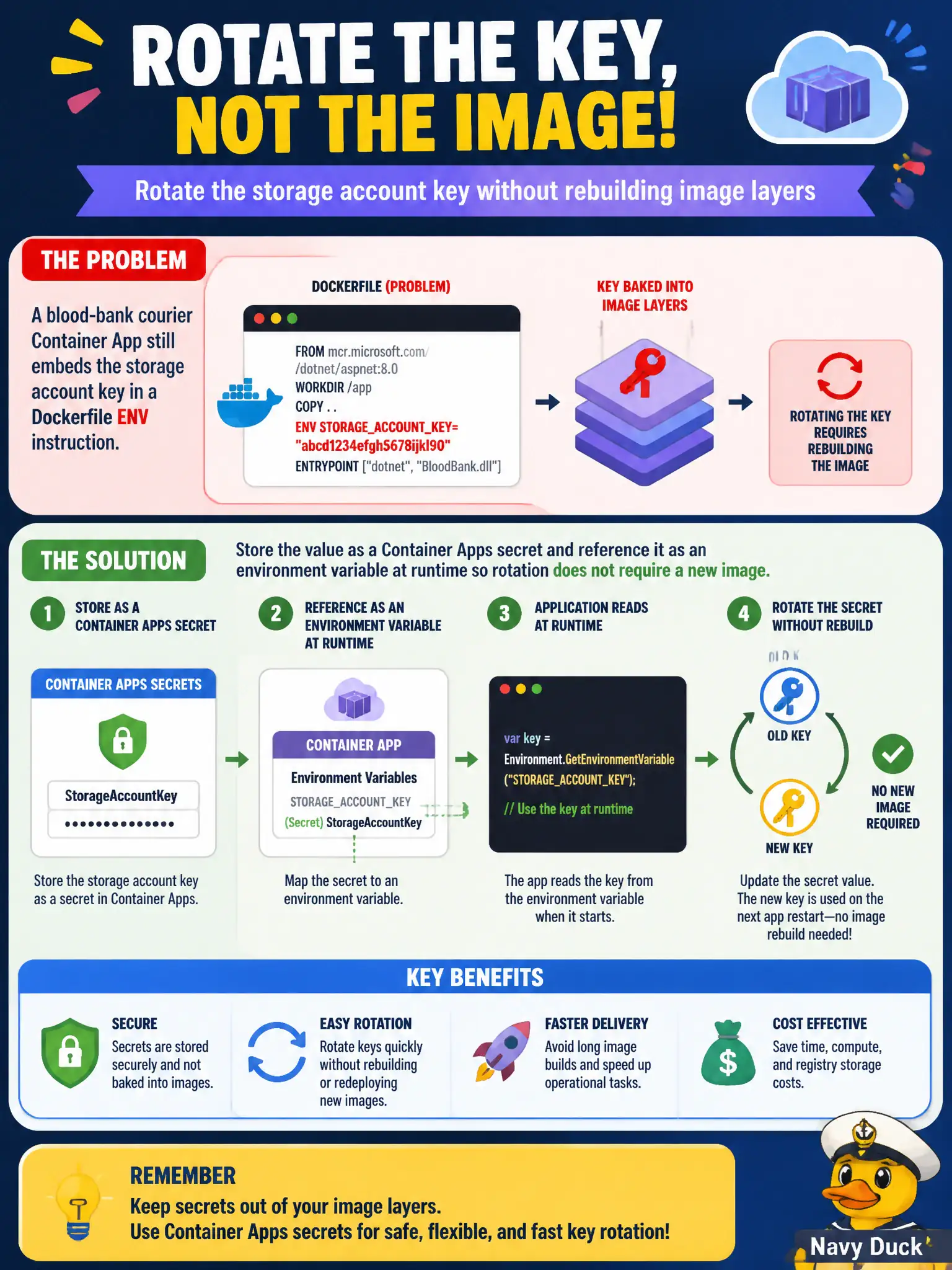
A blood-bank courier Container App still embeds the storage account key in a Dockerfile ENV instruction. The team needs to rotate the key without rebuilding image layers. What should the developer do?
Select an answer to reveal the explanation.
Short Explanation
Secrets in a Dockerfile are like writing the vault code on the delivery truck’s paint job—you have to repaint to change it. Container Apps secrets live outside the image and inject as env vars when the revision starts. Rotate the secret, not the layers.
Full Explanation
Secrets baked into a Dockerfile ENV instruction become image-layer content. Rotating a storage account key then requires rebuilding and redeploying layers—like repainting the vault code on the blood-bank courier truck. Azure Container Apps secrets (and secret references) live outside the image and inject as environment variables at runtime, so the developer can rotate the key without rebuilding image layers.
Baking the rotated key into a new base image tag and forcing nightly rebuilds keeps the secret in layers and slows rotation. Storing the key only in source control as an App Settings JSON file copied at build time still embeds the secret in the artifact. Pointing the Container App at a virtual machine over SSH to read a VM environment variable invents an unsupported side channel and does not replace Container Apps secret injection.
Exam caveat: treat revision updates that only change secret references carefully; confirm the app reads the secret name from configuration and that old image tags still in ACR do not retain prior keys in ENV layers from earlier builds.
Operational check: move the storage key into a Container Apps secret, reference it as an env var, redeploy without changing Dockerfile ENV, rotate the secret value, restart or activate a new revision as required, and confirm the app uses the new key while image digests stay unchanged.