
The snow-plow image lives in a private Azure Container Registry, and the Azure Container Instances group definition currently embeds the ACR admin password. How should the group authenticate for the pull instead?
Select an answer to reveal the explanation.
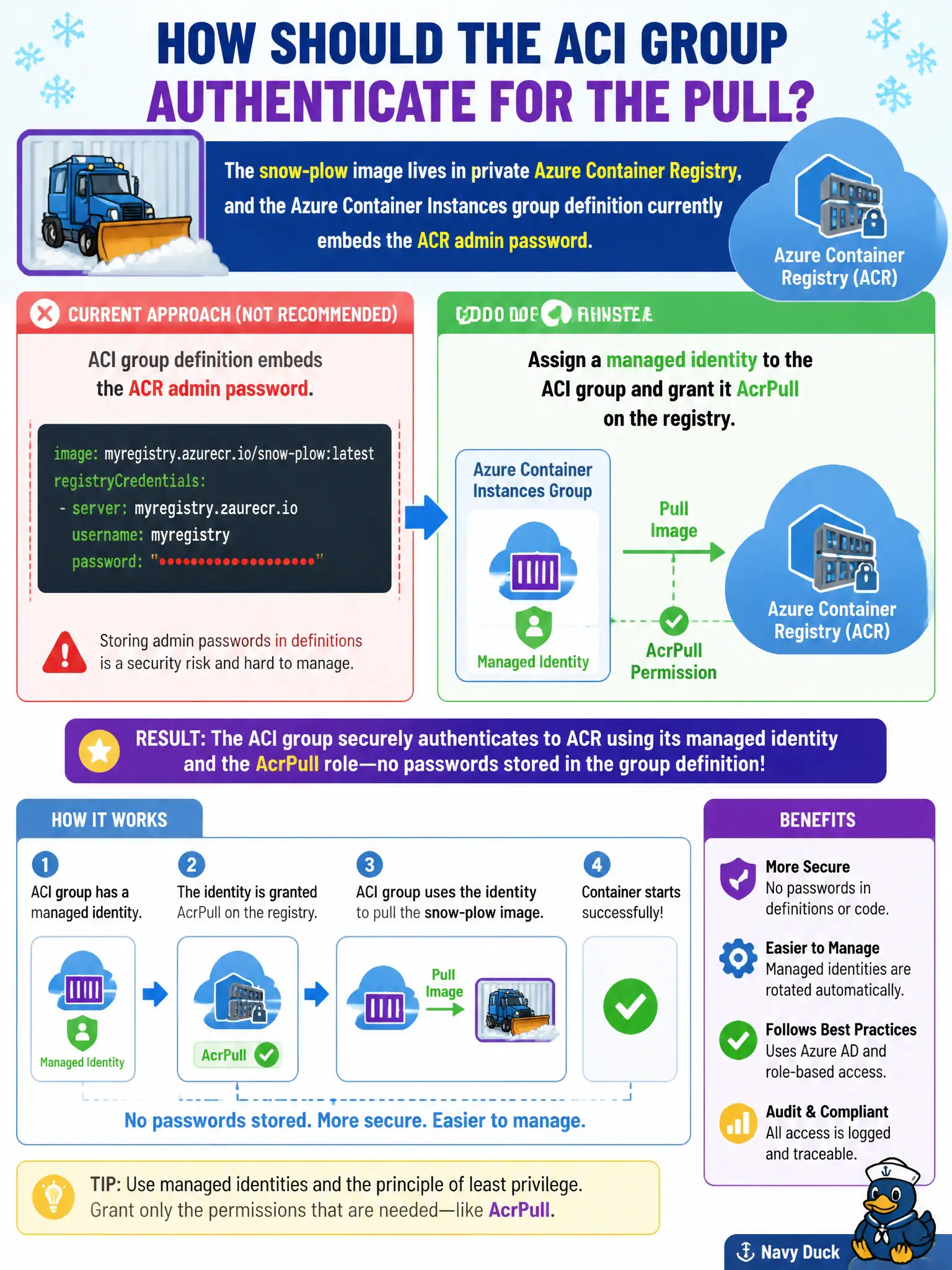
Short Explanation
Stop pasting the registry admin password into the group JSON. Give ACI a managed identity with AcrPull—identity badge at the door, not a sticky note with the master code.
Full Explanation
Stop embedding the Azure Container Registry admin password in the snow-plow ACI group definition. Assign a managed identity to the container group and grant that identity the AcrPull role on the private registry so image pulls authenticate with Microsoft Entra ID instead of a shared password pasted into templates. Credential rotation then becomes an identity and RBAC problem rather than editing secrets into every group revision interns can read.
Moving the admin password into the container’s CMD arguments exposes it in process listings and diagnostic logs and makes rotation harder, not easier. Making the ACR repository public so ACI needs no credentials removes authentication entirely rather than fixing how the group proves pull rights. Copying the admin password into every sidecar environment variable multiplies secret sprawl for redundancy theater without changing the pull identity model.
Exam caveat: grant AcrPull at the registry (or appropriate repository) scope before the first identity-based pull; AcrPush is unnecessary for pull-only groups and widens blast radius if the identity is compromised.
Operational check: remove admin username/password from the group definition, enable the managed identity, assign AcrPull, redeploy, and confirm the group reaches a running state while registry diagnostics show identity-based pulls rather than admin user authentication.