
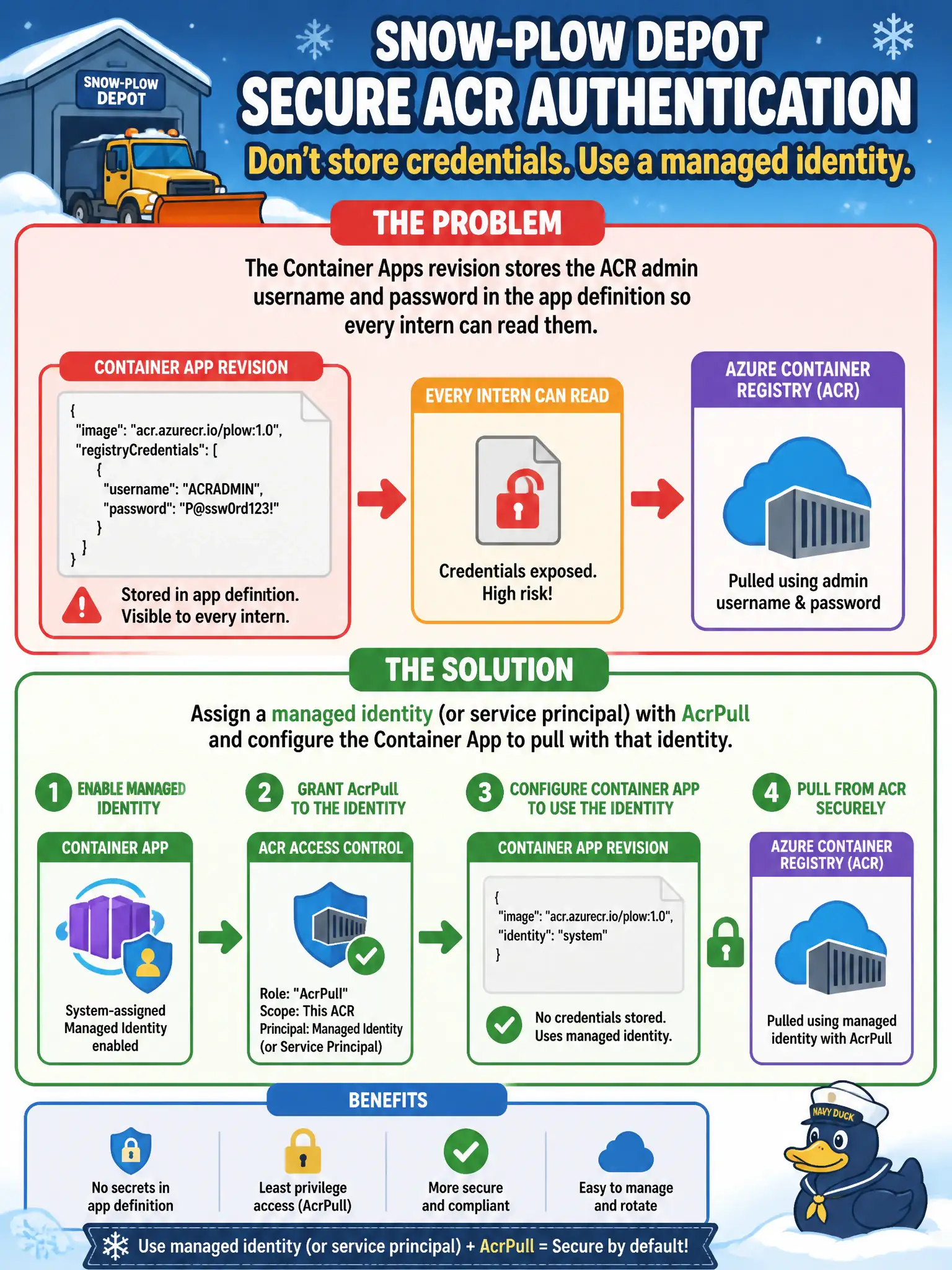
A snow-plow depot’s Container Apps revision stores the ACR admin username and password in the app definition so every intern can read them. How should the host authenticate to pull from ACR instead?
Select an answer to reveal the explanation.
Short Explanation
Admin user and password in the app definition is a spare key taped to the windshield. Give the Container App a managed identity with AcrPull and let identity do the handshake—no shared password for interns to screenshot.
Full Explanation
Container Apps should pull from ACR using identity, not shared admin passwords. Assign a managed identity (or a tightly scoped service principal) to the snow-plow depot’s Container App, grant that identity AcrPull on the registry, and configure the app to authenticate with the identity. Interns then no longer read admin credentials from the revision definition, and password rotation stops being a deploy blocker.
Embedding the admin password in a public Git commit spreads the secret further and makes rotation visible to attackers as well as teammates. Disabling ACR authentication for anonymous internet pulls removes the private-registry control the depot presumably needs. Storing a password in a Dockerfile EXPOSE line is nonsensical—EXPOSE is port metadata and is not a secret store hosts consult for pulls.
Exam caveat: AcrPull is the usual pull role; AcrPush is for publish. Admin user/password may still exist on the registry but should not be the application pull mechanism in production.
Operational check: remove admin credentials from the Container Apps registry configuration, enable managed identity pull, restart or create a revision, and confirm the new revision becomes healthy while ACR activity logs show token-based pulls tied to the identity.