
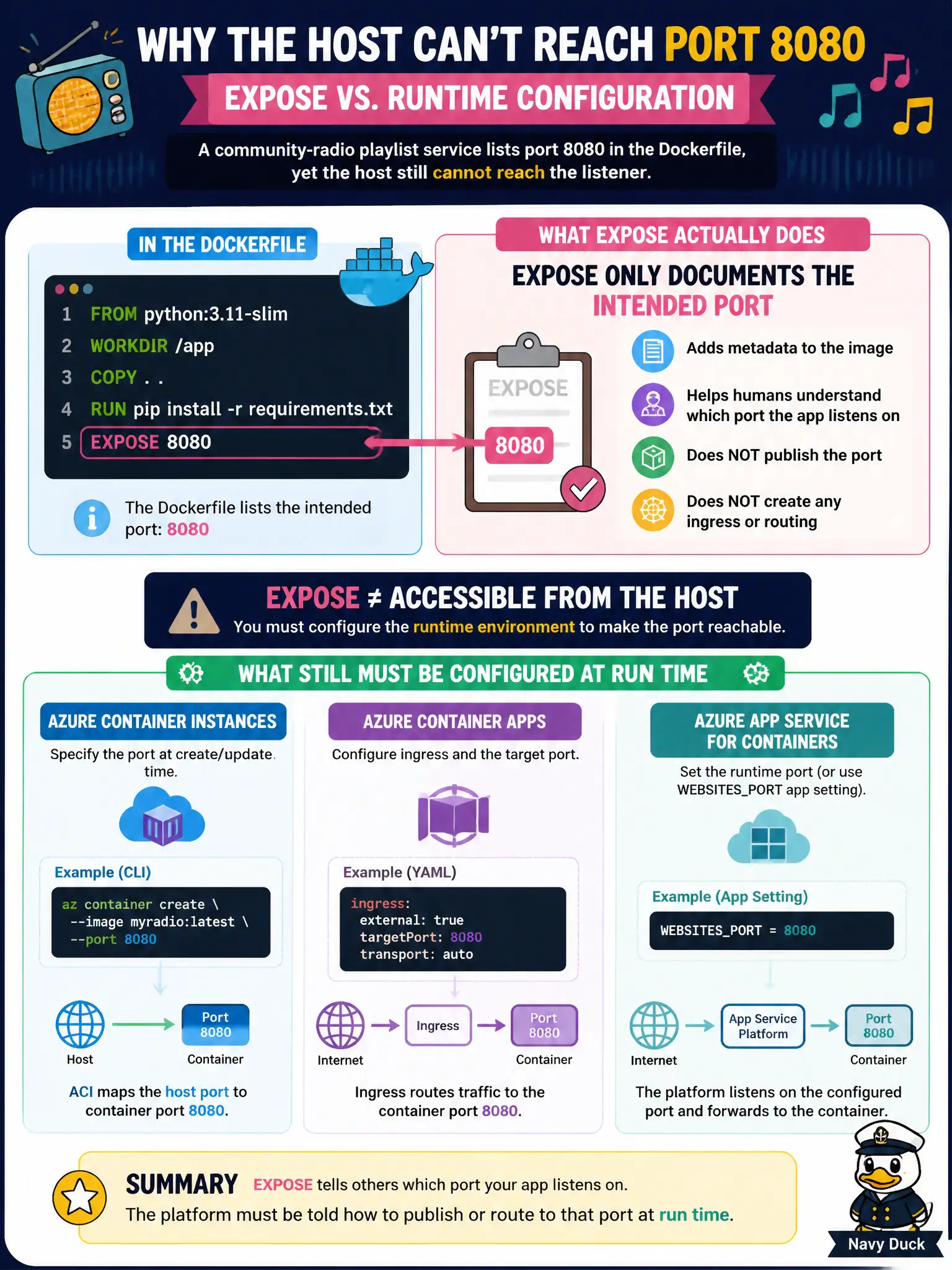
A community-radio playlist service lists port 8080 in the Dockerfile, yet the host still cannot reach the listener. What does EXPOSE actually do versus what still must be configured at run time?
Select an answer to reveal the explanation.
Short Explanation
EXPOSE is like writing “hearing room on the second floor” on a building blueprint. It tells people where to look, but you still have to unlock the door at run time with a port or ingress mapping on ACI, Container Apps, or App Service.
Full Explanation
EXPOSE in a Dockerfile is documentation and metadata: it records which port the community-radio playlist process intends to listen on. It does not publish that port on Azure hosts. ACI, Azure Container Apps, and App Service still need an explicit container port, ingress rule, or site configuration so traffic reaches the listener on 8080.
Assuming EXPOSE automatically publishes on every Azure compute host that pulls the image confuses build metadata with runtime networking. EXPOSE also does not replace App Service custom domains; domains and TLS bindings are separate site settings from container port mapping. EXPOSE never opens a public endpoint inside Azure Container Registry—ACR stores and serves images, not application HTTP traffic for unstarted containers.
Exam caveat: the process inside the container must actually bind to the documented port (or to the PORT environment variable some hosts inject). Documenting 8080 while the app listens on 80 still fails after correct host mapping.
Operational check: confirm the app logs show it listening on the expected port, then verify the ACI ports collection, Container Apps ingress target port, or App Service WEBSITES_PORT / container port setting matches. Curl the public endpoint and ensure packets arrive without relying on EXPOSE alone.