
An umber-wash payload is malformed and reappears after every visibility timeout. How should the developer detect and handle this poison message?
Select an answer to reveal the explanation.
Short Explanation
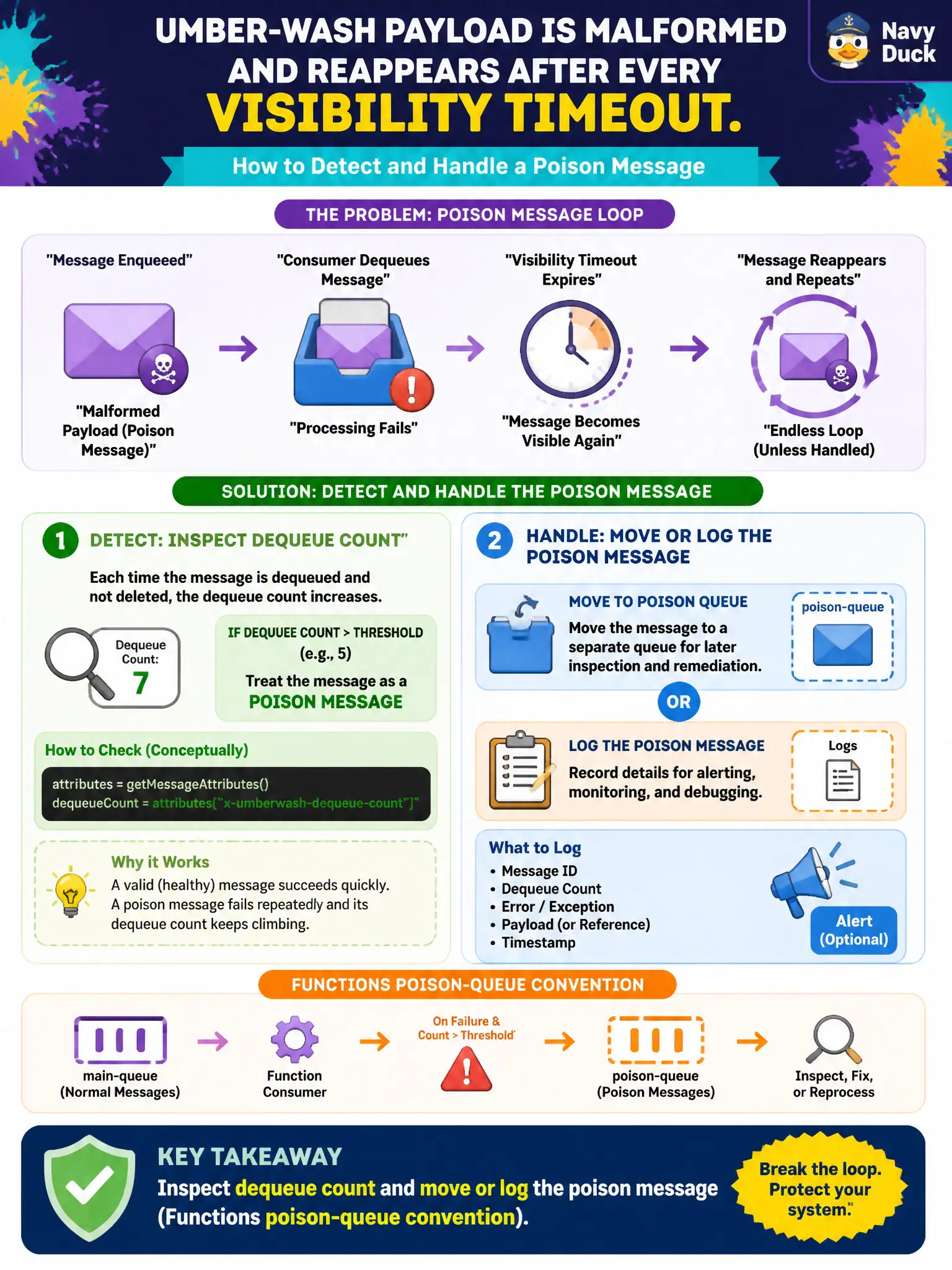
If dequeue count keeps climbing, that message is poison. Log it or move it aside — Functions even has a poison-queue convention — instead of looping forever.
Full Explanation
An umber-wash malformed payload that returns after every visibility timeout is a poison message. Queue Storage exposes a dequeue count that increments on each retrieval; applications should inspect that count and, past a threshold, move or log the message aside—Azure Functions documents a poison-queue convention for this—rather than looping forever. That quarantine step protects healthy workers and surfaces bad data for repair.
Enabling Service Bus dead-letter on the storage-account queue entity fails because Service Bus DLQ applies to Service Bus queues/subscriptions, not Storage queues. Raising Event Hubs throughput units to absorb poison payloads fails conceptually: more capacity does not fix a permanently bad message. Turning off Application Insights so retries are invisible fails because hiding telemetry conceals the incident instead of handling poison messages.
Exam caveat: poison handling must be idempotent and observable—blindly deleting without logging loses forensic evidence. Operational check: enqueue a deliberately bad message, watch dequeue count climb across failures, and verify your threshold path moves it to a poison queue or dead-letter store with logged context.