
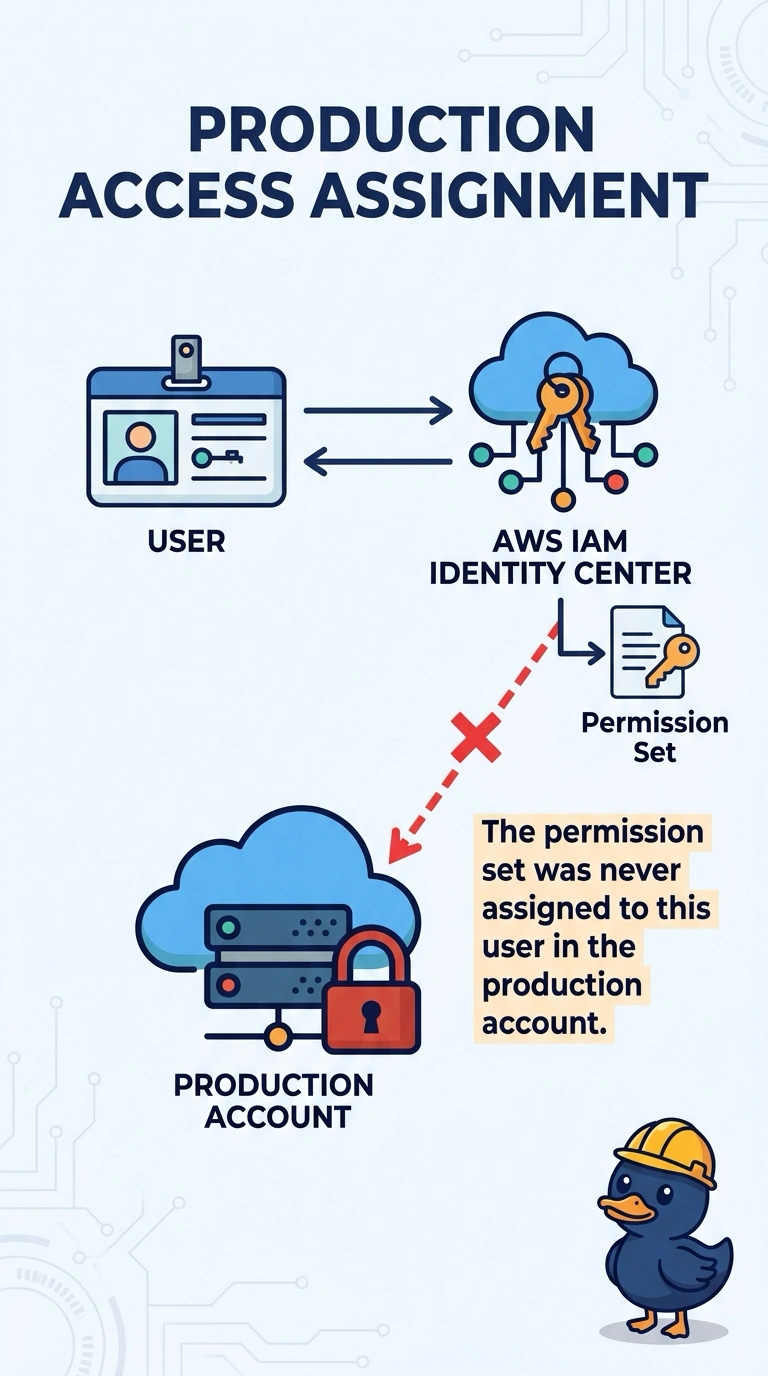
A city employee can open the development account through IAM Identity Center but is denied in the production account. The same permission set exists, and the production assignment was never created for this user. Why does production refuse the sign-in?
Select an answer to reveal the explanation.
Short Explanation
A badge that opens the lab does not open the vault. You gave this person an Identity Center assignment in development only, so production has no assignment to evaluate and the sign-in stops there. Copying the permission set into a local user policy is how shared passwords sneak back in.
Full Explanation
IAM Identity Center grants workforce access by assigning a permission set to a user or group in a specific account. An assignment in the development account creates a role in that account only. The production account never received an assignment for this user, so Identity Center has no permission set to assume there and the sign-in is denied. A VPC network ACL does not sit in front of the Identity Center sign-in endpoint, and this failure happens before any production VPC resource is touched. A permission set is not pasted into the member account as a customer managed policy on a shared IAM user. That pattern is what Identity Center replaces. Multi-factor authentication can be required on the Identity Center user and does not become invalid because a second account assignment exists. Caveat: the permission set can be identical in both accounts and the user still has no production access until the account assignment is created. Operational check: in Identity Center, list account assignments for production, add this user or group with that permission set, and confirm the user can assume the production role.