
A campus portal stores user sessions as files on one instance disk. When that Availability Zone is lost, new instances have no session and users are signed out. What removes that single-instance session store?
Select an answer to reveal the explanation.
Short Explanation
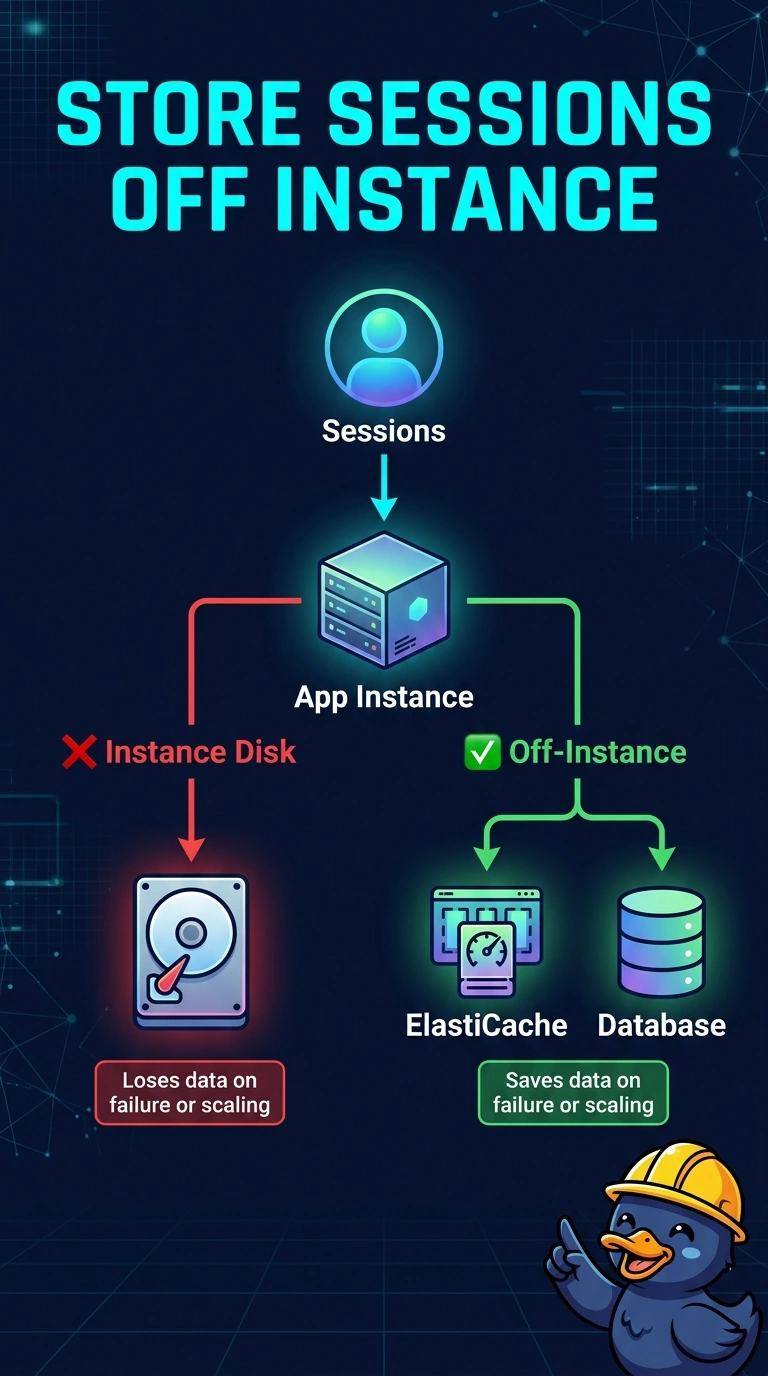
A coat check that lives in one clerk's pocket is gone when that clerk's room is gone. Your sessions on a single instance disk die with the Availability Zone, so move them to ElastiCache or a database. Sticky sessions only send the user back to the pocket that disappeared.
Full Explanation
A session file on one instance exists only on that disk. An Availability Zone loss, a scale-in, or a replacement starts a new instance with an empty disk, so the session is gone. Putting the session in ElastiCache or in a database moves it off the instance, and any new instance in the fleet can read it. Sticky sessions pin a browser to the instance that has the file. When that instance is gone, the pin has nowhere healthy to land and the file is not on the replacement. An hourly snapshot is not a live shared store, and a restore does not make a session appear on whatever instance the next request hits. A geolocation record chooses a DNS answer. It does not copy session files across zones. Caveat: the cache or table has to survive the zone you are leaving, or the single point of failure has only moved. A replicated cache or a regional table does that. The instance disk does not. Operational check: terminate the instance that used to hold the files, send the next request to a different instance, and confirm the session is still valid.