
A ticket seller sees errors only from customers whose session is pinned to one Application Load Balancer target. That target still passes its health check, and the other targets are healthy. What should they change?
Select an answer to reveal the explanation.
Short Explanation
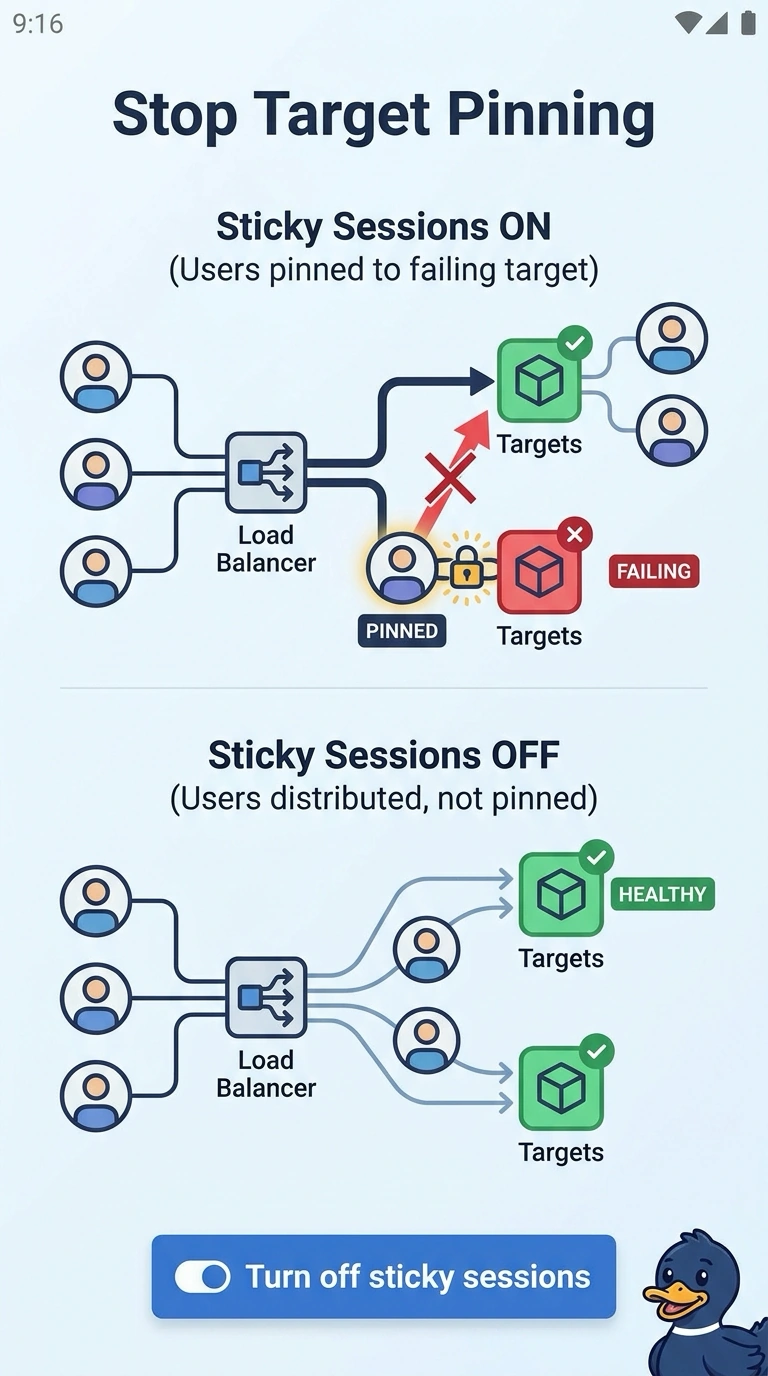
One sticky table at a struggling waiter does not mean the whole restaurant has closed. You have customers pinned to a single target that still passes its health check, while the other targets are fine, so the outage is the stickiness. Adding more targets does not pull those existing cookies off the failing one.
Full Explanation
Sticky sessions send a client back to the same target while the cookie is valid and that target remains healthy. A target that still passes its health check keeps those customers even when their requests fail, which is what a shallow health check allows. Other customers reach healthy targets and see no error, so the group as a whole is not down. Turn stickiness off and the load balancer can place later requests on the healthy targets. Replacing every target restarts instances that are already serving, and the same cookie behavior remains for the next bad target. New targets in another Availability Zone receive customers who are not already pinned, while the pinned customers stay put. The idle timeout closes quiet connections and does not retarget a client that is still presenting a stickiness cookie to a target the health check calls healthy. Caveat: once that target fails its health check, the load balancer stops sending it traffic and picks a new target, so stickiness is the cause only while the check stays green. Operational check: disable stickiness, retry from a client that was failing, and confirm the requests move to other targets.