
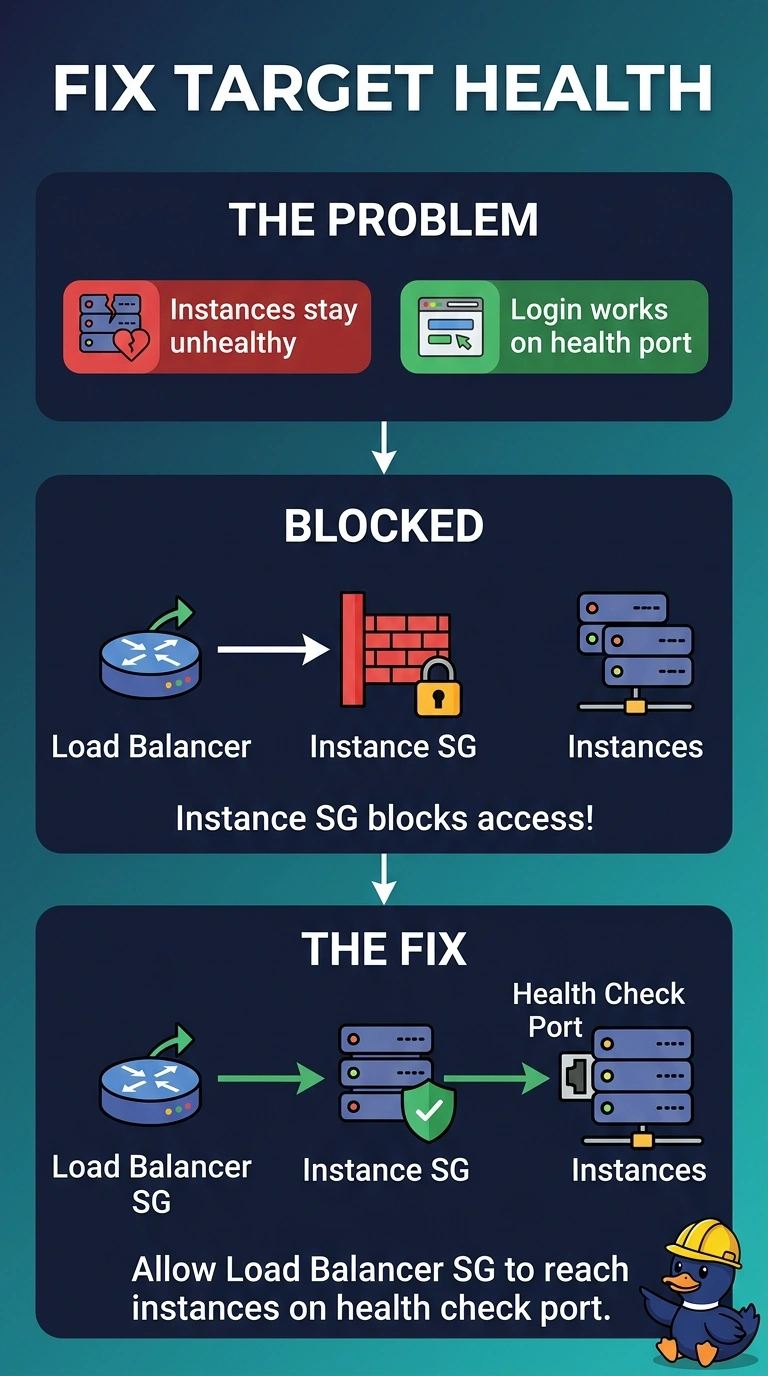
Every instance in an ALB target group stays unhealthy, yet a login on an instance gets a normal response from the application on the health port. The instance security group does not allow the load balancer to reach that port. What should change?
Select an answer to reveal the explanation.
Short Explanation
The application is answering the door, but the doorman is not on the guest list. Your load balancer cannot open the health port, so every target stays unhealthy while the process is fine. Open the security group path from the load balancer to that port before you touch the application.
Full Explanation
ALB health checks are sent from the load balancer to each target private address on the health-check port. If the instance security group does not allow the load balancer security group on that port, or the load balancer security group does not allow the egress, every check fails and the target stays unhealthy. A session on the instance shows the process is listening, so the application build is not the broken part. Allowing the office CIDR admits operator workstations. Those workstations are not the source of the health checks. Instance-target health checks do not use a public address you type in. They use the target in the VPC. A Gateway Load Balancer inserts a GENEVE appliance in a traffic path. It does not repair the security group path between this ALB and its targets. Caveat: the health-check protocol, port, and path still have to match what the application serves, and a subnet network ACL can block the same flow after the security group is fixed. Operational check: after the security group change, target health should become healthy with no application deploy, and a rejected flow from the load balancer to the health port should disappear.