
A city's CloudWatch agent is supposed to ship one application log file from each instance. Instead, operators are looking at Systems Manager Inventory and cannot find a log stream. What collects that file into CloudWatch Logs?
Select an answer to reveal the explanation.
Short Explanation
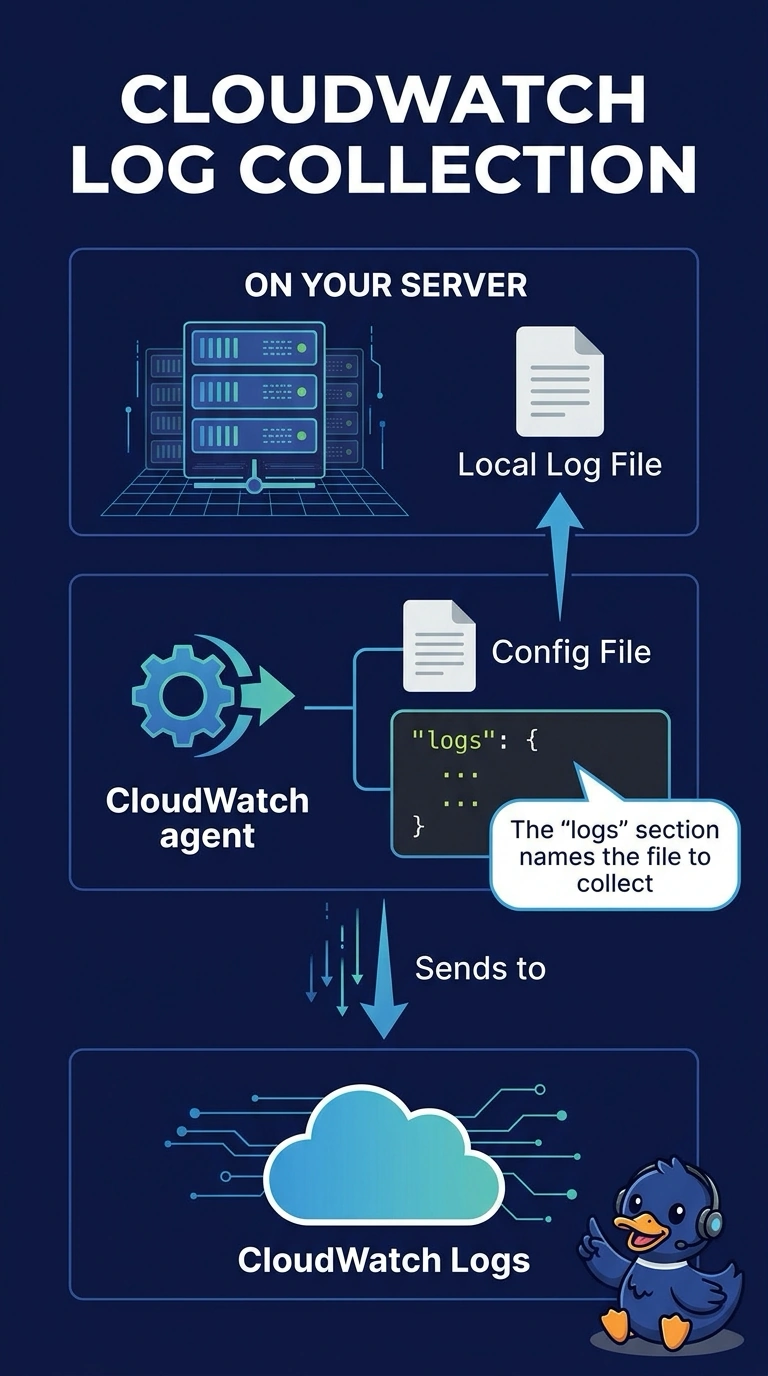
Inventory is a catalog of what is on the machine, not a hose for one log file. You name that file in the CloudWatch agent's logs section, and the lines show up as a log stream. A flow log will not grow a path field for your application log.
Full Explanation
The CloudWatch agent's logs section lists file paths, log group names, and retention, and it publishes those files as log streams. That is the collection this city asked for. Systems Manager Inventory records metadata such as installed applications; it does not stream a log file's contents into CloudWatch Logs. CloudTrail data events are API records, not a tail of an application file. Flow logs record network flows and cannot be given an application log path as a field. Caveat: the instance profile needs logs:CreateLogStream and logs:PutLogEvents, or the agent config is right and the calls are denied. Operational check: after the agent reloads, the named log group should have a stream for one instance and new lines from that file. The agent config names the file path, the log group, and how often to push. A wildcard can collect a directory if you mean to, and a single path collects one file, which is this city's request. Inventory's file gather is a list of paths and metadata, not a tail you read in Logs Insights. Reload the agent after the edit or it keeps the previous config that never mentioned the file.