
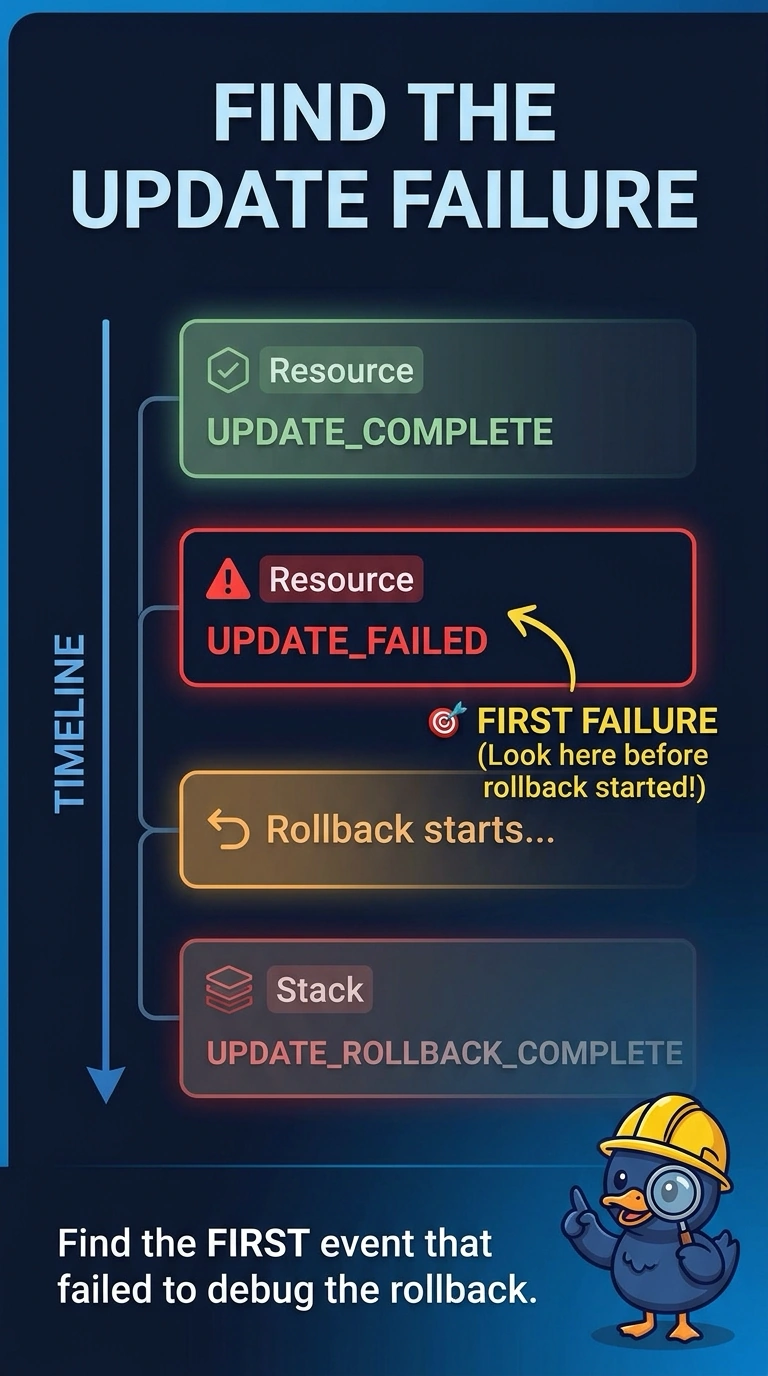
A CloudFormation update failed and the stack rolled back to UPDATE_ROLLBACK_COMPLETE. Several events are marked rollback. Where is the cause of the failure?
Select an answer to reveal the explanation.
Short Explanation
The rollback is the truck backing out of the driveway. The reason it backed out is earlier in the trip. You read the first failed event from the update, not the last line of the rollback, and the template description is not where CloudFormation writes errors.
Full Explanation
When an update fails, CloudFormation rolls the stack back and adds rollback events. Those events say the rollback happened; the status reason you need is on the resource that failed while the update was still going forward. The earliest UPDATE_FAILED in that operation is the cause. The final rollback event does not replace that reason. Termination protection is a flag, not an error log. CloudFormation does not rewrite the template description with the failure. Caveat: if the rollback itself then fails, you have a second problem, and you still start from the original update failure before you continue the rollback. Operational check: sort the events for this operation and read the first failed update event's status reason before you change the template. Filter events to the stack operation that failed. Update events and rollback events share the operation, and the timestamp order is the way you separate them. The resource's status reason often includes the API error, such as a name collision or a denied call. Fix that cause in the template or the permissions, then update again. Reading only the rollback success line will send you looking for a problem that was already undone.