
A university's new EC2 instances never appear as managed nodes in Systems Manager. The golden AMI used by the launch template does not include the SSM agent. Network paths and instance profiles were copied from a fleet that does show up. What should the image build change?
Select an answer to reveal the explanation.
Short Explanation
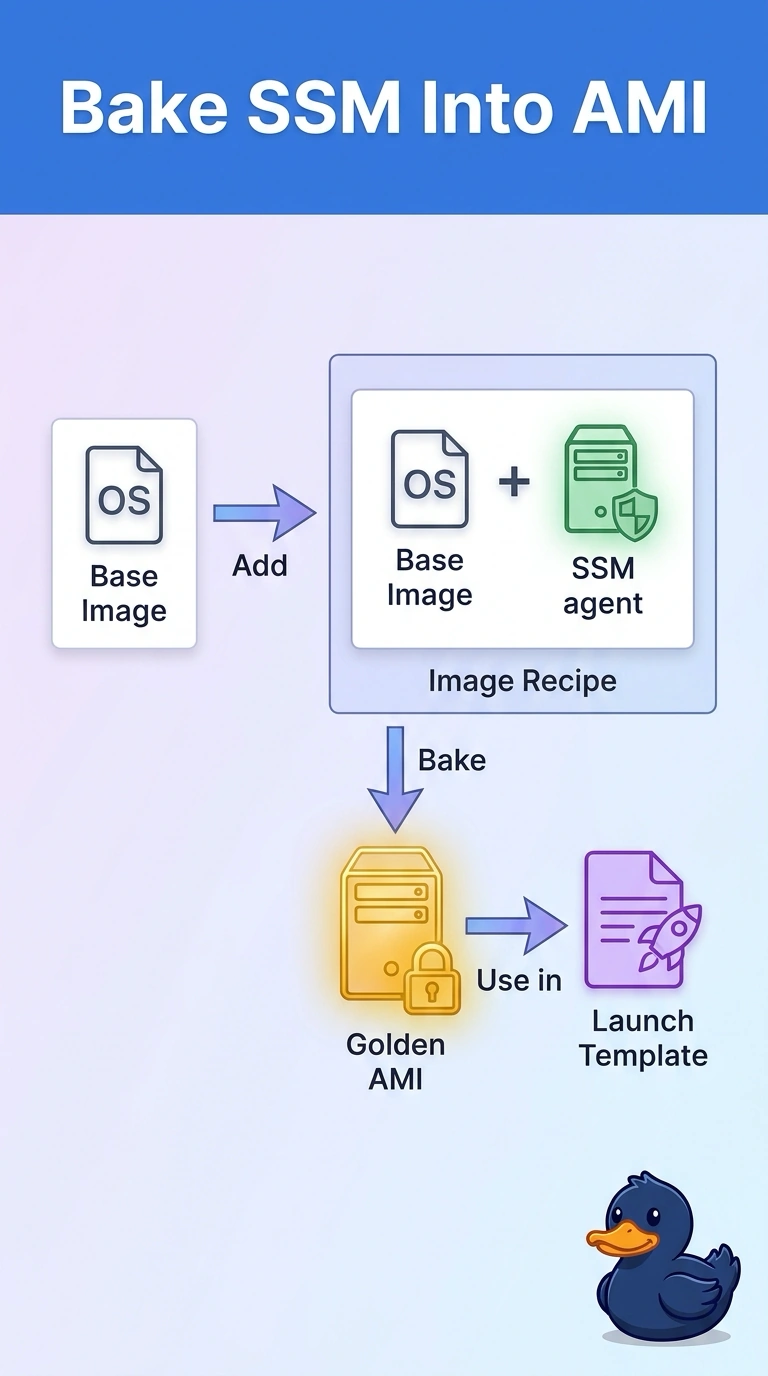
Systems Manager cannot manage a guest whose SSM agent never starts. You can add the SSM agent to the image recipe and bake a new AMI; opening SSH on every boot is a spare key, not a build.
Full Explanation
A managed node needs the SSM agent running, an instance profile, and a network path to Systems Manager. The profile and network already match a working fleet, while the golden AMI omits the agent, so the image build is the gap. Add the SSM agent to the image recipe and bake a new AMI for the launch template; then each new instance can start the agent and register. Opening port 22 from the internet does not reliably install the agent on every boot and exposes the fleet. Turning off the instance profile would prevent registration even if the agent were present. Publishing the AMI and relying on the hypervisor would not work because the hypervisor does not register a guest with Systems Manager. The agent is a package and service inside the guest, and baking it in lets first boot proceed without an operator connecting. Keep the instance profile with the managed-instance permissions that the working fleet already uses. Caveat: instances launched from the old AMI still need the agent installed once or must be replaced. Practical check: launch one instance from the new AMI and confirm it reaches an online ping status in Systems Manager.