
A data scientist wants to use Claude in a Jupyter notebook or Google Colab. What is the recommended approach for handling the API key securely?
Select an answer to reveal the explanation.
Short Explanation
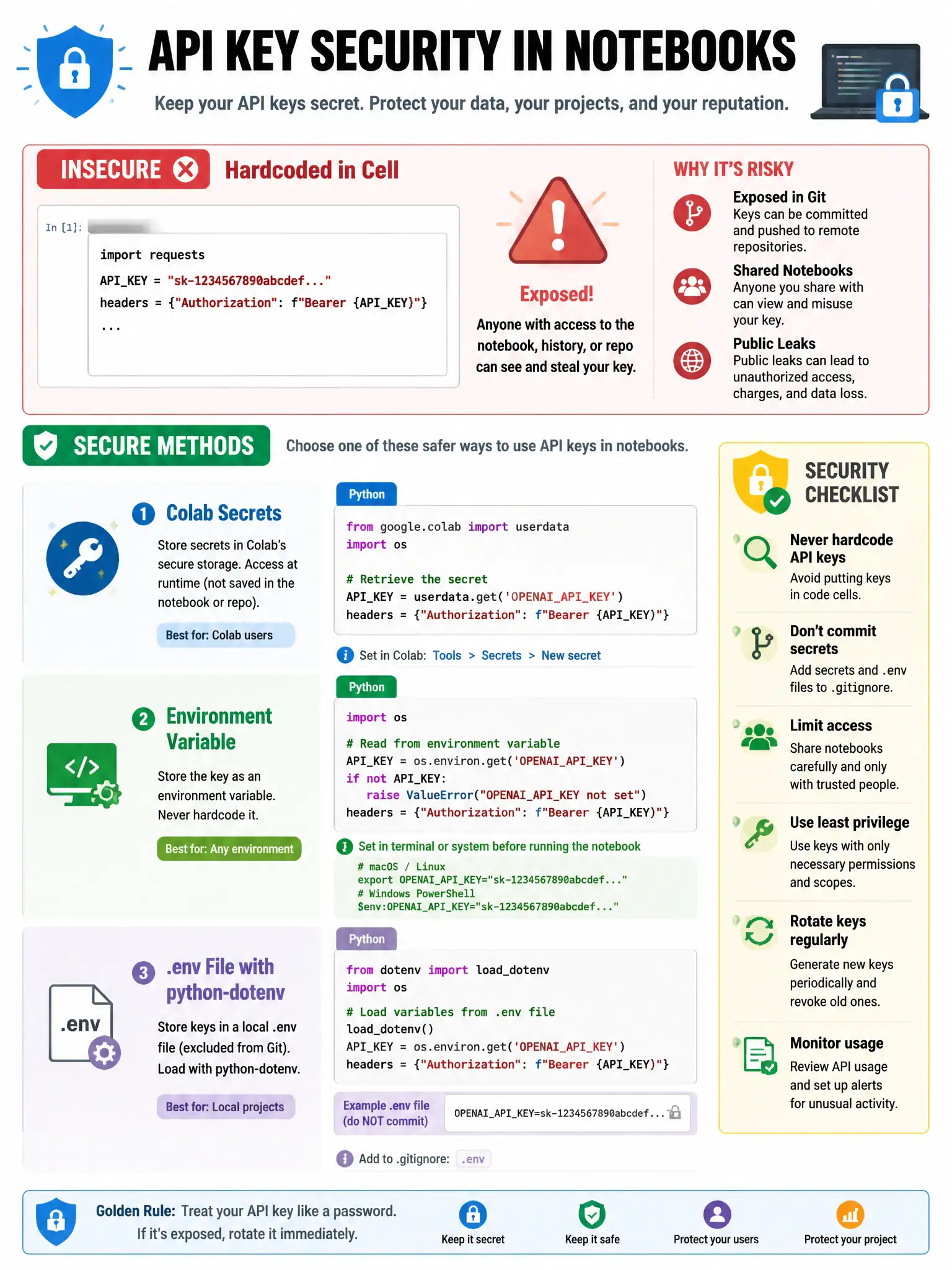
You shouldn't hardcode API keys in notebooks — they end up in version control or get shared accidentally. Use Colab Secrets or environment variables, then read them with os.environ.get().
Full Explanation
API key security in notebooks requires careful handling. Best practices: (1) Use Google Colab's Secrets feature (left sidebar, key icon) to store keys securely per-user, accessed via 'from google.colab import userdata; key = userdata.get('ANTHROPIC_API_KEY')', (2) In local Jupyter, use environment variables or .env files (with python-dotenv), accessing via os.environ.get(), (3) Never commit API keys to code — they'll appear in git history. The recommended approach is to use Colab's Secrets feature or environment variables to store the API key, accessing it via os.environ, because it keeps the secret out of notebook cells and shared code. Hardcoding the API key directly in the notebook code cell is insecure and leads to key exposure in shared notebooks and version control. Sharing the notebook publicly with the API key included would expose the key to the world. The claim that API keys cannot be used in Jupyter notebooks is false — notebooks fully support API usage.