
An eight-second UCS inventory sync on the user’s click path blows a city portal’s interactive latency objective. How should that slow Cisco-API work be placed?
Select an answer to reveal the explanation.
Short Explanation
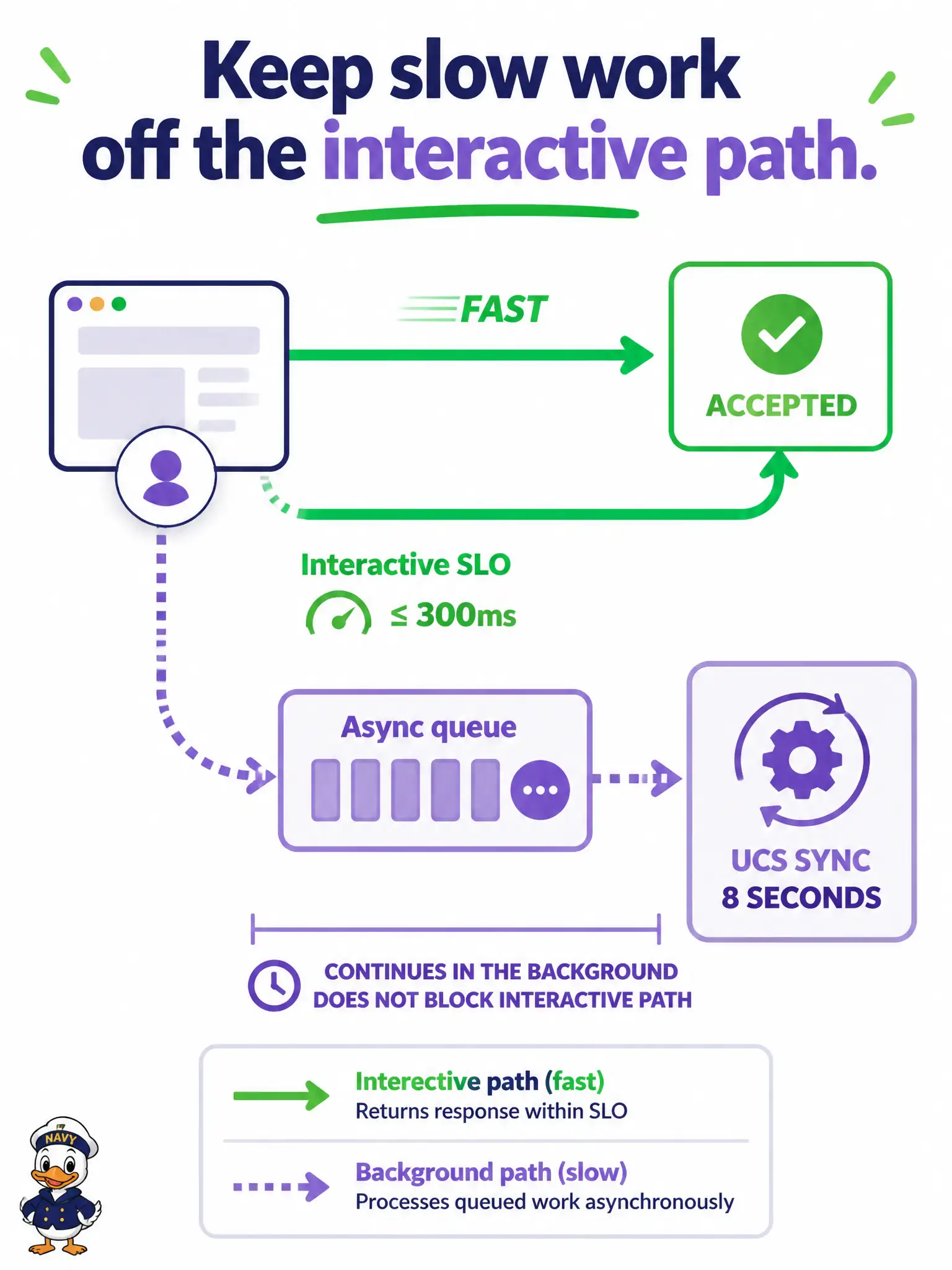
Do not make a citizen wait at the counter while someone rebuilds the entire warehouse list. Accept the request and finish the slow UCS work on a queue. That protects the interactive SLO.
Full Explanation
Slow Cisco-API work such as an eight-second UCS inventory sync must leave the interactive request path. Accept the clerk's action quickly, enqueue the sync, and finish asynchronously so the city portal's latency objective stays intact. Users get an accepted or processing signal; workers with retries and idempotency complete the controller conversation off the click path.
Keeping the full sync on the request path and raising the user-facing timeout fails by normalizing poor interactive latency. Running the sync synchronously in every related UI widget fails by multiplying the same long blocking call. Embedding the eight-second call in front-end JavaScript fails because it still blocks human time, risks token exposure, and only paints the server SLO green by shifting pain to the browser.
Exam caveat: asynchronous completion needs status visibility and idempotent jobs so retries do not corrupt inventory.
Operational check: confirm the interactive API returns in well under the portal SLO while the UCS job metrics show completion on the queue workers, with no sync on the request thread.
Place progress on a job status endpoint or notice so clerks know UCS sync is running without holding the HTTP request open for eight seconds. Interactive SLOs and batch controller work are different classes of traffic; mixing them on one thread forces false timeout inflation and poor user experience across the city portal.